
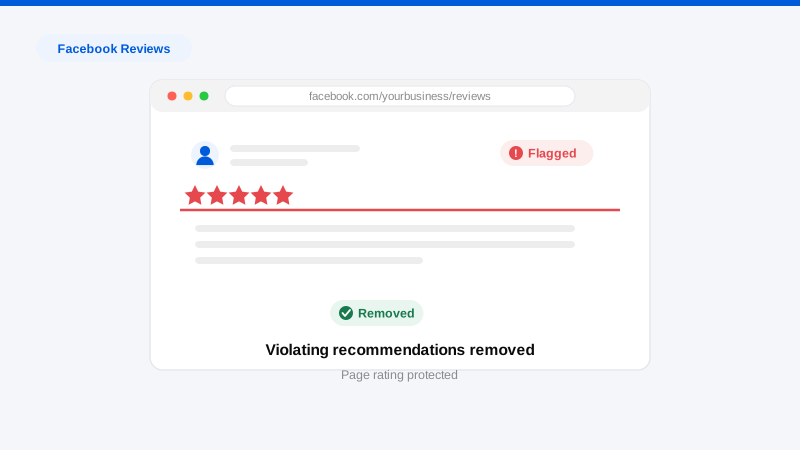
Facebook reviews, technically “Recommendations” since Meta rebuilt the feature, can be removed in three ways: the author deletes their post, Meta removes it for violating Community Standards or the Recommendations guidelines, or you turn the Reviews tab off entirely, which hides every recommendation on your Page at once. That last option makes Facebook unique among review platforms: it has an off switch. Whether to use it is a real strategic decision, because switching off hides your positive reviews too. What you cannot do is selectively delete negative recommendations from your own Page, removal of individual posts runs through Meta’s reporting system, and it responds to policy violations, not to disagreement. This page, part of our review removal hub, covers all three paths honestly.
Can this Facebook recommendation be removed?
An individual recommendation is a removal candidate when it violates Meta’s rules:
- It’s fake or inauthentic. Recommendations from accounts with no genuine experience of your business (competitor sabotage, fake profiles, brigading from a viral post) violate Meta’s authenticity policies and the requirement that Recommendations reflect genuine experiences.
- It contains harassment or bullying: attacks on you or a named employee as individuals, which Meta’s Community Standards prohibit.
- It includes hate speech, threats, or violent language.
- It shares private information: phone numbers, home addresses, or other identifying details posted to intimidate.
- It’s spam or a scam: link-dropping, commercial solicitation, or coordinated inauthentic behavior.
- It’s off-topic brigading: waves of one-star recommendations about a news story or political controversy rather than any customer experience.
Not removable through reporting: a real customer’s genuine negative experience, told harshly. Meta doesn’t arbitrate service disputes, and reporting authentic recommendations accomplishes nothing.
What Meta actually removes, and the off switch
Meta’s enforcement runs on its Community Standards (harassment, hate, threats, privacy, spam) plus Recommendations-specific rules requiring genuine experiences. Reported recommendations are reviewed, increasingly by automated systems first, against those policies, and violations are removed. The distinctive fallback: Page admins can disable the Reviews/Recommendations tab in Page settings at any time. This immediately hides all recommendations, positive and negative, and stops new ones. It’s the right move when your Page is under active attack, when a wave of brigading outpaces reporting, or when reviews aren’t a meaningful acquisition channel for you. It’s the wrong move when your rating is an asset and one bad review is the outlier, and turning the tab back on later restores everything, including the negatives. Treat the switch as a circuit breaker, not a deletion.
The removal process, step by step
- Preserve the evidence. Screenshot the recommendation, the profile behind it, and any related messages or the post that triggered a wave. Attacks evolve; your timeline is the case.
- Report the recommendation. From the post, use the three-dot menu, choose “Find support or report,” and select the specific violation: harassment, false information, spam, or “not relevant” for content with no genuine experience behind it.
- Report the account where warranted. Fake profiles and impersonation accounts violate authenticity policies independently of any single post, removing the account removes its recommendations.
- Escalate through Meta Business Support. Pages with active business accounts can pursue support cases for coordinated attacks, presenting the wave as an incident with evidence rather than one report at a time.
- Use the circuit breaker if the attack is winning. Disabling the tab mid-attack stops the bleeding while reports process; reassess once the wave passes.
- Reserve legal escalation for provable defamation: false factual claims doing measurable damage, where a court order becomes the removal instrument platforms respect.
The evidence we build
Meta’s reporting flows are heavily automated, which is exactly why evidence-rich escalation outperforms lone reports. Our case files include: profile forensics on attacking accounts: creation dates, empty histories, network links to a competitor or a known bad actor; the trigger timeline connecting a review wave to the post or event that launched it; screenshots preserving deleted-and-reposted attacks; transaction-record checks establishing that reviewers were never customers; and preserved threats or extortion demands. Bundled and escalated through business support channels, this is what converts “our automated systems found no violation” into human review and removal.
What doesn’t work
- Arguing in the comments. Every reply extends the post’s reach in the feed and hands the attacker screenshots. Respond once, professionally, or not at all.
- Mass-reporting from friends’ accounts. Coordinated reporting is inauthentic behavior under the same policies you’re invoking. It undermines your case.
- Deleting the whole Page in panic. You lose your audience, your history, and your verified presence, while the attackers simply move to your Google reviews.
- Buying fake positive recommendations. Inauthentic engagement cuts both ways; Meta removes purchased positives, and the purchase itself creates risk.
- Ignoring the wave because “it’s just Facebook.” Recommendations surface in search and in Facebook’s own local discovery, the damage compounds quietly.
Get a Free, Confidential Exposure Scan
Timelines and honest success expectations
Individual reports are typically decided within hours to a few days, Meta’s automated review is fast, but shallow. Escalated business-support cases run one to several weeks. Honest odds: clear Community Standards violations (harassment, hate, threats, fake accounts) are removed reliably; brigading waves are frequently removable as inauthentic behavior when the coordination is documented; genuine negative reviews from real customers are effectively permanent unless the author removes them. The off switch, uniquely, is 100% effective and instant, at the cost of your positive reviews’ visibility. Many businesses under sustained attack disable the tab, clean up what’s removable, rebuild review volume elsewhere, and re-enable later. Attacks that start on Facebook rarely end there; check Trustpilot and Google for the same actors.
Frequently asked questions
Can I delete a bad review on my own Facebook Page?
No, Page admins can’t delete others’ recommendations individually. Your options are reporting the post for a policy violation, asking the author to remove it, or disabling the Reviews tab entirely, which hides all recommendations at once.
Should I turn off reviews on Facebook?
Turn them off when you’re under coordinated attack, when fake negatives outnumber genuine reviews, or when the tab contributes little to acquisition. Keep them on when your rating is a genuine asset. The setting is reversible. Everything returns, positives and negatives, when you re-enable it.
How do I report a fake Facebook review?
Use the three-dot menu on the recommendation, choose “Find support or report,” and select the ground that fits: harassment, spam, or irrelevance for posts with no genuine experience. For fake accounts, report the profile itself for inauthenticity; account removal takes its posts with it.
A viral post sent hundreds of one-star reviews to my Page. What now?
Disable the Reviews tab immediately to stop the damage, preserve evidence of the wave and its trigger, then escalate to Meta Business Support as a coordinated incident. Once the wave passes and removals process, decide deliberately when to re-enable. Our guide to review bombing covers the parallel Google-side playbook.
Do Facebook recommendations affect my Google ranking?
Not directly, but they surface in brand searches and shape the impression of anyone researching you. Reputation is cross-platform in practice, which is why we scan and address Facebook, Google, and industry-specific review sites together.
If your Facebook rating is under attack, or quietly costing you customers, start with a free, confidential exposure scan. We’ll map every damaging review across platforms, tell you what’s honestly removable, and show you how our process works before you commit to anything.