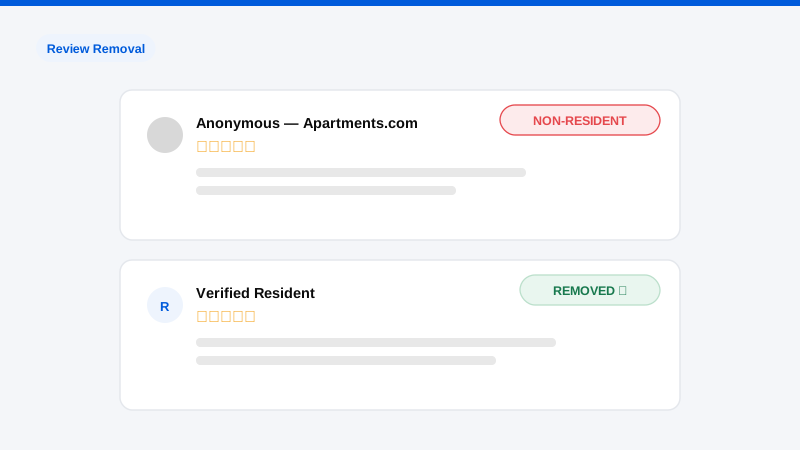
A review can be removed from Apartments.com when it violates the site’s content guidelines, the reviewer never lived at or toured the property, the review contains profanity, discriminatory language, personal attacks on named staff, false statements of fact, or promotional/competitor content. Apartments.com does not remove reviews for being negative, and flagging a merely unhappy resident’s honest account will fail. The removal path runs through the listing’s management dashboard or the site’s support channels, with documented evidence deciding close calls. This guide covers what qualifies, how to build a flag that succeeds, and what to do about the reviews that will not come down.
Why Apartments.com reviews carry outsized weight
Apartments.com is consistently among the highest-traffic rental marketplaces in the US, and its reviews sit directly inside the leasing funnel, a prospect comparing three communities reads them minutes before booking a tour. Unlike a stray Google review diluted across hundreds of ratings, a property’s Apartments.com profile often carries few enough reviews that one angry ex-resident visibly moves the average and, worse, becomes the first narrative a prospect reads. For portfolio operators, the compounding problem is fairness drift: reviews about prior management, a since-completed renovation, or a sister property routinely land on the wrong listing and stay there. Review management on this platform is not vanity. It is occupancy economics, the same math we walk through across our review removal practice.
What qualifies for removal from Apartments.com?
Reviews are removable when they breach the platform’s posting guidelines. The categories that succeed in practice:
- Non-resident reviews. The reviewer never lived at, applied to, or toured the property. This is the strongest and most provable category. Your resident records are the evidence.
- Wrong property. The complaint describes another community, a prior owner’s era presented as current, or a different location in your portfolio.
- Fake and malicious reviews. Competitor postings, evicted-resident revenge campaigns using multiple accounts, or reviews from parties in active legal disputes misrepresenting themselves as ordinary residents. The forensic patterns mirror what we see in fake competitor review campaigns.
- Prohibited content. Profanity, hate speech, discriminatory remarks, threats, or personal attacks targeting named employees.
- Privacy violations. Reviews publishing staff or resident personal information: phone numbers, unit numbers, identifying details.
- Off-policy content. Promotional links, spam, legal accusations presented as fact, or demands framed as extortion (“remove my fees or this review stays up”).
Not removable: honest negative experiences, disputed-but-plausible accounts of maintenance or billing issues, and reviews that are unfair in tone but factual in substance.
How to flag a review, step by step
- Document first. Screenshot the review, capture the URL, note the reviewer name and date. Reviews get edited after flags are filed, and your evidence file anchors any escalation.
- Run the resident match. Search your property-management system for the reviewer’s name and plausible variants against current and former residents, applicants, and touring records. No match is the core of a non-resident flag; a match changes your strategy from removal to response.
- Flag through your dashboard. Property managers with a claimed listing can report reviews through the management portal; the flag should cite the specific guideline violated. If you have a dedicated Apartments.com/CoStar account representative, route the request through them in parallel, named representatives move faster than queues.
- Attach evidence, not adjectives. “This reviewer does not appear in fifteen years of resident, applicant, or tour records” wins. “This review is unfair and hurts our reputation” loses. For wrong-property reviews, cite the details that prove mislocation; for prohibited content, quote the violating language against the guideline.
- Escalate on silence. If a well-founded flag sits beyond two to three weeks, refile with tightened evidence and push through the support channel and your rep simultaneously. Persistence with documentation is the pattern that clears stalled queues.
Get a Free, Confidential Exposure Scan
While removal is pending: the response strategy
Removal takes weeks; prospects read the review today. Post a management response within days: calm, specific, and written for the prospect rather than the reviewer: acknowledge, state facts carefully, and show the resolution path. Never confirm a reviewer’s residency status or account details in public (fair-housing and privacy caution applies), and never argue, a defensive reply under an unfair review does more leasing damage than the review itself. Then work the denominator: recent satisfied residents are the honest, policy-compliant way to make one bad review statistically irrelevant, and communities that build systematic review generation into renewals and move-ins stop being hostage to any single post. Where the same attack shows up across platforms, coordinate, the playbook for Google reviews differs in mechanics but not in strategy.
Honest expectations: and when to bring us in
Clear guideline violations with documentation come down reliably, typically inside two to six weeks. Judgment-call flags succeed less often, and Apartments.com, like every review platform, makes its own final decisions; no firm can guarantee a specific removal, and any that does is selling refund terms, not outcomes. Operators bring us in when the situation outgrows the dashboard: coordinated multi-review attacks, review extortion, defamatory campaigns spanning Apartments.com, Google, and Yelp simultaneously, or a portfolio-wide backlog no on-site team has bandwidth to fight. We run the forensics, the platform escalations, and the cross-platform sequencing as one campaign, removal engagements are priced per item and quoted in writing after a free review of what is actually removable versus what needs a response-and-suppression strategy instead.
Frequently asked questions
Can Apartments.com remove a review just because it’s negative?
No. Negative-but-honest reviews are explicitly protected by the platform’s model, and flags without a guideline violation are declined. The removable set is defined by policy breaches (non-residency, prohibited content, wrong property, fake origin) not by sentiment. Aim your effort at the reviews that qualify and answer the rest publicly.
How do I prove a reviewer never lived at my property?
Search your PMS across residents, applicants, guarantors, and tour logs for the reviewer’s name and variants, and state the scope of that search in your flag. You are demonstrating a diligent no-match, not publishing records. Anonymous-handle reviews are harder but not hopeless, content details that contradict the property’s reality (amenities you lack, policies you never had) carry the same weight.
How long does removal take?
Straightforward violations typically resolve in two to six weeks from a well-documented flag; escalated or ambiguous cases run longer. Plan around the interim: management response posted within days, review generation running continuously, so the listing tells a fair story regardless of the flag’s timeline.
A former employee posted a review pretending to be a resident. Removable?
Usually, yes, misrepresenting the relationship violates review guidelines, and employment-relationship reviews belong on employment platforms, not resident listings. Flag with evidence of the employment relationship and the misrepresentation. The same logic covers our work on post-layoff employer review campaigns on Glassdoor and Indeed.
Should we respond to a review we’re trying to get removed?
Yes. Removal is probabilistic and slow; the response is immediate and certain. A professional reply protects leasing conversions while the flag processes, and if removal succeeds the reply disappears with the review. Silence, by contrast, reads as confirmation to every prospect who scrolls past.
If reviews are costing you tours, one malicious post or a coordinated campaign, start with a free, confidential Exposure Scan: we will audit every review across your listings, tell you honestly which are removable and which need response strategy, and price the work before you commit. Our process page shows how the campaign runs end to end.