
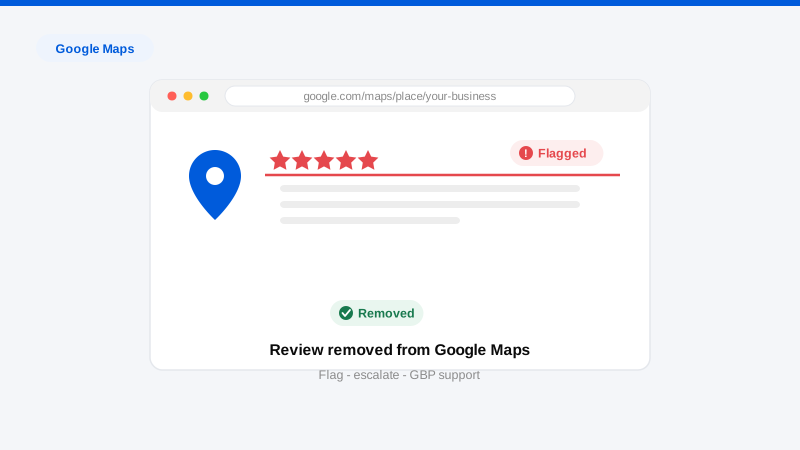
To remove a review from Google Maps, report it against Google’s review policies: in the Maps app, tap the review’s three-dot menu and choose “Report review”; on desktop Maps or Search, click the same three-dot menu beside the review. Business owners get a stronger path, flagging through the Google Business Profile dashboard, then escalating unresolved flags to GBP support with evidence. Google removes reviews that violate its prohibited-content policies (fake engagement, off-topic content, harassment, conflicts of interest, restricted or illegal content); it does not remove reviews for being negative. Same policies as Google Search reviews, Maps and Search share one review system, but the reporting surfaces and escalation paths differ, and that’s what this guide covers.
That shared backbone is worth internalizing: a review “on Google Maps” is a review on your Business Profile, and removing it there removes it everywhere it displays. The full policy-by-policy playbook lives in our remove Google reviews hub; this page focuses on the Maps-specific mechanics and the escalation ladder.
What qualifies for removal from Google Maps?
Google’s review policies prohibit, in rough order of how often we see them succeed:
- Fake engagement: reviews from people with no genuine customer experience: competitors, bought reviews, coordinated attacks, accounts reviewing from another country the same hour.
- Conflict of interest: current or former employees, competitors, and people in personal disputes with ownership.
- Off-topic content: political commentary, personal grievances unrelated to a customer experience, or reviews meant for a different business (common with similarly named locations).
- Harassment and personal attacks: reviews that target named individuals rather than the business; also reportable by the named person directly, no business account required (see our guide to removing a Google review without a business account).
- Personal information: reviews exposing anyone’s phone number, address, or other private data.
- Profanity, explicit content, hate speech, threats: the fastest removals when clear.
- Review extortion: “pay me / refund me or the review stays.” Preserve those messages; they convert a judgment call into a documented violation.
Not removable: honest negative experiences, one-star ratings with no text (frustrating, but permitted), exaggerated but experience-based accounts, and disputes about quality where the person was genuinely a customer.
Step-by-step: reporting, flagging, and escalating
- Document everything first. Screenshot the review, the reviewer profile, and their review history. Note patterns: review-bombing clusters, competitor-adjacent accounts, geographic impossibilities.
- Report from the surface where you found it. Maps app: open your business → Reviews tab → three-dot menu on the review → “Report review” → select the violation. Desktop: same menu on the review in Maps or the Search knowledge panel. Anyone can do this, signed into any Google account.
- Flag from the Business Profile too (owners). Signed in as the profile manager, report the review through your dashboard’s reviews management, owner flags enter the queue with your verified relationship to the listing attached. Google’s Reviews Management Tool also lets you check the status of reports for your profile.
- Wait out the initial review, about three days to two weeks. Many flags are machine-evaluated first. A “no violation found” outcome at this stage is not final.
- Escalate to GBP support with evidence. Through the Business Profile help center, request a one-more-look appeal on the flagged review. This is where documentation wins: the reviewer’s history, proof they were never a customer, the extortion messages, the pattern across accounts. Specific evidence, one page, per review.
- Handle attacks as attacks, not single reviews. Coordinated incidents have their own playbook (bulk evidence, incident framing, and support escalation) covered in our review bombing response guide.
- Run the parallel tracks. While removal is pending: respond publicly, once, factually, future customers read the response, and a calm reply defuses most of a hostile review’s power. For false factual statements, the legal route against the reviewer (retraction demand, and Google’s legal removal form) runs independently of policy flags. Broader review strategy across platforms lives at our remove reviews hub.
Get a Free, Confidential Exposure Scan
Honest timelines and success expectations
Initial flag decisions: three days to two weeks. GBP support escalations: one to four weeks more. Legal-route removals: two to six weeks. Removed reviews disappear from Maps, Search, and the knowledge panel simultaneously.
Success expectations, straight: clear policy violations with evidence succeed at high rates, especially on escalation. Bare flags on judgment-call categories mostly fail, Google’s first-pass review is largely automated and errs toward keeping content. Truthful negative reviews are not removable by anyone, and a vendor guaranteeing otherwise is describing either suppression or fiction. The professional difference is in policy mapping, evidence packaging, and persistence through the escalation tiers, plus knowing when the better investment is response strategy and rating recovery rather than a doomed removal fight.
Frequently asked questions
Is removing a review from Google Maps different from removing it from Google Search?
Same review system, same policies, same outcome. A removal applies everywhere. The differences are mechanical: where the report menus live, and the owner-side tools (Business Profile flagging, the Reviews Management Tool, GBP support) that give merchants an escalation path public reporters don’t have.
My flag was rejected. Is that the end?
No. Rejections at the first tier are common even for genuine violations. Escalate through GBP support’s appeal process with organized evidence: reviewer history, proof of no customer relationship, policy citation. A meaningful share of legitimate removals happen at the second tier, not the first.
A review disappeared on its own. Did Google remove it?
Possibly, Google’s spam systems remove reviews continuously, and reviewers delete their own posts. Reviews also vanish when the account behind them is suspended. If it was a positive review that disappeared, the same spam filters are usually the cause; there’s no mechanism to appeal for a restored review beyond support.
Can I remove a review that gives one star but no text?
Only if the account itself violates policy, no customer relationship, competitor, coordinated pattern. Text-free ratings are otherwise permitted. The practical counter is volume and response: legitimate reviews and a healthy profile dilute a silent one-star quickly.
The reviewer is demanding a refund to remove the review. What should I do?
Preserve every message before responding, that demand is review extortion, a documented policy violation, and your strongest possible evidence file. Report the review, escalate with the messages attached, and don’t pay; paying marks you as a target and rarely ends the problem.
If reviews are hurting your rating and flags aren’t working, get a professional read on what’s actually removable. Request a free, confidential Exposure Scan. We’ll assess every review, reviewer, and escalation route through our process and tell you honestly which fights are winnable.