The Spokeo opt out page is at spokeo.com/optout and works only with the exact URL of your full profile, not a search results page. Paste the profile URL, enter a verification email, complete the CAPTCHA, then click the confirmation link in the email. Each listing must be removed separately, and removal from Spokeo does not delete the original source data.
Key facts
- Spokeo says requests are typically processed in 24 to 48 hours; check for No Results Found within 72 hours.
- The request is not complete until the email confirmation link is clicked.
- A person may have multiple Spokeo listings under name, address or phone variants, each needing its own request.
- If the form errors, Spokeo’s help center suggests retrying in an Incognito window.
Where ContentRemoval.com comes in. ContentRemoval.com runs data-broker suppression as a managed workflow: mapping every listing across Spokeo and the wider people-search network, submitting and verifying each removal, and re-checking for records that resurface when brokers ingest fresh data. Executives, physicians, attorneys and family office staff usually reach out once a single opt out proves insufficient. A free 15-minute Exposure Scan maps what is removable, and the report is theirs to keep. Get a Free, Confidential Exposure Scan or read how our data broker removal work is done.
You search your name, click a result, and see more than you expected: address history, phone numbers, family associations, maybe several profile variations tied to old locations or alternate spellings. Such a degree of public exposure feels invasive. For executives, investors, public figures, and anyone managing real security risk, it’s operationally reckless.
The Spokeo opt out page can help, but only if you use it correctly, and even then, manual removal is a tactical fix, not a privacy strategy. A single listing can be removed. Your broader exposure usually remains.
Locating and Assessing Your Spokeo Profile Exposure
The first mistake people make is assuming they have one profile and one problem. That’s rarely how people-search exposure works. A single person can appear under multiple names, address variations, phone records, or fragmented identity trails. Spokeo itself states that each profile must be removed individually because a person may have multiple listings on the platform, and its process is built around a listing-specific URL on the official Spokeo opt-out page.
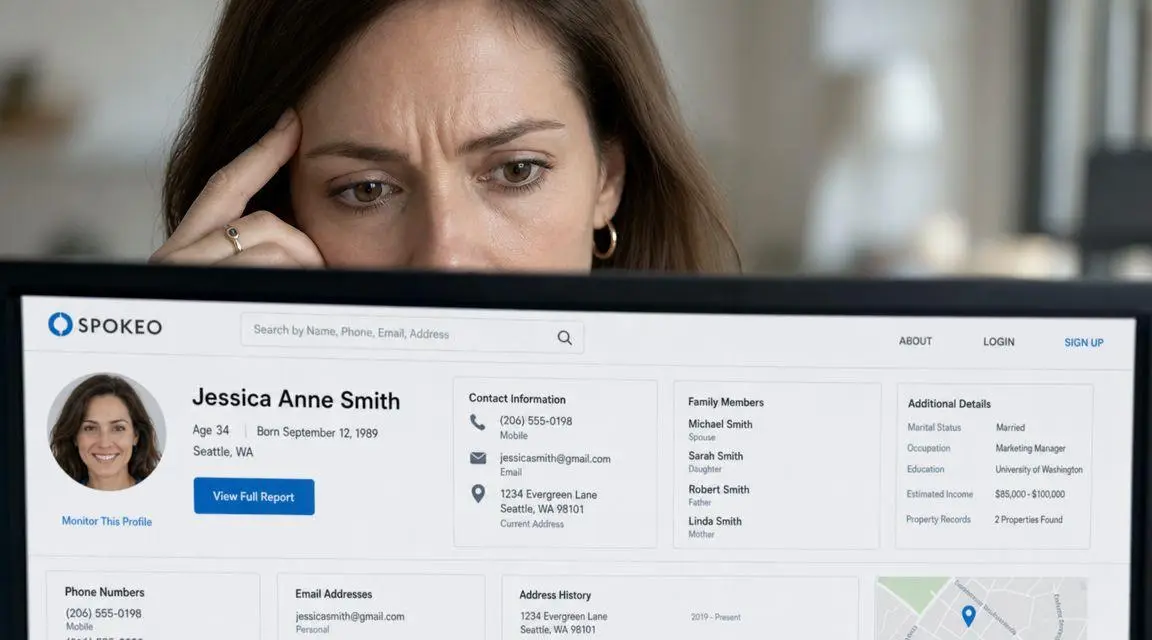
If you’re under pressure, slow down and assess the exposure before you submit anything. Search your full name, common shortened versions, and location variants. Open any result that appears to be yours. Don’t rely on the search page alone. The risk sits inside the full profile.
What to identify before removal
You need to isolate the records that matter. Focus on listings that expose:
- Current or prior address data that could make physical location easier to trace
- Phone numbers or email-linked records that can support harassment, social engineering, or impersonation
- Family or household associations that widen the risk beyond you
- Multiple identity variants that suggest duplicate or fragmented records
Practical rule: Treat each visible profile as a separate incident until proven otherwise.
Often, DIY efforts become sloppy. People remove one obvious result and stop. That creates a false sense of control. If your role or profile makes privacy consequential, you need a fuller map of people-search exposure across brokers, not just one site. A more complete framework for that broader review appears in this executive guide to removing content from people-search sites.
Why this matters strategically
Spokeo is one node in a larger broker network. Its own opt-out language also makes clear that removing a listing from Spokeo does not remove the underlying data from the original source, which means the same information can still circulate elsewhere even after a successful request. That’s the core limitation. Removal from one database isn’t the same as privacy.
Executing the Spokeo Opt Out Request
The manual process is straightforward on paper and fragile in practice. Precision matters. The Spokeo opt out page is built around the exact profile URL, not a general search result, not your name alone, and not a category page. If you submit the wrong link, you’ll waste time and may think the request failed when the problem was the input.
The correct workflow
Use this sequence and don’t skip steps:
- Search for your listing on Spokeo. Open the full profile that corresponds to you.
- Copy the listing-specific URL from the browser address bar. Don’t copy the search results page.
- Go to the Spokeo opt out page and paste that profile URL into the form.
- Enter an email address for verification and complete the CAPTCHA.
- Submit the request, then monitor your inbox for the confirmation email.
- Click the email confirmation link. Until you do that, the request isn’t complete.
Independent process documentation also describes this email verification chain and notes that users typically need to return after a short processing period to confirm the page shows “No Results Found,” generally within 72 hours according to Security.org’s Spokeo opt-out walkthrough.
Where people get this wrong
The failure points are predictable.
Some users submit a search URL instead of a profile URL. Others forget the email confirmation step and assume submission alone was enough. The most common operational error, though, is stopping after one removal. Spokeo states that requests are typically processed in 24 to 48 hours and that each profile must be removed individually because a person may have multiple listings on the platform, as stated on the Spokeo opt-out page. If you have several records, you need several submissions.
A useful way to think about it is this:
| Task | What counts as done | Common failure |
|---|---|---|
| Find record | Full profile page opened | Using only the search page |
| Copy URL | Exact profile URL saved | Copying the wrong link |
| Submit form | URL, email, CAPTCHA completed | Incomplete or invalid input |
| Verify email | Confirmation link clicked | Ignoring inbox or spam folder |
| Check status | Profile no longer resolves | Assuming removal without checking |
This walkthrough may help if you want a visual reference before submitting your request.
A tighter way to manage multiple profiles
If you locate more than one listing, don’t improvise. Build a simple tracking sheet with the profile URL, the email used for verification, the submission status, and the date you sent the request. That’s basic discipline, but it prevents missed confirmations and duplicate work.
Remove the records with the highest risk first. Current address exposure outranks legacy clutter.
Manual removal can work. It just doesn’t scale well when your identity footprint is fragmented, which is common for professionals with long address histories, business registrations, public filings, or media visibility.
Navigating Opt Out Failures and Form Errors
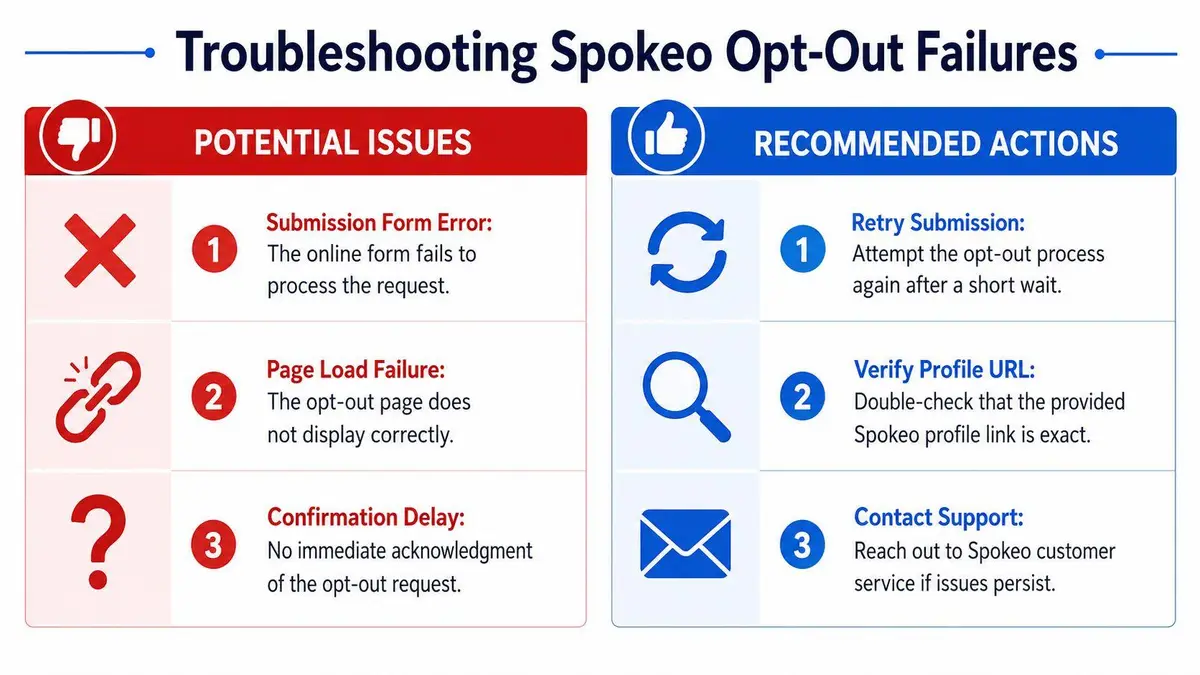
The clean workflow assumes the form behaves, the profile URL is accessible, and the confirmation email arrives without friction. Real users know that isn’t always what happens. Spokeo’s help guidance says users should try an Incognito window if the URL produces errors, and the workflow still depends on obtaining a specific profile URL, completing CAPTCHA, and confirming by email, according to the Spokeo help center removal instructions.
Failure scenario review
When the form throws an error, start with a private browser session. Incognito mode strips away cached scripts, old cookies, and extensions that can interfere with submission. Retry the process from the beginning rather than trying to salvage a broken session.
When the confirmation email never arrives, check spam and junk first. If it still isn’t there after a reasonable wait, assume the chain may have failed without notification and resubmit. Don’t keep waiting for a message that may never come.
When the URL is difficult to capture or the profile is blocked, document the obstacle immediately. Take a dated screenshot of the profile page, paywall, or error state. That record becomes useful if you need support intervention.
Minimal-data escalation
If you contact support, keep the disclosure narrow.
- Describe the failure clearly and state whether it’s a URL issue, form error, or missing email
- Provide the exact profile URL if you have it
- Attach the screenshot showing the error or access problem
- Avoid oversharing identifiers that aren’t necessary to resolve the request
The verification chain is usually the real bottleneck, not the removal form itself.
That distinction matters for privacy-sensitive users. The more friction you encounter, the more likely you are to volunteer unnecessary personal data just to get the process moving. That’s a mistake. Troubleshoot methodically, preserve evidence, and escalate only with the minimum necessary information.
Post-Removal Verification and Monitoring Strategy
Submission isn’t the finish line. Verification is.
After the processing window has passed, revisit the exact profile URL you submitted and confirm the page no longer resolves as an active listing. Independent guidance on the removal flow advises users to return after the processing period and check for a “No Results Found” outcome. That’s the practical standard for confirmation.
What to verify after a request
You need two checks, not one:
- Direct URL check
Open the saved profile link and see whether the listing is gone. - Fresh search check
Search again on Spokeo using your name and other known identifiers to see whether another version of the record still appears.
A lot of people verify only the original link. That’s incomplete. If duplicate records exist, the removed profile may disappear while another remains searchable.
Monitoring is the real burden
Even where a removal succeeds, the DIY approach creates an ongoing maintenance problem. Listings can reappear over time as data is ingested again. That means manual removal becomes a recurring compliance chore you have to remember, track, and repeat.
If you want a disciplined process, create a recurring review cycle and keep a record of prior removals, screenshots, and URLs. If you don’t want to manage that personally, use a structured reputation monitoring program that flags resurfacing records before they become a larger exposure issue.
One successful opt-out proves the form worked once. It doesn’t prove your exposure is controlled.
That’s the practical difference between a request and a strategy.
Why a Single Opt Out Is Not a Privacy Solution
You remove your Spokeo profile, search your name a week later, and feel a brief sense of relief. Then a lender, client, opposing party, or stalker finds the same address history, relatives, or phone data on another broker site. That is the failure point in the DIY approach. It treats one visible listing as the entire exposure.
Spokeo says its opt out process removes the listing from Spokeo, not from the original data source. That distinction matters. If source records remain available, your information can be sold, copied, and republished across other people-search databases. A single takedown reduces one point of visibility. It does not control distribution.
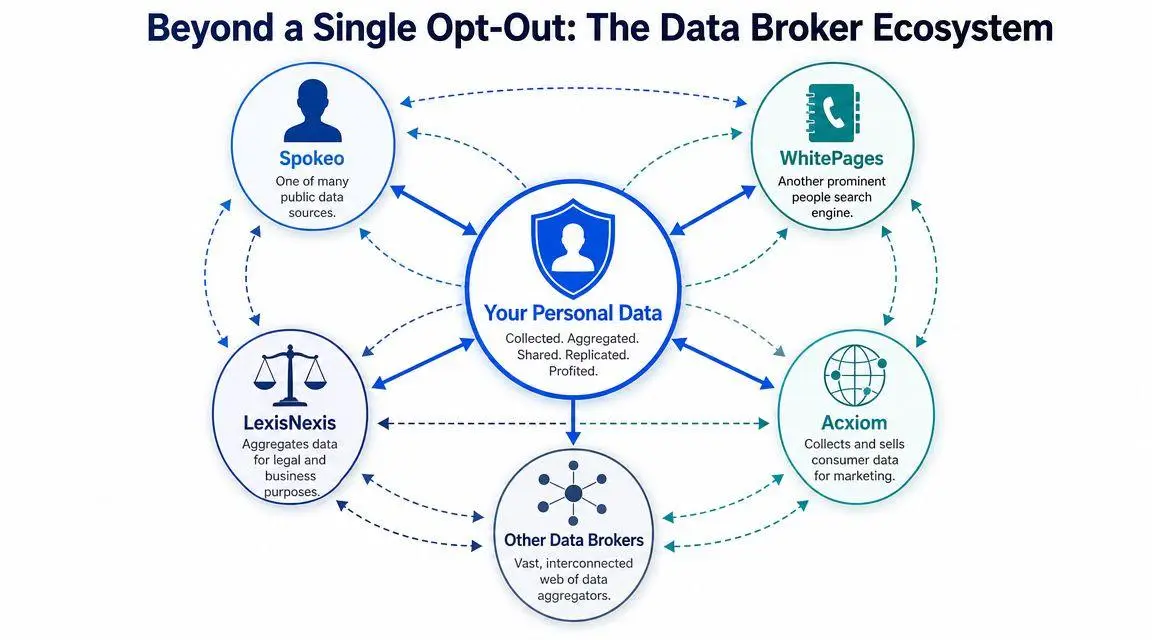
What a single removal actually accomplishes
| Action | Immediate result | Remaining risk |
|---|---|---|
| Remove one Spokeo listing | One searchable profile disappears from Spokeo | Source data still exists and can appear on other broker sites |
| Remove multiple Spokeo listings | Exposure on Spokeo drops further | Republishing continues if upstream data is still available |
| Run a broker-by-broker suppression program | Wider reduction in public visibility | Ongoing review is still required because records can return |
Public figures are not the only ones who get this wrong. Executives, physicians, attorneys, and private individuals in legal disputes often assume one successful opt out means the issue is contained. It is not. Anyone conducting a basic people-search review will usually check more than one database.
That is why privacy work has to be handled as a suppression program, not a one-form task. You need broker coverage, identity variation tracking, record documentation, and repeat review of high-risk data points such as home address, family associations, and direct contact details. If your exposure involves legal or reputational fallout, the guidance on addressing negative information after criminal charges is relevant because search visibility problems rarely stay isolated to one source.
For readers who need a broader removal plan, this executive guide to removing yourself from data broker lists explains the wider broker ecosystem and the limits of manual suppression. The practical takeaway is simple. One successful Spokeo opt out proves you completed a form. It does not prove your privacy is under control.
Building a Broader Privacy Strategy
A Spokeo removal can disappear from public view today and return later when fresh source data is pulled back into the broker network. That is the operational weakness of every DIY opt out. You can remove one visible profile and still leave the data supply chain intact.
Lasting privacy control requires more than form submissions. It requires suppression across the wider broker ecosystem, review of name and address variations, documentation of completed removals, and scheduled checks for reappearance. If your exposure is tied to legal or reputation risk, addressing negative information after criminal charges is relevant because people-search listings and search-result harm often overlap.
Manual opt outs have a narrow use case. They work for isolated records, low-risk exposure, and people who have time to monitor return listings. They fail when the risk is greater, the data is syndicated across multiple sites, or your record involves home address history, relatives, or direct contact details.
For a wider broker suppression plan, review this executive privacy guide to removing yourself from data broker lists. If you need execution instead of another checklist, ContentRemoval.com handles broker removals and ongoing monitoring as a managed privacy workflow.
If your name, address, family links, or contact data are exposed on people-search sites, a single opt-out request does not put you in control. ContentRemoval.com provides confidential assessments for individuals who need a systematic plan to reduce exposure, remove listings, and monitor for reappearance across the wider broker ecosystem.
Frequently asked questions
Why is my Spokeo profile still showing after I opted out?
The most common reasons are a search URL submitted instead of the profile URL, a confirmation email left unclicked or lost in spam, or a duplicate listing under a name or address variant. Recheck the exact saved link, run a fresh search on Spokeo, and resubmit for any record that still resolves.
Does removing my Spokeo listing delete my information everywhere?
No. Spokeo states its opt out removes the listing from Spokeo only, not from the original data source. The same address history, relatives and phone data can still appear on other broker sites and can return to Spokeo later when source data is pulled back in.
How do I keep my information off Spokeo permanently?
There is no one-time fix. Keep a record of removed profile URLs, dates and verification emails, recheck on a recurring cycle, and treat it as a suppression program across brokers rather than one form. Monitoring that flags resurfacing records is the practical way to stay ahead.