Canceling a Spokeo account involves two separate actions: ending the paid subscription and opting the public profile out of Spokeo’s database. Cancellation stops billing but leaves the profile live. Opt-out removes the listing but does not stop charges. To finish the job, complete both workflows, click the email verification link, and keep dated proof of each step.
Key facts
- Website subscriptions are canceled in the Manage Account or Plan area, through several retention screens.
- App subscriptions must be canceled in Apple ID or Google Play settings, not the Spokeo dashboard.
- Profile opt-out needs the exact profile URL, a CAPTCHA, and a click on the verification email.
- Spokeo states an opt-out review window of 48 hours to 3 business days.
Where ContentRemoval.com comes in. ContentRemoval.com handles people-search exposure for executives, physicians, attorneys and family offices when a Spokeo listing is one node in a wider data broker problem. The person concerned, or their chief of staff or counsel, usually makes contact after a self-search turns up address history or relatives. A free, confidential 15-minute Exposure Scan maps every removable listing, and the report is yours to keep. Get a Free, Confidential Exposure Scan or read how our data broker removal work is done.
You open your card statement, see a Spokeo charge you didn’t intend to keep, and then discover a profile exposing pieces of your personal history to anyone willing to search. For an executive, investor, physician, attorney, or public figure, that isn’t a minor billing issue. It’s a control failure.
Many individuals approach this the wrong way. They click through a cancellation screen, assume the problem is over, and move on. Then the profile stays live, the data remains searchable, or the next billing cycle appears because they never preserved proof that the account was indeed terminated. The primary challenge isn’t just learning how to cancel my Spokeo account. The objective is creating a clean, documented outcome that holds up if charges continue or your data remains exposed.
That means handling two separate risks at once. First, you stop future billing. Second, you remove the underlying profile from public visibility. If you only do one, you leave the other liability in place.
Initiating Control Over Your Digital Footprint
The pattern is familiar. A client searches their own name after a board appointment, media mention, divorce filing, financing event, or security review. A Spokeo result appears with age ranges, relatives, prior addresses, or other identifying fragments. In other cases, the trigger is simpler and more irritating: a charge tied to a trial or short-term lookup that automatically became a recurring subscription.
Both scenarios point to the same problem. Someone else has operational control over data tied to your identity, and your first move must be deliberate.
A quick self-search often reveals how exposed the profile is and what kind of information is circulating across people-search systems. If you need context on how those searches work and what users can often surface through them, this guide on Spokeo profile searching is useful background. It helps explain why a visible listing can become a reputational issue fast, especially when third parties draw conclusions from partial or outdated records.
The right posture is not panic. It’s sequence.
Immediate priority: treat billing termination and data suppression as separate actions with separate proof requirements.
If you’re under pressure, start by documenting what exists now. Save screenshots of the profile, the search result, the account dashboard if you still have access, and the charge on your statement. Preserve the date. Preserve the URL. Preserve the exact account email if you know it. That record matters later if support disputes timing or you need to show that information remained public after you acted.
If your broader concern is exposure beyond one people-search site, a structured digital footprint cleanup strategy is the more mature response. Spokeo is rarely the only endpoint. It’s usually one visible node in a wider data distribution problem.
Subscription Cancellation vs Profile Removal A Critical Distinction
Most guides fail because they blur two workflows that Spokeo treats as entirely different systems. If you want a verified result, you can’t afford that confusion.
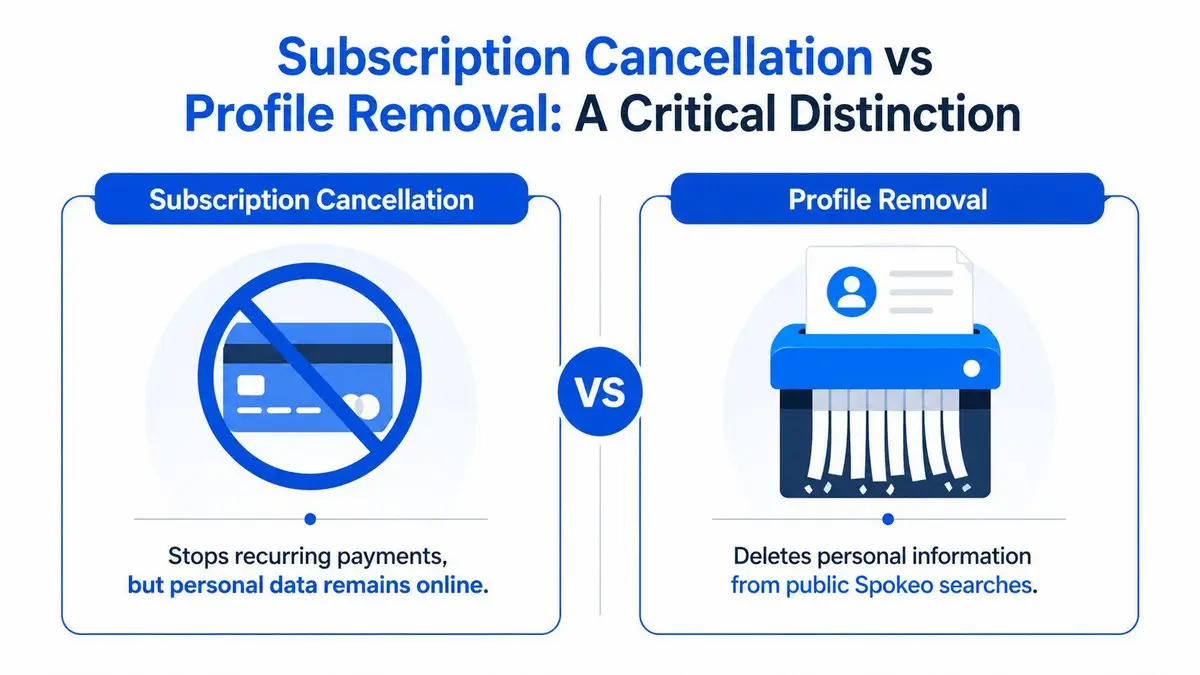
Subscription cancellation ends the billing relationship. Profile removal addresses the public record attached to your identity. One protects your card. The other protects your privacy. Neither substitutes for the other.
What subscription cancellation actually does
When you cancel through the account page, you’re terminating access to the paid service and stopping future charges. That’s the financial side of the issue. It matters, but it does not touch the public-facing profile.
Users who signed up through the website typically handle this inside the Manage Account or Plan area. Users who subscribed through Apple or Google have a different path entirely. The billing relationship in those cases lives inside the App Store or Google Play environment, not inside Spokeo’s own dashboard.
What profile removal actually does
The privacy side follows a separate workflow. A documented technical pitfall is that deleting the app or canceling the billing subscription doesn’t remove the user’s profile from Spokeo’s database. Removal requires a separate process through Spokeo opt-out guidance discussed here, where the user submits the specific profile URL through the opt-out page, completes CAPTCHA verification, and then waits through a review period stated as 48 hours to 3 business days.
That distinction is the whole game.
| Action | Primary result | What it does not do |
|---|---|---|
| Subscription cancellation | Stops recurring billing | Doesn’t remove your public profile |
| Profile opt-out | Removes the profile from public search visibility | Doesn’t cancel paid billing |
A lot of people ask how to cancel my Spokeo account when what they really mean is, “How do I stop charges and make my information disappear?” The answer is: you perform both workflows, and you document both separately.
Canceling the subscription without removing the profile is a finance fix. Removing the profile without canceling the subscription is a privacy fix. You need both.
The operational mistake is assuming one action cascades into the other. It doesn’t.
Executing Subscription Termination A Multi-Platform Protocol
The right protocol depends on how the subscription was created. Start there. If you misidentify the billing channel, you waste time inside the wrong interface and risk another charge while the account remains active.
Website subscriptions
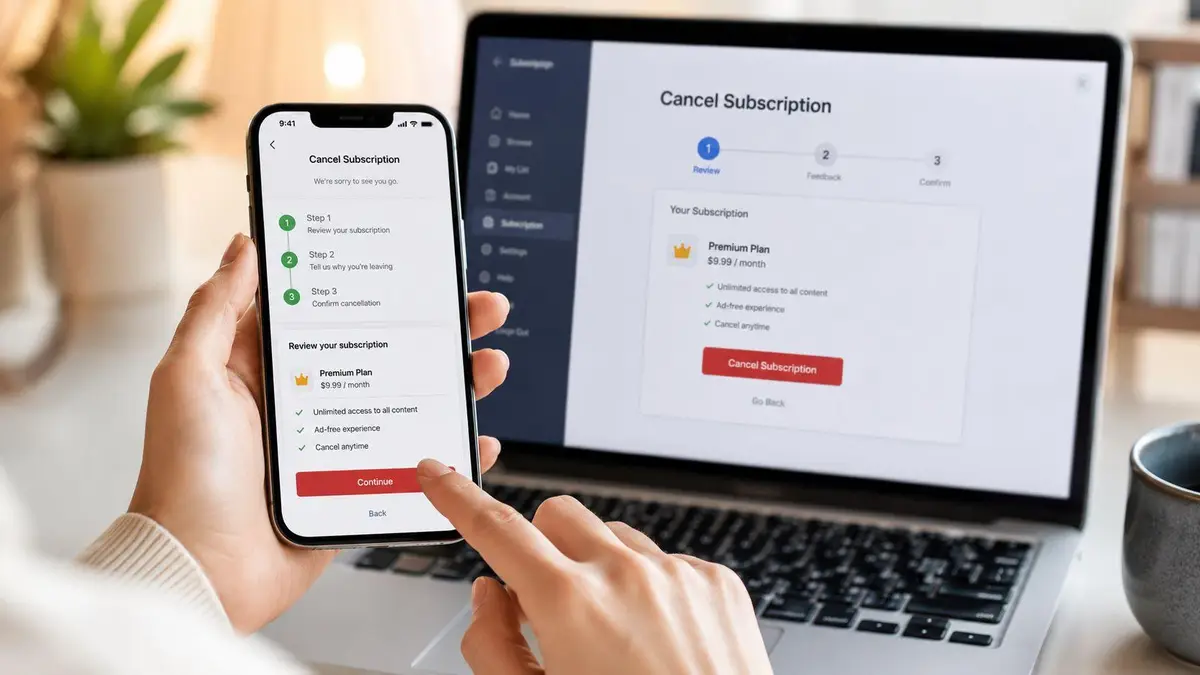
If you subscribed directly through Spokeo’s website, log in to your account and go to the account page. The standard path is the Manage Account or Plan area, where you select Cancel and continue through the retention flow.
That last part matters. Spokeo does not merely present one clean confirmation screen and let you go. The cancellation flow may push multiple screens trying to keep you subscribed or offering discounts before final confirmation appears. Don’t treat the first offer screen as the endpoint. Keep going until you see the final confirmation.
A practical checklist looks like this:
- Log in first: if you’ve lost access to the password, reset it before attempting cancellation.
- Open the account management area: look for Manage Account or Manage Plan.
- Click Cancel and continue through every retention screen: the first interruption isn’t the end of the process.
- Capture the final confirmation screen: screenshot it before closing the session.
- Look for a confirmation email: preserve it in a dedicated folder.
A separate industry guide states that Spokeo doesn’t charge a fee to cancel and allows users to terminate membership through the account page or Customer Care, with mobile-app subscribers required to cancel through their Apple ID or Google Play settings rather than the web portal, as outlined in Spokeo’s cancellation help page.
Apple App Store and Google Play subscriptions
If the subscription originated through iOS or Android, don’t waste time in the web dashboard. Billing control sits with Apple or Google.
Use the subscription controls inside your device ecosystem:
- Apple billing: go to iOS Settings, then Subscriptions, and terminate the active Spokeo subscription there.
- Google billing: open Google Play, then Payments & subscriptions, and cancel it from that panel.
- Don’t delete the app and assume that’s enough: app deletion doesn’t stop recurring billing.
Many users fail because the visible app icon disappears, but the subscription remains active in the platform billing layer.
Phone and email termination
That proof request is not a nice-to-have. It is the only part of the call that protects you later.
When speaking with an agent, have these details ready:
- Account identity: full name, account email, and account name if different
- Billing verification: password if requested, plus the last four digits of the card used for billing
- Recordkeeping: a pen, a screenshot tool, and a folder to store the email confirmation
If you prefer a written trail from the start, you can also send a cancellation request by email to Spokeo customer care. Include your full name and the account email. Then ask for written confirmation that the subscription has been terminated effective immediately.
Non-negotiable rule: if support cancels the account verbally, ask for email confirmation before ending the interaction.
For users dealing with broader account and identity exposure problems, a dedicated account removal strategy is often the cleaner path than handling one service at a time.
Here’s a walk-through if you want a visual overview of the cancellation flow before you start:
If you’re locked out
A locked account changes the workflow. One guide notes that cancellation from within the account succeeds only if active login credentials are available, and if they aren’t, manual intervention is required by phone with identity verification details including card data and billing history, as described in this account-access troubleshooting video. If your password no longer works, stop trying to force the web flow. Reset access or go directly to support.
The objective isn’t elegance. It’s a confirmed result.
Securing Your Privacy The Profile Opt-Out Procedure
Stopping the subscription solves one problem. Your data visibility is the harder issue.
The profile removal process depends on precision. Users often fail because they submit the wrong page, don’t preserve the exact listing URL, or ignore the verification email that finalizes the request.
Locate the exact profile first
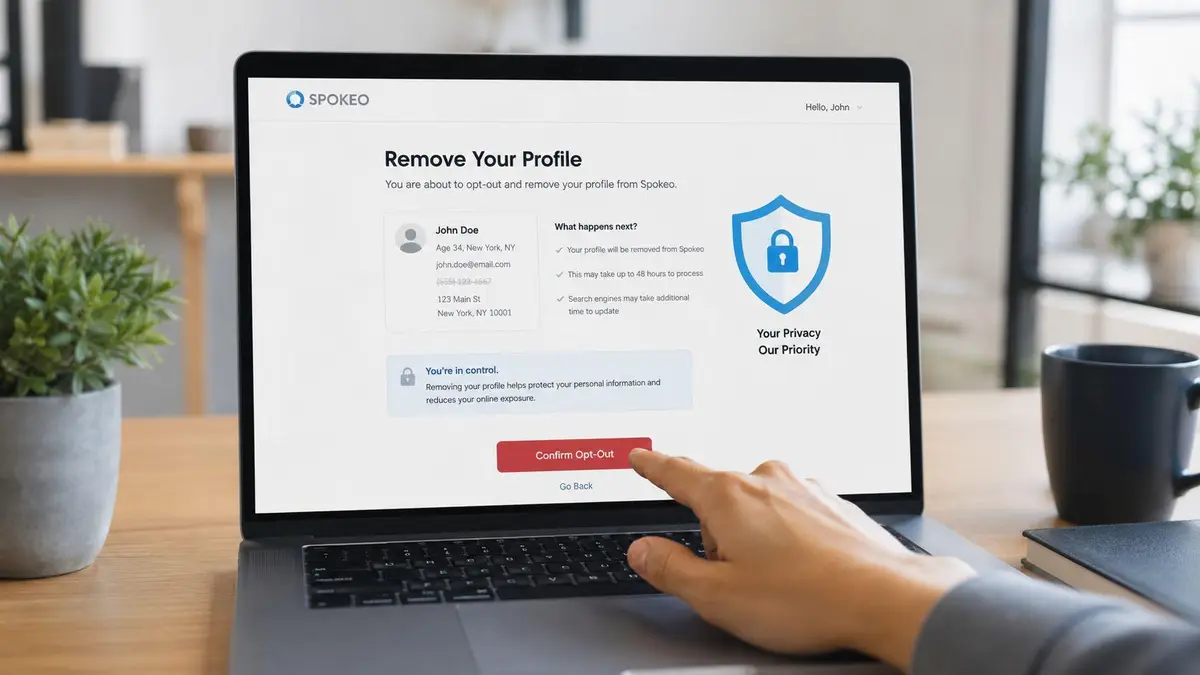
Search for your Spokeo listing and open the specific page tied to your name. Copy that exact URL. Don’t submit a generic search results page. The opt-out process requires the profile page itself.
Then go to the Spokeo opt-out portal and paste the profile URL into the submission field. Complete the CAPTCHA. That’s the technical handshake that moves the request into review.
Complete the email verification loop
The submission is not finished when you hit send. Spokeo requires the user to click a verification link in a confirmation email to complete the opt-out request, and the review and approval process may take up to 48 hours, according to this step-by-step opt-out reference.
That email is where many removals die. The request is started, but never validated.
Use a disciplined sequence:
- Submit the direct profile URL: generic homepage links won’t do the job.
- Check inbox and spam folders immediately: the confirmation email may not land where you expect.
- Click the verification link promptly: the request remains incomplete until you do.
- Archive the message after verification: the email becomes part of your evidence file.
The opt-out request isn’t complete when you submit the form. It’s complete when you click the email verification link and preserve that record.
Set your expectation correctly
Once verified, the request enters review. During that period, the profile may still appear. Don’t assume failure just because the page remains visible on the first check. Wait through the stated review window, then test again from a private browsing session.
If your objective is broader suppression across people-search databases, one-off removal from a single service won’t be enough. A more strategic framework for repeat exposure appears in this people-search removal guide, which is useful when your information has spread beyond one listing.
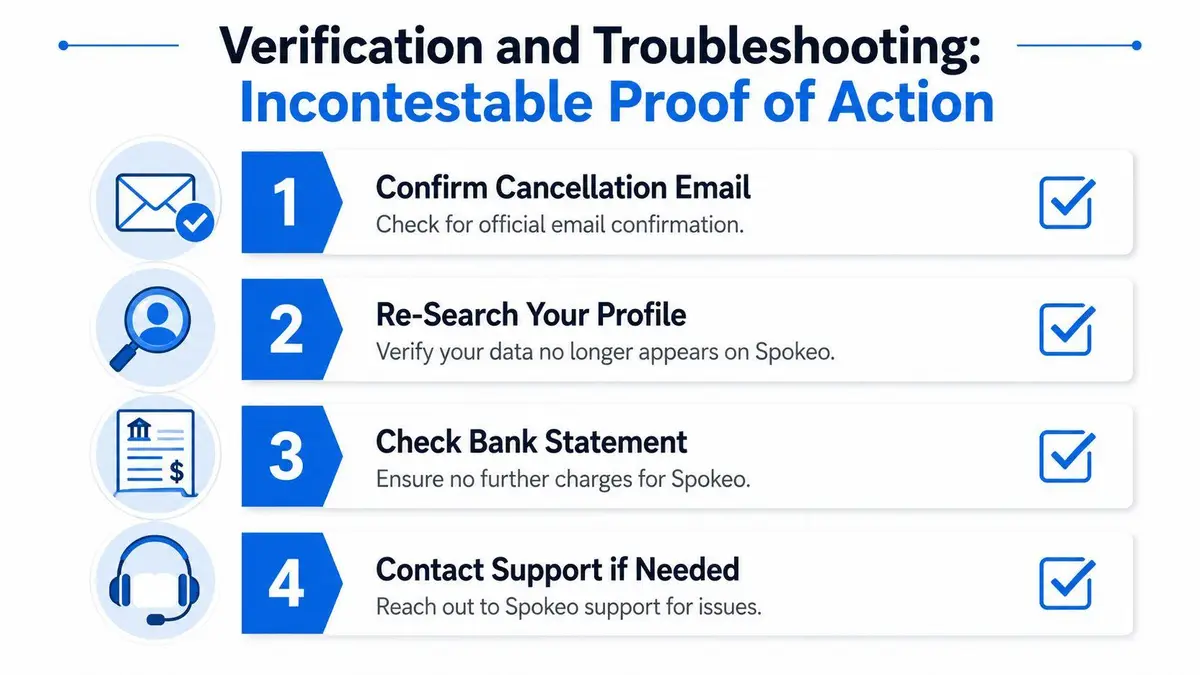
Verification and Troubleshooting Incontestable Proof of Action
This is the step people skip. It’s also the step that determines whether you can win a billing dispute, prove compliance to counsel, or show that a removal request was completed.
An action without evidence is a loose claim. That’s not good enough when your name, address history, relatives, or payment details are involved.
Build an audit trail
Consumer guidance in this area is weak. A documented review of cancellation content found that current coverage often omits proof-of-cancellation practices, and consumer advocacy groups reported a 35% rise in “zombie subscription” lawsuits against data brokers where users canceled but were still charged due to lack of documented verification, as noted in this review of cancellation-proof gaps.
That’s why your file should include more than a memory of what happened.
Create and store:
| Record | Why it matters |
|---|---|
| Confirmation email | Shows the service acknowledged termination or opt-out |
| Screenshots of final screens | Preserves what the interface displayed at the time |
| Date and time log | Helps if billing recurs or support disputes timing |
| Confirmation code or agent name | Strengthens your position in a charge dispute |
If you cancel by phone, write down the call time, the number used, the menu path, the agent’s name if given, and the confirmation code if you receive one. If they refuse to provide written confirmation, send a follow-up email summarizing the call and asking them to confirm the cancellation in writing.
Test the outcome instead of assuming it
Use private browsing or a browser where you are not logged in. Search your name and check whether the Spokeo profile still resolves. Review your next card statement. Confirm that no new charge appears.
Your verification routine should look like this:
- Run a clean search: use an incognito or private session so cached results don’t mislead you.
- Open the old profile URL if you saved it: confirm whether it still loads.
- Review statements after the next billing window: one screenshot of a cancellation screen doesn’t protect against a renewed charge.
- Escalate fast if anything remains active: don’t wait through another cycle hoping the system updates.
Document first, dispute second: banks and card issuers respond better when you can produce dates, screenshots, and explicit confirmation language.
Common failure points
The most common breakdowns are predictable. Users stop at a retention screen and think they have canceled. They delete the mobile app without canceling the underlying Apple or Google subscription. They submit an opt-out request but never click the verification email. Or they complete everything correctly and fail to archive proof.
That last mistake is avoidable. If you’re serious about learning how to cancel my Spokeo account in a way that ensures your protection, preservation is part of the process, not a clerical afterthought.
Escalation and Professional Remediation for Complex Cases
Some cases don’t belong in a do-it-yourself workflow. If your profile contains sensitive family information, if multiple versions of your record exist, if your account access is broken, or if you’ve already tried and failed, escalation is the rational move.
The hidden cost in handling this alone isn’t just time. It’s uncertainty. You may succeed in one interface and still fail at the evidence layer. You may remove one listing while stale data remains elsewhere. You may terminate billing but discover that a profile tied to an alternate spelling, prior address, or family member still surfaces.
When self-service stops being efficient
A consumer-facing guide notes that for accounts that can’t be canceled online due to interface errors or hidden buttons, users should explicitly request written confirmation by email, and that the cancel button is often obscured by retention screens offering discounts, which increases the time required to complete the process, according to this review of cancellation friction. That friction isn’t just annoying. For high-profile individuals, it creates operational risk.
You should escalate if any of the following apply:
- Your profile exposes security-sensitive details: residential history, family associations, or identifying information that raises stalking, harassment, or doxxing concerns.
- The data appears inaccurate or duplicated: one listing can often be handled manually. Multiple records create a tracking problem.
- Support interactions are inconsistent: if phone guidance and on-screen behavior don’t align, you need a stricter documentation strategy.
- You need a record suitable for legal or financial review: informal cancellation isn’t enough when there’s meaningful downside.
What a serious remediation posture looks like
A proper remediation effort does more than click through a form. It maps where the information appears, documents each action, confirms whether the public record disappeared, and monitors for reappearance. That matters because people-search visibility rarely exists in isolation. Records propagate.
Professionals also approach the issue with a different threshold for proof. “I think it’s canceled” isn’t acceptable. “I have the confirmation, the timestamps, the screenshots, and the before-and-after record” is acceptable.
If your exposure has commercial, legal, or family-office implications, the calculation is simple. The value of certainty outweighs the value of saving a small amount of time or effort. Privacy work for prominent individuals should be measured by control and defensibility, not by how quickly someone found a cancel button.
If you need a confidential, verified solution rather than another generic walkthrough, ContentRemoval.com handles high-risk reputation and privacy matters for executives, public figures, family offices, and legal teams. The firm focuses on documented outcomes, discreet remediation, and sustained removal strategies when self-service cancellation and opt-out processes aren’t sufficient.
Frequently asked questions
Does canceling my Spokeo subscription remove my profile?
No. Cancellation ends the billing relationship only, and the public profile tied to your name stays in Spokeo’s database. You need to submit a separate opt-out request with the exact profile URL and confirm it by email.
How long does a Spokeo opt-out take to work?
Spokeo’s stated review window runs from 48 hours to 3 business days after you click the verification link. The listing may still show during that period, so check again from a private browsing session once the window has passed.
What proof should I keep after canceling Spokeo?
Save the confirmation email, screenshots of the final cancellation and opt-out screens, a date and time log, and any confirmation code or agent name. That record is what card issuers and support teams respond to if a charge recurs or the profile reappears.