Making an account private reduces who can see your content, but it does not remove you from search or stop approved followers copying what they see. Instagram, X and TikTok offer a true private toggle. Facebook splits privacy across separate audience controls. LinkedIn’s private mode only hides your viewing activity, and YouTube privacy is set per video, not per channel.
Key facts
- Instagram’s Private account toggle is only available on Personal accounts, not Business or Creator.
- Facebook has no single private switch; use Privacy Checkup, Limit past posts and Only me on contact fields.
- X uses Protected posts to require follower approval; TikTok has a Private account setting under Privacy.
- Google’s Choose what others see controls personal info fields across Search, Gmail, YouTube and Drive.
Where ContentRemoval.com comes in. ContentRemoval.com picks up where privacy settings stop: the tagged photo on someone else’s profile, the impersonator account, the screenshot reposted to a gossip forum, the data broker that scraped your profile image and the cached page still ranking for your name. Individuals and their assistants usually get in touch after a search shows material the toggle never reached. A free, confidential 15-minute Exposure Scan maps what is removable, and the report is yours to keep. Get a Free, Confidential Exposure Scan or read how our content removal work is done.
You’ve already seen the problem. A profile that felt harmless last month is suddenly in search results, tagged by old contacts, or showing a job title you no longer want public. The panic is rational, because most platforms do not give you one clean privacy switch, they give you a collection of controls that look simpler than they are.
The right way to think about how to make account private is not “How do I hide everything?” It’s what can strangers see, how can they find me, and what can approved connections still access? If you don’t separate those three layers, you’ll keep missing the leak points that matter.
What Making an Account Private Actually Does
A private account is not invisibility. It changes who can see your content, but it does not automatically scrub your name from search, remove old screenshots, or stop people who already follow you from sharing what they can see. That distinction is the difference between a real privacy posture and a false sense of safety.
The three-layer model that actually matters
The first layer is account visibility, which controls whether your posts, stories, profile photo, and basic details are visible to the public or limited to approved connections. Instagram’s Private account toggle is a clean example of that model, because approved followers can see posts and stories while everyone else gets blocked at the gate, according to Instagram’s privacy help page. On Google Accounts, the same idea appears in a different form, because privacy is handled at the field level under Choose what others see, where personal information can be set to Only you or Anyone. That matters because Google’s services are tied across Search, Gmail, YouTube, Drive, and Android, so a change in one place affects exposure across the stack through the account layer rather than a single app setting. See Google’s account privacy controls in the About me and Personal info areas, and compare that with a broader cleanup approach in this digital footprint cleanup guide.
The second layer is discoverability. This is how people find you through search engines, platform suggestions, contact syncing, or old links that still point to your profile. A private account can still be discoverable if you leave phone-number matching, email matching, or search indexing turned on.
The third layer is audience control. That’s what existing followers, friends, taggers, and connections can still see, reshare, or surface. A locked Facebook profile can still show up in tagged photos on friends’ timelines, and a private Instagram post can still be captured and reposted elsewhere by someone who was approved to view it. A private setting narrows the audience, it does not erase the audience’s ability to copy what they see.
| Platform | Primary Private Setting | Scope of Hiding | Notable Limits |
|---|---|---|---|
| Google Accounts | Choose what others see | Controls personal info fields like name and contact details | Visibility is field level, not a single master switch |
| Private account | Limits posts and stories to approved followers | Professional accounts must be switched back to Personal first | |
| Privacy Checkup and audience controls | Hides specific profile fields, posts, and friend list | Privacy is split across several separate settings |
If you only remember one thing, make it this. Private means reduced exposure, not zero exposure.
How to Make Account Private on Instagram and Facebook
Instagram is the easiest platform to get wrong because the setting looks simple, but the account type determines whether the toggle even exists. If the account is Business or Creator, switch it back to Personal first. Only then go to Profile, open the menu, choose Settings and activity or Settings, then Account privacy, turn on Private account, and confirm Switch to private. That workflow is the one that sticks.
Practical rule: if the private toggle is missing on Instagram, the account type is the problem before anything else.
Instagram first, then Facebook field by field
Facebook works differently. There is no single private switch. Go to Settings & privacy, then Privacy Checkup or Audience and visibility, and lock down each element one at a time. Set phone number and email to Only me, use Limit past posts to shrink older visibility, and hide your friends list by opening Who can see your friends list? and selecting Only me. If your concern is harassment, turn off anything that makes you easier to contact or map, including search-engine linking and friend-request exposure.
You also need to harden stories and activity status, because those settings are separate from the main profile fields. The mistake I see most often is treating “private” like a final state. It’s not. It’s a starting point.
Use the platform that matches the problem
If your issue is strangers, Instagram’s private account setting gives you the cleanest barrier. If the problem is profile data exposure, Facebook requires a more fragmented cleanup. For a client whose profile is already under scrutiny, that’s the difference between reducing noise and leaving the door open.
How to Make Account Private on X, TikTok, LinkedIn, and YouTube
These platforms prove the point that “private” is not one universal feature. Each one handles visibility differently, and if you assume they work like Instagram, you’ll leave gaps behind. The right move is to set the strongest control the platform offers, then understand what it still won’t hide.
X and TikTok offer real private-mode equivalents
On X, go to Settings and privacy then Privacy and safety and enable Protected posts. That forces manual approval for future followers, which is useful if you want to stop open viewing of new posts. It does not retroactively make old material disappear from every public surface, so don’t confuse approval-based access with a full cleanup.
TikTok is similar in spirit. Open Profile, tap the menu, go to Settings and privacy, then Privacy, and switch on Private account. That limits who can follow and view your content, but the platform’s sharing mechanics still matter. If duets and stitches remain available in the way your account is configured, content can spread in constrained forms even when the account is protected. Treat that as a distribution risk, not a minor edge case.
LinkedIn and YouTube are different problems
LinkedIn does not offer a true private account in the way Instagram or TikTok does. Its private mode changes how your profile-viewing history appears when you browse other profiles, not how hidden your own profile is to the world. That means the setting is about your footprint while viewing others, not about erasing your presence.
YouTube is also not built around an account-level private toggle for channels. Videos can be marked unlisted or private individually, and channel subscriptions can be hidden, but the channel itself is not turned into a sealed-off private profile. If your channel is connected to your name or company, the content-level settings matter more than the channel badge.
The sequence matters. Start with the platform where your largest public footprint sits, then move outward. That’s usually the network people already search first, the one that has the widest spillover into search engines, embeds, or reposts. If you reverse the order, you’ll spend time polishing low-risk surfaces while the main exposure point stays wide open.
The mistake is always the same, people lock the quiet accounts first and leave the loudest one untouched.
Hardening Your Settings Beyond the Privacy Toggle
The toggle is the front door. The hardening work is what keeps people from walking around the side of the house. If you only change the main visibility setting, you’re still vulnerable to contact syncing, search indexing, account takeovers, and third-party apps that already have more access than they should.
The settings that actually reduce exposure
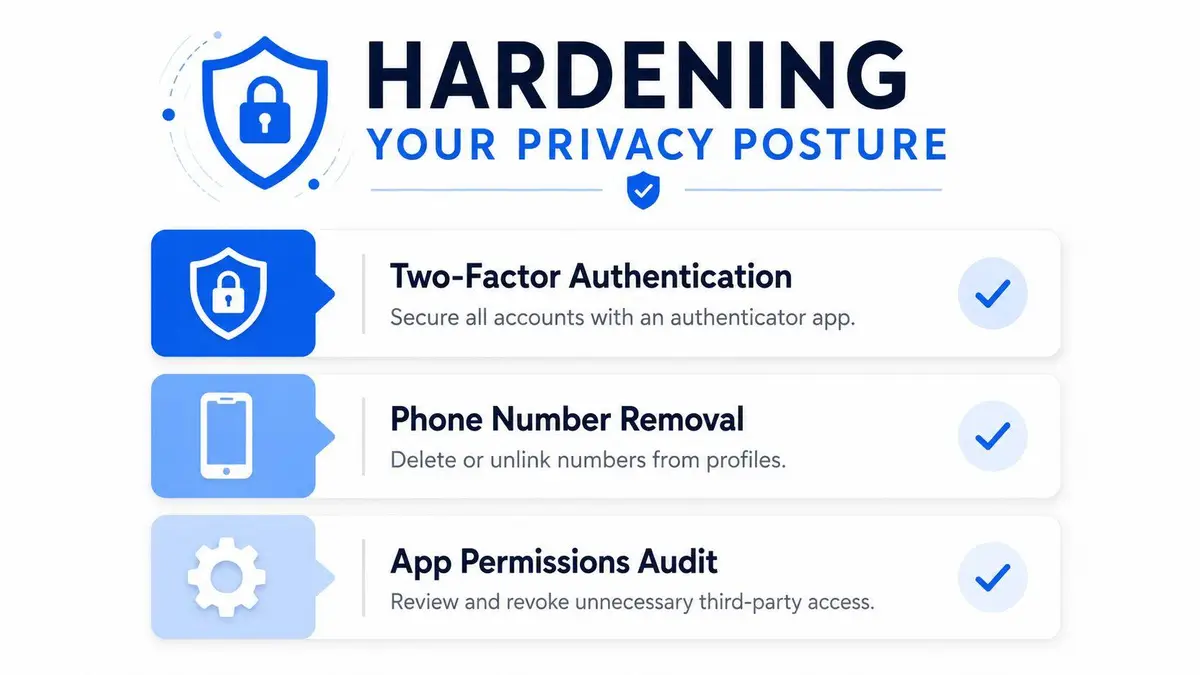
Start with two-factor authentication on every account you care about. That doesn’t make you invisible, but it does reduce the odds that someone else can hijack the profile and undo your work. Then remove discoverability where the platform allows it, especially phone number, email, and contact matching. If your account can be found through a phone book-style lookup, your “private” profile is easier to map than you think.
Google deserves special treatment because its account system is tied across Search, Gmail, YouTube, Drive, and Android. Under Choose what others see, setting personal info to Only you reduces cross-product exposure in a single move, which is exactly why Google’s account model is more valuable than scattered service-by-service changes. The centralized About me and Personal info sections reflect that shift toward unified identity management.
If you need a practical way to think about the next layer, use this order:
- Lock account access first. Turn on two-factor authentication and review recovery options.
- Hide contact fields next. Remove or restrict phone number and email visibility.
- Cut off discovery. Review search-engine linking, contact syncing, and profile findability.
- Audit connected apps. Revoke anything that doesn’t need ongoing access.
- Review follower and tag settings. Strip out unnecessary audience paths.
- Check activity status. If people don’t need to know when you’re active, turn it off.
For people handling sensitive reputational exposure, a structured review like the NomadCards privacy stack can help frame the bigger identity problem beyond one social account. For a managed approach to broader risk, see the online privacy service overview.
One clean example of the Google problem
A private social profile does nothing if your Google account still exposes a name, email, or other contact field that can be matched back to you. That’s why account privacy has to be treated as a system, not a setting. The account is the identity layer, and the apps are just surfaces attached to it.
What Privacy Settings Cannot Stop on Their Own
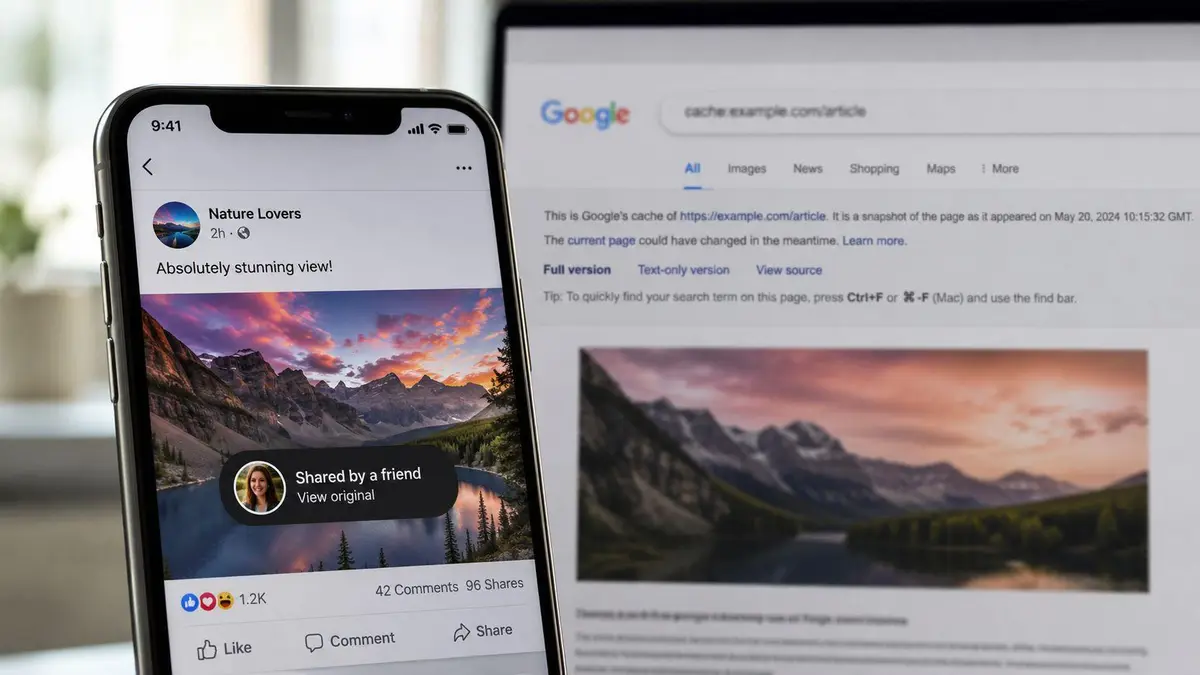
A private account can still be copied, cached, tagged, and archived. That’s the part some users don’t want to hear, because the toggle feels final and the situation is messier. If someone approved to follow you screenshots a post, your platform setting didn’t fail, it just never had control over the recipient’s phone.
Search engines are another weak point. Even after you remove or restrict content, cached pages and indexed references can linger for a while, which is why privacy guides keep pushing separate search-engine removal work instead of treating in-app privacy as enough. The same problem shows up with old usernames and profile URLs, because third-party sites and archives can preserve what the platform has already stopped displaying.
Practical rule: if another person can still see it, copy it, or archive it, your privacy setting is only partial protection.
The failure modes that keep showing up
Tagged photos on friends’ accounts can still surface your image even when your own profile is locked down. Impersonator accounts can appear in your name, especially if your handle is recognizable or your profile photo is easy to lift. Old X handles can end up in archive systems long after you’ve moved on, and those references can continue to rank or circulate.
The boundary between DIY privacy and formal intervention becomes obvious here. Blocking helps with one source. Removing followers helps with one audience. Limiting past posts helps with older material. None of those steps stop a gossip forum from reposting a screenshot, or a data broker from scraping a profile image, or a third-party archive from preserving an old username.
If you’re dealing with harassment, the response has to move beyond settings. A strong doxxing mitigation guide is more relevant than another round of toggles when the material is already circulating outside the platform. That’s the point where platform controls become the first layer, not the last one.
Maintaining Privacy and Knowing When to Escalate
Privacy only works if you keep checking it. A 30-day audit is enough for many to catch silent changes, reverted settings, or new exposure paths after a platform update. If you wait until something feels wrong, you’re already behind.
The monthly audit that actually catches problems
Review the account type first. On Instagram, confirm you’re still on Personal if private access matters. Check who can view your posts, stories, and activity status, then verify that phone number, email, and tag permissions are still set the way you intended. On Facebook, run through the individual audience controls again, because the platform splits privacy across multiple areas instead of one master setting.
Then test discoverability. Search your own name, handle, and old usernames. If search results still point to profiles, archives, or cached pages you thought were gone, you’ve got a visibility problem rather than a settings problem. That’s also where search results that link to removed material become a sign that the issue has outgrown basic self-service cleanup.
Know the escalation line
Handle it in-app when the problem is limited to settings, follower lists, tags, or profile fields. Request platform takedown when content is hosted by the platform but violates policy. Bring in professional reputation and content removal help when you’re facing persistent impersonation, leaked material indexed outside the platform, defamation, or coordinated harassment that needs documentation and follow-through.
A platform can help you close an account surface. It can’t solve every downstream copy, archive, or repost that survives beyond its walls. That’s why the smartest clients don’t ask whether an account can be made private. They ask what else has to be removed, hidden, or monitored after the privacy switch is already on.
If your account, search results, or copied content are still leaking identity signals, ContentRemoval.com can map the exposure, document what’s public, and pursue removal paths across platforms and search. Start with a confidential review at ContentRemoval.com, then get a plan that addresses the material a privacy toggle can’t reach.
Frequently asked questions
Why is there no private account option on my Instagram?
Because the account is set to Business or Creator. Switch it back to Personal first, then open Settings, Account privacy, and turn on Private account. The toggle only appears on Personal accounts.
Does a private account hide me from Google search?
Not on its own. A private profile can still be discoverable through phone or email matching, contact syncing, search engine linking and old profile URLs, and cached pages can linger after you restrict content. Turn off discoverability settings and treat search cleanup as a separate task.
Can I make my LinkedIn profile private?
Not in the way Instagram or TikTok allow. LinkedIn’s private mode only changes how you appear when viewing other people’s profiles. To limit your own exposure you adjust individual visibility settings such as public profile fields and search engine indexing.