
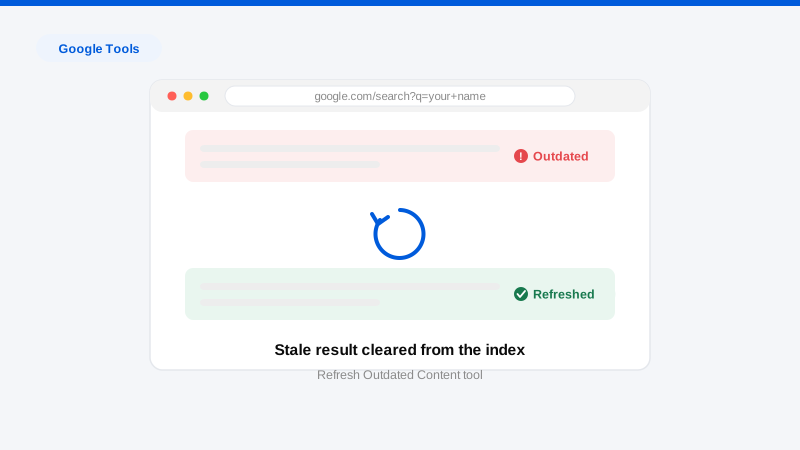
Google’s Refresh Outdated Content tool asks Google to recrawl a specific URL and update, or drop, its search listing when the live page no longer matches what Google is showing. It works in exactly two situations: the page is gone (returns a 404/410 or now requires a login), or the page changed and Google’s snippet, cache, or image preview still shows the removed content. It does not remove live content, and it cannot be used against a page that still says what you want gone. Used correctly, it is the fastest free lever in search-result cleanup; used incorrectly, it produces a denial within hours and teaches people the wrong lesson about what’s possible.
The strategic point executives miss: the tool is the second step of a two-step play. Step one is changing reality: getting the article edited, the post deleted, the page taken down. Step two is telling Google reality changed. Most stale-result frustration comes from doing step two without step one, or step one without step two.
When does the Refresh Outdated Content tool actually work?
Google approves requests in these situations:
- The page is dead. The URL returns a 404 or 410, redirects away, or sits behind authentication, but still appears in results. The tool removes the listing, typically within hours to a few days.
- Content was removed from a live page. The article was edited, your name was redacted, a forum post was deleted from a thread, but Google’s snippet or cached description still shows the old text. The tool refreshes the listing so the snippet matches the current page. Google asks you to identify a word that appears in the old snippet but no longer on the page; choose it carefully, because that’s what the automated check verifies.
- An image was removed. The image is gone from the source page but still appears in Google Images. There’s a dedicated image option for exactly this.
It fails, by design, when:
- The content is still live on the page. Google’s crawler checks; if the word is still there, denial is automatic.
- You want a different page about you removed. The tool refreshes listings to match sources. It never removes accurate listings of live content. For that, you need source removal or Google’s separate policy-based removal processes; see our Google removal hub.
- The page is gone but on a domain Google can’t recrawl normally (some blocked or erratic hosts), these need the alternate evidence flow inside the tool.
Anyone can file: you don’t need to own the site. There’s no penalty for legitimate use, but there’s also no appeal that changes facts: denials mean the source still shows the content.
Step-by-step: filing a request correctly
- Confirm the source has actually changed. Open the target URL in a private window. If the content you want gone still appears anywhere on the page, stop, go fix the source first. This is where removing outdated content as a discipline starts: source, then index.
- Copy the exact URL from the search result. Right-click the result and copy the link address. Requests fail on near-miss URLs: http vs https, trailing slashes, mobile subdomains, AMP versions, and URL parameters all create distinct entries.
- Open the Refresh Outdated Content tool in Google’s Search Help (search the tool’s name; it lives under search troubleshooting) and sign in with any Google account.
- Submit the URL and follow the prompts. For dead pages, Google verifies the 404/410 automatically. For changed pages, you’ll be asked whether the content was removed and for a word that appeared in the old version but is gone from the current one. Pick a distinctive word (a surname, a company name) not a common word that may still appear elsewhere on the page.
- Repeat for every variant. The same story often lives at multiple indexed URLs (print versions, category pages, syndicated copies). Search for the offending phrase in quotes to find the full set, each needs its own request.
- Track requests in the tool’s dashboard. Statuses move from pending to approved or denied, usually within hours to a few days. Denials tell you which check failed, which tells you what still needs fixing at the source.
- Handle Bing separately. Bing’s Content Removal tool performs the same function for Bing-powered results, worth the extra ten minutes for anything visible.
Get a Free, Confidential Exposure Scan
Honest timelines and expectations
Approved requests usually clear the index within hours to a few days. This is genuinely the fastest mechanism in search hygiene. What it cannot deliver: removal of live content, suppression of accurate pages, or any effect on the source website itself. If the underlying page still exists elsewhere (mirrors, scrapers, archives) those copies need their own source-level work first. For the full picture of realistic timeframes across content types, see our removal timeline guide.
For executives, the strategic use pattern looks like this: negotiate the edit or takedown at the source (the hard part, and the part where professional leverage matters most), sweep every indexed variant with refresh requests the same day, verify with quoted-phrase searches a week later, then monitor so recycled copies get caught early. The tool is free; the outcome depends entirely on the quality of the source-removal work feeding it.
Frequently asked questions
Can the Refresh Outdated Content tool remove a negative article about me?
No. It only updates Google’s index to match what a page currently shows. If the article is live and unchanged, the tool will verify that and deny the request. Removing or amending the article itself (editorial negotiation, policy claims, legal routes) has to come first; then the tool makes the change visible in search fast.
How long does a refresh request take?
Most requests resolve in hours to a few days. Simple dead-page removals are the fastest; changed-page requests take slightly longer because of the content verification step. If a listing persists after approval, check for URL variants you haven’t submitted.
Do I need to own the website to use the tool?
No. The tool is open to anyone for pages they don’t control. That’s precisely its purpose. Site owners have a separate, faster removals tool inside Search Console for their own properties.
Why does the old text still show in the snippet after the page changed?
Google’s snippet reflects its last crawl, which can lag the edit by days or weeks. This exact gap is what the tool exists to close. Submit the changed URL, identify a removed word, and the snippet updates when the request approves.
What about the copies on other sites?
Refresh requests are per-URL and only work where the source changed. Syndicated copies, scrapers, and archives each need their own source-level removal before their listings can be refreshed. Mapping and clearing that full constellation is the bulk of a professional engagement. It’s why one “removed” article often needs a dozen follow-on actions.
If stale results are still surfacing something you thought was gone, or the source content is the real problem, start with a free, confidential Exposure Scan. We’ll map every URL and variant, tell you which need source work and which just need a refresh, and walk you through our process before you commit to anything.