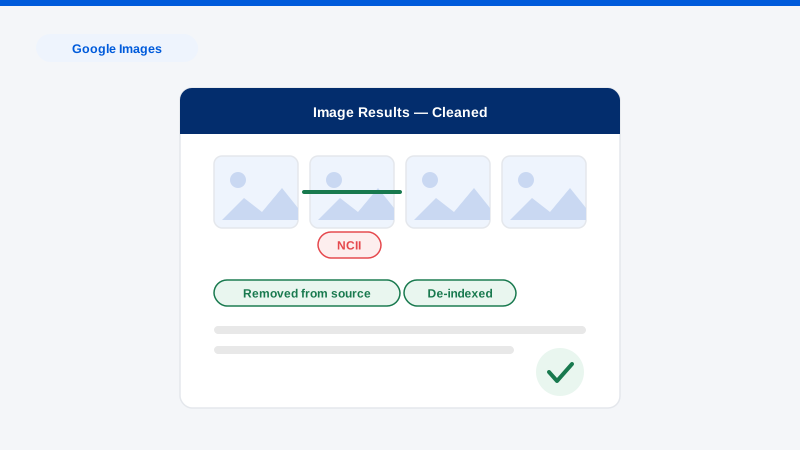
To remove an image from Google Images, you have four working routes: remove it at the source website (the only way it disappears everywhere), file a Google policy removal (personal information, explicit imagery, minors), submit a copyright takedown if you own the image, or use the “Results about you” tool for images tied to your personal data. Which route, and in which order, depends on one question people skip: Google Images is a mirror, not a host. The image lives on someone’s website; Google just indexes it. Remove only the reflection and the image survives at the source, ready to be re-indexed elsewhere. Remove the source and the reflection dies everywhere. Source-first is the professional default, and this guide runs all four routes in the right order.
Which images will Google remove on request?
Google’s removal policies cover specific categories, and matching yours correctly is most of the work:
- Non-consensual intimate imagery. Nudes or sexual images shared without consent, including AI-generated and deepfaked ones, through a dedicated priority form. Google also honors requests for explicit images of you even if consensually created, when they now appear on sites against your wishes.
- Images of minors. Anyone under 18 (or their guardian) can request removal of their images from results, one of Google’s broadest policies.
- Personal information. Images exposing your contact details, ID documents, signatures, medical records, or financial information; the “Results about you” tool surfaces and files these requests from your phone.
- Doxxing and exploitative sites. Images published with hostile intent alongside personal data, and images on sites that charge for removal (mugshot-model sites), are removable under dedicated policies.
- Copyright. If you took the photo (every selfie, every photo from your camera) you own it, and a DMCA notice delists infringing copies. A friend who took it can assign you the rights with a signature.
- Outdated images. When the source page has already removed or changed the image but Google still shows the stale thumbnail, the Refresh Outdated Content tool clears it, full walkthrough in our refresh tool guide.
What Google won’t remove: unflattering but lawful images that violate no policy, a bad event photo, an old press shot. Those are solved at the source or through suppression, not through Google forms.
The removal sequence, step by step
- Find every copy. Run a reverse image search (Google Lens, TinEye) on the image. One photo often lives on a dozen URLs, and a takedown plan built on the copy you happened to see leaves the rest standing.
- Classify the image. Policy category, copyright status, and source-site type (major platform, small blog, hostile site). This triage dictates every subsequent step.
- Pursue the source first. Platforms: use the native reporting flow for the violation involved. Independent sites: a short, polite removal request to the owner or webmaster resolves more cases than people expect, especially for old or incidental images. Hostile or unresponsive sites: escalate through the legal levers in our guide to removing a picture from a website legally: copyright, privacy rights, and host-level pressure.
- File the matching Google request. Once the source is down, use Refresh Outdated Content to purge the cached result fast. If the source won’t come down, file the applicable policy removal (NCII, personal information, minors, doxxing) or a DMCA notice for images you own. Policy removals delist the image from searches (for your name, or entirely, depending on the policy) even while the source persists.
- Set up “Results about you” monitoring. Google’s tool continuously watches for results containing your contact information and lets you file removals in two taps. It’s the closest thing to standing protection Google offers, and it’s free.
- Repeat on Bing. Bing has parallel policies and its own removal forms; a Google-only cleanup leaves the second-largest index untouched. See our Bing page.
- Suppress what survives. For lawful-but-unwanted images, publishing well-optimized images of you (professional headshots, event photos on authoritative profiles) reshapes what Image search returns for your name. That’s the image suppression and cleanup discipline.
Get a Free, Confidential Exposure Scan
Timelines and honest expectations
Refresh Outdated Content requests clear in hours to a few days. Policy removals (NCII, personal info, minors) typically resolve in three days to three weeks, with NCII prioritized. DMCA notices to Google process in days; source-site DMCA compliance ranges from 24 hours (major hosts) to weeks (offshore operators). Owner-outreach outcomes are binary and fast. Most answers come within two weeks or never. Suppression of lawful images is a months-scale project.
Be realistic about the mirror problem: a policy delisting without source removal means the image is invisible on Google but alive at the URL, acceptable for many situations, insufficient for serious ones. Professionals earn their fee by running source, policy, copyright, and suppression tracks in parallel rather than sequentially, and by already knowing which hosts fold and which need escalation. That’s the difference between our Google Images removal service, the done-for-you version of this guide, and months of form-filling. Every removal is priced per link, with the exact figure quoted in writing beside each URL after the free Exposure Scan.
Frequently asked questions
I got the image removed from the website. Why is it still in Google Images?
The index lags the web. Use Google’s Refresh Outdated Content tool with the image URL. It verifies the source is gone and purges the cached result, usually within days instead of the weeks re-crawling takes naturally.
Can I remove an image just because I look bad in it?
Not through Google: unflattering isn’t a policy category. Your routes are the source (a polite request to the publisher works surprisingly often), copyright (if you or a friend took it), or suppression so it stops surfacing prominently. An honest assessment of which applies is exactly what our scan provides.
Someone posted an AI-generated explicit image of me. Is that covered?
Yes. Google’s NCII policy explicitly covers synthetic and deepfaked explicit imagery, platforms ban it, and the federal TAKE IT DOWN Act now criminalizes publishing it and mandates 48-hour platform removal. Report it as NCII, not as a generic fake. See our deepfake removal practice for the full protocol.
Does removing an image from Google remove it from the internet?
No, Google is the map, not the territory. Delisting removes the audience; source removal removes the image. A complete job does both, which is why every serious plan starts with the hosting site and treats Google as the second step, not the first.
What about images on sites that demand payment to remove them?
Never pay. Sites with exploitative removal practices are removable from Google results under a dedicated policy precisely because of that business model, and their hosts respond to abuse complaints. Payment funds the scheme and flags you for re-targeting.
If an image keeps surfacing when people search you, find out which of the four routes applies before spending months on the wrong one. Request a free, confidential Exposure Scan. We’ll locate every copy, map the removal path for each, and execute through our process.