
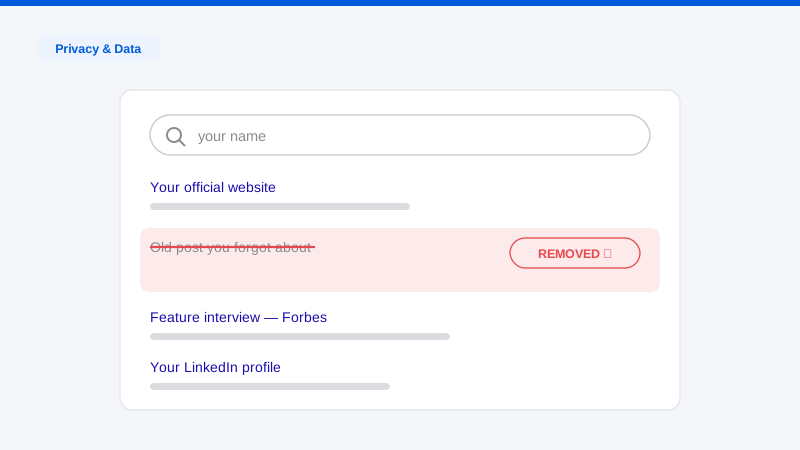
Every application season, the same story makes the rounds: a student with strong grades loses an offer over something posted online, sometimes something they posted years earlier, sometimes something a friend posted about them. The stories are real enough, and rare enough, that families tend to land at one of two extremes: panic-deleting everything, or assuming admissions officers are too busy to look. Neither is the right call. Cleaning up social media before college applications is worth doing, it is not complicated, and it works best as a calm, systematic audit rather than a frantic purge the night before submitting.
We handle digital footprint work for families professionally, and this guide reflects what actually matters in practice: what admissions offices realistically check and when, the categories of content that cause problems (hint: it’s rarely the content students worry about), and a complete audit checklist a parent and student can work through together in a weekend, plus the parts that take longer and should start early.
A note on the parent-student dynamic, because it decides whether any of this happens: this audit only works with the student’s buy-in. A parent secretly reviewing a teenager’s accounts damages trust and misses most of the exposure anyway, since so much of it lives in tagged posts and friends’ accounts a parent can’t see. Frame it the way it actually is, the same presence-management exercise professionals do before a job search, and do it together.
What admissions offices actually check
Let’s separate reality from folklore.
Routine social media screening of every applicant is not standard practice. Admissions offices read tens of thousands of applications; nobody has time to scroll every applicant’s Instagram. Surveys of admissions officers over the years have consistently shown that only a minority actively check applicants’ social media, and even those check selectively rather than universally.
But selective checking absolutely happens, in predictable situations:
- When something prompts a look. An unusual claim in an application, a discrepancy worth verifying, an applicant to a small program where each admit matters, or a scholarship decision with real money attached.
- When someone reports something. This is the pathway behind most rescinded-offer stories. A classmate, a rival applicant, or an anonymous tipster sends a screenshot to the admissions office, which is then obligated to look. You cannot predict this trigger, which is exactly why cleanup matters even if no admissions officer ever searches unprompted.
- After admission. Offers are conditional, and conduct that surfaces between admission and enrollment, including old posts newly screenshotted, can and does get offers revoked, particularly for racist content, threats, or harassment.
- For athletes and scholarship candidates. Coaches and scholarship committees vet more aggressively than general admissions, and recruited athletes should assume their public accounts will be read.
And the screening layer is changing. Some institutions and third-party vetting services now use automated tools that can crawl public content at scale, meaning volume of exposure matters, not just what a human would find in five minutes of scrolling. The planning assumption for 2026: anything public and connected to the student’s name or known usernames is findable.
The takeaway is not “they’re watching everything”. They aren’t. It’s that you can’t know in advance whether this applicant gets looked at, the cost of a look going badly is enormous, and the cost of cleaning up is a weekend. That’s an easy trade.
What actually causes problems
Students reliably worry about the wrong content. In practice, the categories that damage applications are:
- Racist, discriminatory, or harassing content: including “edgy joke” screenshots from group chats that went public. This is the category behind nearly every publicized rescission.
- Threats or violent content, even clearly hyperbolic ones.
- Illegal activity depicted or described: underage drinking and drug content chief among them.
- Bullying or cruelty toward specific people, which classmates are most motivated to report.
- Academic-integrity red flags: posts joking about cheating, or content contradicting claims in the application (a “founder and president” of a club with zero digital trace, a mission trip that was photographed as a beach vacation).
- Contradictions of the application narrative. Not scandalous, just inconsistent, and inconsistency invites deeper checking.
What almost never matters: ordinary teenage awkwardness, cringe content, fandom posts, bad haircuts, mediocre memes. The audit’s goal is removing genuine liabilities, not sanding a real person into a brochure. Admissions readers are human; an obviously scrubbed, artificial presence is its own faint red flag.
The strategic audit: a step-by-step checklist
Set aside a weekend, work through this together, and keep a shared checklist of findings so nothing gets lost between “we should delete that” and actually deleting it.
Step 1: Search like an admissions officer
In a private browsing window:
- Google the student’s full name in quotes, then name + high school, name + city, and name + activities (sport, instrument, club).
- Repeat in Google Images, Bing, and DuckDuckGo.
- Search every username the student uses or has used, gamertags included, since usernames chain accounts together across platforms. If the same handle appears on Instagram and an old forum, one findable account exposes the other.
- Check TikTok, Instagram, X, YouTube, Reddit, Twitch, and Discord servers with public content, searching both name and usernames on-platform.
Log every hit. This map is the whole audit; everything after is just processing it. Families who want a professionally compiled version of this map can start with a free exposure scan.
Step 2: Audit owned accounts, oldest content first
For each account the student controls:
- Scroll to the very beginning. The riskiest content is usually the oldest: posted at 13 or 14, judged at 18. Platform features that resurface memories mean old posts are never truly buried.
- Delete anything in the six problem categories above. When in doubt, apply the test: would you be comfortable if this were projected on a screen in the admissions office with your name on it?
- Review comments the student has left on other people’s public posts and videos: these are searchable and routinely forgotten.
- Check saved/liked content where publicly visible (liked videos on some platforms are public by default).
- Scrub bios of risky jokes, and reconsider handle names that are themselves a liability.
Step 3: Handle tagged content and friends’ posts
This is the exposure students control least and worry about least, a mistake, since reported-content incidents usually involve someone else’s post.
- Review every tagged photo and video on each platform; untag anything questionable.
- Turn on tag-review settings (most major platforms let you approve tags before they appear on your profile).
- For problematic content on friends’ accounts, the student asks the friend directly to delete or crop. Most friends say yes. For the ones who won’t, most platforms offer a removal-request or privacy-report pathway for photos of you posted without consent.
- Remember that untagging removes the link, not the photo. A photo can still be found by someone who looks at the friend’s account, so genuinely damaging images are worth pursuing to actual deletion. When a problem image has spread beyond a friend’s account to third-party sites, that’s the harder problem covered in our guide to erasing online images.
Step 4: Find and close old and forgotten accounts
Old accounts are where the 13-year-old self lives. To find them:
- Search old usernames and email addresses.
- Go through old email inboxes for “Welcome to…” and “Verify your account” messages, a surprisingly complete registry of forgotten signups.
- Check the password manager or browser-saved logins.
Then delete, not deactivate, accounts that won’t be used again. Where login credentials are lost, work the platform’s account-recovery process; where recovery fails, most platforms accept content-removal or privacy requests for accounts you can prove are yours. Dead accounts that can’t be deleted should at minimum be scrubbed via recovery of what can be scrubbed, and set private if the platform allows it. This orphaned-account problem scales up in adulthood, it’s a core part of any full digital footprint cleanup, but it’s much easier to solve at 17 than at 37.
Step 5: Lock down what remains
- Set personal accounts private. Understand the limit of this: private prevents casual viewing, not screenshots by followers. Content behind a privacy setting is safer, not safe.
- Prune follower lists on private accounts: a private account with 2,000 accepted followers is functionally public.
- Turn off public visibility of friend lists, liked content, and tagging where the platform allows.
- Review Discord servers and group chats: content there feels private and leaks constantly. The rule going forward is simple, write nothing anywhere you wouldn’t defend with your name attached.
Step 6: Address what’s beyond the platforms
Some findings from Step 1 won’t be social media at all: a quoted line in a local news story, a school webpage, a tournament roster, an old blog. Content on third-party sites requires owner requests, and outdated pages that have already been fixed at the source but still show in search results can be cleared through search engines’ outdated-content processes, the territory of removing outdated content. Separately, families are often startled to find people-search sites publishing the family’s home address and the student’s age; suppressing those listings is its own process, covered in our data broker removal guide, and worth doing for household safety regardless of admissions.
Step 7: Build the positive footprint
An empty result page is a missed opportunity. If the student has genuine work (art, code, music, research, writing, athletics) a simple public portfolio, a clean LinkedIn (for older students), or a well-kept YouTube channel gives searchers something substantive to find and pushes weaker results down. Keep it real: admissions readers can smell a manufactured presence, and authenticity is the point.
Step 8: Maintain through decision season
The audit isn’t finished until enrollment. Offers can be rescinded for conduct after admission, so: set a Google Alert on the student’s name, re-check tagged content monthly, and hold the posting standard through the summer. The riskiest window is the celebratory one, admitted-student group chats and post-acceptance posts have undone real offers.
Timeline: when to do all this
- Junior year / 12+ months out: Ideal start. Old-account deletion, third-party removals, and search-index updates all take weeks to months to fully propagate, and starting early means the student builds better habits before the stakes peak.
- Summer before senior year: The practical deadline for the full audit, Steps 1 through 7.
- Fall of senior year: Maintenance, alerts, tag reviews.
- Post-admission: Sustained discipline until enrollment. This is the window where reported content does the most damage.
Starting late beats not starting: even a single afternoon on Steps 1, 2, and 3 removes most of the realistic risk.
Frequently asked questions
Do college admissions officers really check applicants’ social media?
Not routinely for every applicant, the volume makes that impossible, and surveys of admissions officers consistently show only a minority check at all. But checks happen selectively: when something in an application prompts verification, when a third party reports content, for scholarship and athletic candidates, and increasingly via automated screening tools. Since you can’t predict whether your application triggers a look, the rational move is making sure a look finds nothing damaging.
Should my student delete their accounts entirely?
Usually no. Delete dormant and legacy accounts, absolutely. They’re all liability, no benefit. But active accounts, cleaned and set private, are normal for a 2026 applicant, and a completely blank digital presence can read as slightly odd or even evasive to a human reviewer. The target is a curated, authentic presence: nothing damaging findable, something genuine visible.
Can a college rescind an admission over social media posts?
Yes. Offers of admission are conditional on continued good conduct, and institutions have rescinded offers over surfaced content. Most publicized cases involve racist remarks, threats, or harassment, and frequently involve old content screenshotted and reported by peers after admission. This is why the audit extends through enrollment, not just through submission.
What about posts my student made years ago on accounts they can’t access?
Work the platform’s account-recovery process first, old email addresses and phone numbers on file usually make recovery possible. If recovery fails, most major platforms accept removal requests for content when you can reasonably demonstrate the account is yours. Old content that’s been deleted at the source but still appears in search results can be cleared through the search engines’ outdated-content tools. When a family hits a wall on any of these, this is exactly the kind of stubborn-removal work our team handles.
A weekend of systematic cleanup buys four years of not worrying about a screenshot. If you’d like to know what’s actually findable about your student right now (accounts, tagged content, indexed pages, and the people-search listings exposing your family’s home address) run our free exposure scan. It’s the fastest way to turn a vague worry into a concrete, finishable checklist.
