
The eight password security tips for executives form a system: generate passwords in a manager, add hardware-key multi-factor authentication, keep every password unique and tiered by risk, choose a zero-knowledge manager, plan recovery before lockout, monitor for compromise, defeat phishing with FIDO2 keys and email authentication, and rotate on risk rather than by calendar.
Key facts
- US Army guidance treats 12 to 16 characters as strong; length matters more than complexity
- Register at least two FIDO2 hardware keys per critical account and store one off-site
- Tier 1 is email, banking, identity, and legal; Tier 2 business systems; Tier 3 low-impact services
- Have I Been Pwned alerts when an email address appears in a new breach; act before confirmation
Where ContentRemoval.com comes in. When a compromised login has already turned into a leaked file, an impersonation account, or a search result, ContentRemoval.com handles the remediation: leaked content removal, de-indexing, and dark web monitoring tied to reputation response. The executive’s chief of staff, the security lead, or the family office usually makes contact once the incident has escaped the login screen. A free 15-minute Exposure Scan maps what is removable, and the report is yours to keep. Get a Free, Confidential Exposure Scan or read how our content removal work is done.
You’re already carrying the risk in your pocket. The email account tied to your board work, your banking, your assistant, and your media presence is the same account that can provide access to everything else if someone gets in. For an executive or high-net-worth individual, that is not a minor inconvenience, it’s a direct path to fraud, impersonation, and public damage.
The weak link is usually not sophistication, it’s routine. A reused password, a saved browser login, an SMS code sent to the same phone that gets ported, or a recovery address nobody has audited in years can be enough to hand an attacker control. That’s why the right password security tips are less about memorizing rules and more about building a system that survives breach, phishing, and lockout without putting your reputation at the mercy of one compromise.
Use this framework with the same seriousness you’d apply to legal exposure or wire controls. The goal is simple, keep attackers out, keep legitimate access available, and make sure one exposed credential doesn’t become a crisis across your business and personal life.
1. Generate Passwords Cryptographically, Then Store Them Properly
A strong password starts before you ever type it. If you build credentials by hand, you’ll drift toward patterns, family references, or small variations that look random to you and obvious to attackers. CISA advises using different passwords across accounts, choosing the longest password or passphrase each system allows, and avoiding personal information that can be guessed or found online (CISA guidance on choosing and protecting passwords).
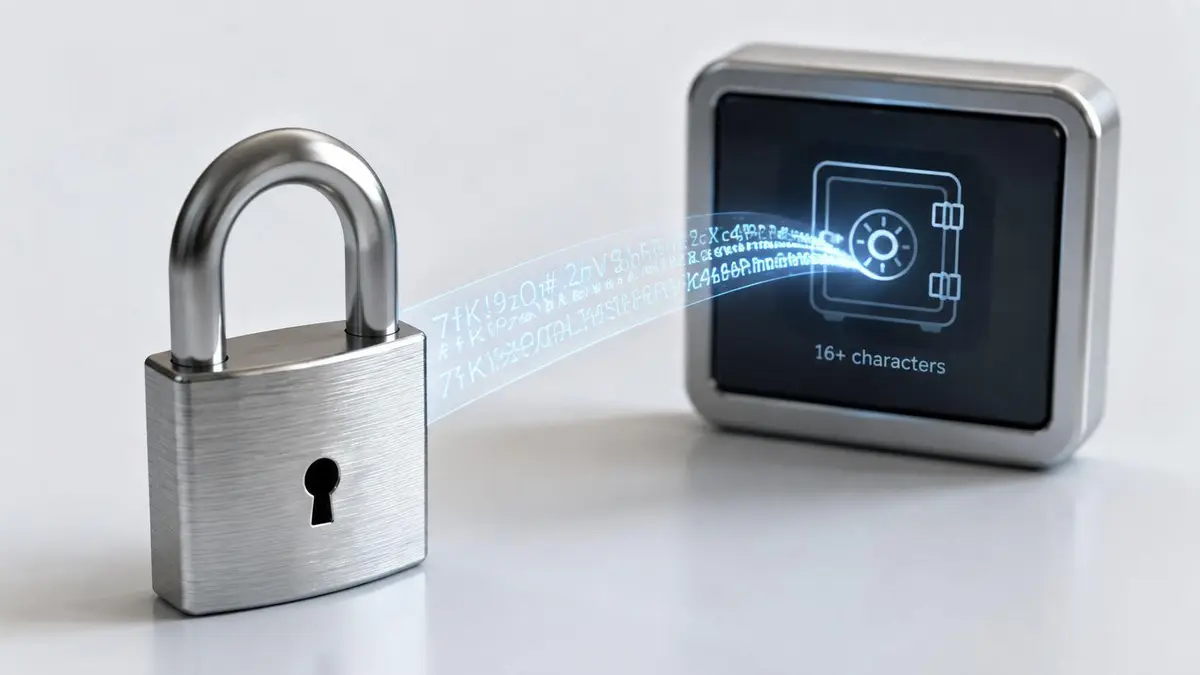
For high-value accounts, use a password manager’s generator, not your memory. The point is to create passwords that are unpredictable and long enough to resist guessing and cracking. The U.S. Army’s cybersecurity guidance says password length matters more than complexity and treats 12 to 16 characters as a strong range, while the BSI says longer is better and sets a minimum of at least eight characters (Army password fact sheet, BSI secure password guidance). For executive accounts, go longer than the minimum and let the manager create it.
What to enforce immediately
- Use generator-created credentials only: Set your password manager to produce passwords with all character types and no reused patterns.
- Keep them unique by default: A strong password is worthless if it shows up on two accounts.
- Treat storage as part of generation: If the password lives in notes, email drafts, or memory, you’ve already weakened it.
- Test the generator settings: Confirm the manager is creating passwords long enough for your most sensitive accounts.
Practical rule: If a password can be remembered after seeing it once, it’s probably too guessable for a critical account.
ContentRemoval.com’s leaked content removal service becomes relevant the moment a compromised login exposes private material, because credential hygiene and content damage often show up in the same incident.
2. Turn On Multi-Factor Authentication and Use Hardware Keys
A password alone is a weak perimeter. A second factor changes the attack math, and a hardware key makes that second factor far harder to steal than SMS codes or push prompts. NIST recommends multifactor authentication and recognizes passkeys as a strong option, while CISA tells users to enable MFA for email, social media, and financial accounts.
For executives, the true test is phishing resistance. A FIDO2 hardware key, such as a YubiKey, will not hand a code to a fake login page the way a text message or app prompt can be tricked into doing. That matters most on the accounts attackers use as launch points, email, banking, social platforms, and identity verification systems. If someone gets into your inbox, they can reset everything else.
Use at least two hardware keys, not one. Register both on your critical accounts, keep one in a secure off-site location, and keep the second on hand for daily use. If a key fails and you have no backup, your own protection turns into an access problem.
Hardware keys also belong in the broader security stack. If you need a practical guide to how attackers move between identity, custody, and account control in high-risk environments, review this wallet guide for copy trading. The same discipline applies here, protect the account that controls the rest.
Check which platforms already expect stronger controls. Microsoft, Apple, and Meta require hardware keys for some executive and high-privilege accounts, which shows where serious organizations draw the line. If your personal or corporate environment still relies on SMS for privileged access, close that gap now.
A key account should be locked before anything else.
- Email first: Lock down the inbox that controls resets for everything else.
- Banking second: Protect financial accounts with the strongest MFA available.
- Identity accounts third: Secure Apple, Google, Microsoft, and social accounts that can reset or publish on your behalf.
- Backup planning: Store recovery codes separately from the devices they protect.
A hardware key does more than stop a login attack. It protects continuity. If your public-facing identity gets hijacked, the cost is not only lost access, it is the scramble to prove what was real.
3. Give Every Account Its Own Password, Then Tier the Risk
The first rule is simple. Stop reusing passwords across accounts. Credential stuffing depends on repetition, and attackers will test the same login against email, banking, cloud tools, and social platforms until something opens. In an analysis of billions of passwords, only 6% were unique and 94% were reused or duplicated across accounts, which is why one leak can become a wider compromise (Astra password statistics summary).
For executives, uniqueness still needs structure. Use a tiered model and assign stronger controls based on exposure. Tier 1 covers email, banking, identity verification, and legal accounts. Tier 2 covers business systems, client portals, and brand assets. Tier 3 covers lower-sensitivity services such as entertainment, shopping, and newsletters. That hierarchy keeps attention on the accounts that can trigger reputational harm, financial loss, or business interruption.
Reuse is how a minor account becomes a major incident. If a social login shares a password with your corporate mailbox, a break-in on the least important service can open the door to the account that controls resets, messages, and public-facing recovery paths. Reporting tied stolen credentials to 22% of confirmed breaches in one dataset and says more than 80% of confirmed breaches are tied to stolen, weak, or reused passwords. That makes password hygiene a direct control on exposure, not a housekeeping task.
Run a full audit inside your password manager. Use duplicate detection, the strength analyzer, and vault search to find every reused credential. If the same password appears twice, change it. If a connected service suffers a public breach, rotate the affected password immediately instead of waiting for warning signs.
Reuse is not convenience. Reuse is shared exposure.
Build the tier list now
- Tier 1 accounts: Email, banking, legal, identity, and recovery channels.
- Tier 2 accounts: Corporate collaboration, client systems, and brand channels.
- Tier 3 accounts: Low-impact personal services that do not control your identity or money.
- Immediate action rule: If a breach touches a connected service, change the related password at once.
One leaked credential should never become the master key to your digital life.
4. Choose a Password Manager Like It Holds Your Whole Deal
A password manager sits at the center of your access control, so treat it like a vault, not a convenience tool. The wrong one creates a single point of failure. The right one lets you use strong, unique passwords without depending on memory or habit. Canada’s cyber guidance recommends using a password manager for lower-sensitivity accounts while keeping sensitive accounts such as administrative privileges or banking credentials isolated with extra caution, which is the nuance generic advice usually misses (Canadian Centre for Cyber Security guidance).
For executives and high-net-worth individuals, the selection standard has to be strict. Demand zero-knowledge encryption, independent audits, strong encryption, and a recovery model you can explain under pressure. The provider should not be able to read your vault, and it should not hold keys in a way that lets one vendor problem turn into a full exposure event. Third-party audit evidence matters because reputation loss starts the moment a weak platform becomes part of your security stack.
Emergency access is useful only if it is controlled. Products such as 1Password and Bitwarden have undergone independent SOC 2 Type II audits confirming zero-knowledge architecture, and Dashlane and Keeper offer emergency access features that let designated trusted contacts recover access with time delays. Those controls matter when access has to survive travel, device loss, or incapacity. A manager with weak transparency or unclear encryption handling should be off the table for sensitive use.
The LastPass breach in 2022 to 2023 is a hard reminder that a compromised provider does not automatically mean exposed passwords if zero-knowledge encryption is real, but it also shows why vendor selection matters. If your vault design is wrong, the blast radius is everything. If you are also cleaning up exposure after an incident, use a structured process for removing personal information after a data breach, because access control and reputation control are tied together.
Set the standard before you sign up.
- Demand zero-knowledge documentation: The provider should not be able to view stored passwords.
- Look for independent audits: SOC 2 Type II is the floor, not the finish line.
- Set a long master password: Make it random, unique, and never reused anywhere else.
- Protect vault access: Add biometric or hardware-key protection on top of the master password.
- Verify recovery paths: Trusted contacts and recovery codes should exist before you need them.
The manager only helps if it stays trustworthy under stress. If you cannot explain how access is recovered after loss, you do not have a resilient system.
5. Build Recovery Procedures Before You Need Them
Strong protection creates a new problem, lockout. If you harden every account and never plan recovery, the first serious incident can strand you outside your own systems. That’s a real operational risk for executives, because one inaccessible inbox can block resets everywhere else and one unreachable banking login can freeze transactions when speed matters most.
Recovery needs to be designed with the same seriousness as login. Generate recovery codes, store them encrypted, and keep physical copies in a secure place separate from your daily devices. Keep backup email addresses monitored and protected with their own MFA, not parked on an old account nobody checks. Maintain at least two hardware keys, with one stored separately, so a lost device doesn’t become a full outage.
Google’s Account Recovery process relies on recent activity verification and identity confirmation, which makes sense for dormant accounts and helps slow account takeover attempts. Apple’s legacy account contacts feature and Microsoft’s trusted device and recovery email workflows show that serious platforms expect recovery to be deliberate, not casual. If your personal or corporate process doesn’t match that level of discipline, you’re leaving downtime to chance.
This is also where reputation work overlaps with access work. If a public-facing account gets locked during a crisis, the absence of a response can be as damaging as the breach itself. A written recovery plan gives your team a clean path when every minute counts.
Store recovery codes as if they were credentials, because they are.
Internal cleanup belongs here too. If a breach has already exposed personal information tied to your recovery setup, the right next step is the strategic guide to removing personal information from Google after a data breach, not a hope that the problem stays buried.
6. Monitor for Compromise and Respond Immediately
You can’t defend what you don’t see. Password security has to include monitoring, because stolen credentials circulate long before someone notices the damage. The exposure problem is massive, with more than 24 billion credentials exposed in 2022 alone, which makes passive optimism a bad strategy (Astra password statistics summary).
Use breach notification services, account activity alerts, and login anomaly detection together. Have I Been Pwned monitors over 610 million breached credentials and alerts users when a matching email address appears in new breaches, which gives you a fast first warning layer (Have I Been Pwned). Google’s Security Checkup and Microsoft’s Azure AD Identity Protection add device, location, and risk-based signals that can catch unusual access patterns before the session goes far.
The response plan should be simple and aggressive. If a critical account shows an unexpected login, terminate active sessions, change the password, and reauthenticate with MFA immediately. Don’t wait for confirmation that something is wrong. In executive environments, delay gives attackers time to move from inbox access to wire instructions, document theft, impersonation, or social media control.
Monitoring is not just about the breach notice. Review account activity logs weekly for the accounts that can hurt you most. If you see a new location, a strange device, or login timing that doesn’t make sense, treat it as an incident until proven otherwise.
Set the response order now
- Critical email first: Kill active sessions and reset credentials.
- Financial accounts second: Lock down transfers and reverify access.
- Identity and social accounts third: Stop impersonation before it spreads.
- Recovery channels last: Make sure backup email and phone access still belong to you.
If you need a dark web monitoring layer tied to reputation response, use it. The right tool shortens the time between exposure and action, and that gap is where damage lives. Dark web monitoring for exposed credentials should be part of the playbook for anyone with a public profile or a high-value inbox.
7. Defeat Phishing with Technical Controls and Repetition
No password is secure if you hand it to a fake login page. Phishing works because it targets people, not systems, and executives are prime targets because attackers can monetize one compromised inbox through fraud, impersonation, or lateral movement. Verizon’s breach reporting found that 82% of data breaches involved human interaction, which is why credential quality alone doesn’t solve the problem (Verizon breach reporting cited in the brief).
The right control stack starts with FIDO2 hardware keys, then adds email authentication standards like SPF, DKIM, and DMARC. Those controls reduce spoofing and make it harder for attackers to disguise fake requests as internal messages. But technology alone won’t catch every well-crafted lure, especially when the email looks like it came from a board member, counsel, investor, or assistant.
Training has to be practical. Executives need to know how a targeted phish is built, what urgency language looks like, and why no one should ever enter credentials from a link in a message that wasn’t expected. If the request is sensitive, verify it through a different channel. A call, a known contact method, or a direct login through the bookmarked site is safer than clicking through a prompted page.
The fastest teams combine this with specific role-based drills. A CFO should be trained on wire transfer scams. A CEO should be trained on M&A lure tactics. A law firm partner should be trained on client impersonation and document access scams.
If a login request arrives by message, assume it’s hostile until you prove otherwise.
Put these controls on the executive stack
- Use FIDO2 on email and identity accounts: Stop password replay on lookalike sites.
- Deploy DMARC, SPF, and DKIM: Reduce internal-domain spoofing.
- Ban password requests through chat or email: Only official portals count.
- Run realistic phishing exercises: Training should be repeated, not ceremonial.
- Verify unusual requests out of band: One extra call beats one compromised inbox.
The best phishing defense is a system that expects deception and refuses to reward it.
8. Stop Treating Password Rotation Like a Calendar Ritual
Executives who still rotate passwords on autopilot are solving the wrong problem. A forced change cycle creates predictable behavior, encourages weaker memorization habits, and pushes people toward unsafe workarounds like notes, spreadsheets, or recycled patterns. Current guidance favors rotation only when risk changes, such as suspected compromise, breach exposure, or the end of delegated access, not because a reminder fired on a schedule.
For a high-value account set, the rule is simple. Tier 3 accounts change when they are breached or when you decide to retire them. Tier 2 business accounts can stay on a regular rotation schedule, and quarterly is sensible for many organizations. Tier 1 critical accounts should change immediately after breach notice, then be reviewed on a quarterly basis so you know the credentials are still under active control.
That approach keeps rotation tied to exposure, which is the only reason it should happen. It also protects reputation and business continuity by putting attention on the accounts that can trigger legal trouble, banking loss, or public embarrassment. A streaming service login does not deserve the same treatment as the account that controls financial approvals or crisis communications.
Set reminders before the review date, generate the replacement credential in the password manager, and record that the change was completed. If a delegated user leaves, the password changes immediately. If an account has a history of exposure, treat it as hot until it has been reset and resecured. If you are planning your digital estate, build password rotation into the handoff process so heirs, counsel, or trustees are not left guessing which credentials still matter.
Use this rotation model
- Tier 1: Immediate change on breach notice, plus quarterly review.
- Tier 2: Quarterly or on breach.
- Tier 3: On breach or closure only.
- Delegated access: Change the password when the delegation ends.
Rotation is not a ritual. It is a control for closing known exposure before it turns into impersonation, misuse, or cleanup work that costs time, money, and trust.
8-Point Password Security Comparison
| Item | Implementation complexity | Resource requirements | Expected outcomes | Ideal use cases | Key advantages |
|---|---|---|---|---|---|
| Cryptographically Secure Password Generation and Storage | Medium-High: requires correct CSPRNG and salted hashing implementation | Moderate: crypto libraries, developer expertise, CPU cost for hashing | Strong resistance to brute-force and rainbow‑table attacks; unrecoverable stored passwords | All accounts, especially executive, financial and high‑sensitivity systems | Eliminates predictable passwords, meets standards (e.g., NIST), reduces credential cracking risk |
| Multi‑Factor Authentication (MFA) and Hardware Security Keys | Medium-High: integration of MFA flows and FIDO2 support | High: purchase of hardware keys, user provisioning, training | Phishing‑resistant authentication that blocks account takeover even if passwords leak | Executive email, financial platforms, high‑privilege access | Prevents phishing/SIM‑swap compromises, strong assurance of physical possession |
| Unique Passwords Across All Accounts with Strategic Tiering | Low-Medium: policy plus password manager deployment and categorization | Moderate: password manager adoption, user training, audits | Eliminates credential stuffing and limits lateral movement after a breach | All users; essential for executives with multiple account tiers | Contains breaches to single accounts, simplifies incident scope and recovery |
| Secure Password Manager Selection and Implementation | Medium: vendor evaluation, zero‑knowledge setup, enterprise integration | Moderate-High: subscription/licensing, independent audits, master password policies | Centralized secure storage enabling unique strong passwords; single‑point risk if mismanaged | Organizations and individuals managing many credentials, teams sharing secrets | Enables strong unique passwords, secure sharing, audit trails, encrypted backups |
| Account Recovery and Backup Access Procedures | Medium: design and test recovery workflows, document processes | Moderate: secure physical storage, backup keys, recovery codes, periodic tests | Reduces risk of prolonged lockout; enables rapid restoration in crises | Executives, high‑net‑worth individuals, accounts critical to reputation/operations | Ensures continuity, succession planning, and recoverability when access is lost |
| Monitoring and Incident Response for Compromised Passwords | High: integrate breach feeds, anomaly detection, incident playbooks | High: breach monitoring services, SOC/tooling, skilled response team | Early detection of compromise and rapid containment to minimize damage | High‑value targets, enterprises with sensitive assets and SOCs | Detects leaks quickly, enables fast remediation and forensic investigation |
| Phishing Resistance Through Technical Controls and User Training | Medium-High: deploy FIDO2, email auth (SPF/DKIM/DMARC), and ongoing training | Moderate-High: hardware keys, email infrastructure changes, training platforms | Reduces phishing success and improves user recognition of social engineering | Executive personnel, organizations targeted by spear‑phishing | Combines technical defenses and human awareness to lower phishing risk |
| Password Change Policies and Rotation Scheduling | Low-Medium: implement risk‑based policies and automation for rotations | Low-Moderate: policy tools, password manager integration, reminders | Risk‑based rotation reduces exposure while minimizing user friction | Tiered accounts (Tier 1 critical accounts; Tier 2 business; Tier 3 low) | Balances security vs. usability, triggers rotations on breach or high risk rather than fixed cadence |
From Defense to Dominance Securing Your Digital Legacy
Strong password security doesn’t make your life more complicated, it makes your exposure more controllable. When you use unique generated passwords, hardware-key MFA, monitored recovery paths, and a real incident response plan, you stop treating access as a personal habit and start treating it as an asset. For executives and public figures, that shift matters because the damage from one compromised login is rarely limited to one login. It can reach your inbox, your bank, your legal team, your staff, and your reputation.
The biggest mistake is assuming password security is only about the password. It isn’t. It’s about whether an attacker can reuse one breach, impersonate you from one account, or lock you out during a crisis when your name and business are already under scrutiny. The verified data makes the risk plain, reused credentials dominate, exposed credentials are everywhere, and phishing still works because people are still being targeted. The response has to be disciplined, not decorative.
If you manage a high-profile identity, the job is to reduce the number of places an attacker can start, then reduce the number of ways they can move once they get in. That means stronger generation, strict uniqueness, hardware-key MFA, a vetted password manager, real recovery planning, active monitoring, phishing resistance, and sane rotation policies that match risk. It also means having a remediation partner ready when the problem has already escaped the login screen and become a search result, a leaked file, or an impersonation campaign.
ContentRemoval.com specializes in rapid, discreet remediation for executives, high-net-worth individuals, and public-facing clients who can’t afford to let a credential incident turn into a reputation crisis. If you need help removing harmful content tied to a breach, suppressing exposed material, or protecting your digital footprint before the next incident lands, start with a confidential assessment at ContentRemoval.com.
Frequently asked questions
Should executives use SMS codes for two-factor authentication?
No, not on accounts that matter. SMS codes and push prompts can be tricked or intercepted through phone porting, while a FIDO2 hardware key will not hand a code to a fake login page. Microsoft, Apple, and Meta already require hardware keys for some high-privilege accounts; email, banking, and identity accounts should come first.
How often should an executive change passwords?
On risk, not on a calendar. Forced rotation encourages weaker patterns and workarounds. Tier 1 accounts change immediately after a breach notice and get a quarterly review, Tier 2 business accounts rotate quarterly or on breach, Tier 3 only on breach or closure, and any delegated access changes the moment the delegation ends.
What should I do if I get a breach notification for one of my accounts?
Treat it as an incident until proven otherwise. Terminate active sessions, change the password, and reauthenticate with MFA immediately, starting with critical email, then financial accounts, then identity and social accounts, then recovery channels. If a connected service was breached, rotate the related password without waiting for signs of misuse.
