
To report hacking to Facebook, first secure the email address tied to the account from a clean device, then use Meta’s Hacked Account Recovery Flow at facebook.com/hacked, select the symptoms that match, enter prior credentials and complete identity verification. Screenshot every unauthorized change before revoking it, watch the previous email for Meta’s reversal link, and escalate if automated recovery stalls.
Key facts
- Recovery succeeds for roughly 70 to 80 percent of accounts with an unchanged recovery email, but 40 percent when altered.
- Meta sends a special reversal link to the previously associated email when credentials are changed.
- Regaining a personal profile does not automatically restore Page roles, Business Manager access or ad billing controls.
- File an IC3 complaint when money, business systems, fake ads or impersonation are involved.
Where ContentRemoval.com comes in. ContentRemoval.com handles what Facebook recovery leaves behind for executives, founders and brands: cloned or impersonation accounts still live after the original is restored, fraudulent posts and ads circulating in screenshots, and the search and cross-platform residue of the incident, with platform escalation through the right channels and monitoring for reuploads. A communications lead, general counsel or the principal’s chief of staff usually makes contact. A free 15-minute Exposure Scan maps what is removable and the report is yours to keep. Get a Free, Confidential Exposure Scan or read how our Facebook content removal work is done.
Your phone lights up before sunrise. Your communications lead is asking why your Facebook Page just published a fraudulent investment post. Your ad team sees campaigns they didn’t launch. Your assistant can’t access Messenger. By the time you open Meta Business Suite, the attacker has already changed credentials, added new admins, and started using your brand as a weapon.
That is the situation behind the search query how do i report hacking to facebook. You’re not trying to solve a minor login issue. You’re containing an active reputational and financial incident.
For executives, founders, and public figures, a hacked Facebook account is rarely isolated. The same attacker may have your email, your ad account, your Instagram connection, and enough access to impersonate you elsewhere. If your team also manages other social channels, review adjacent account exposure immediately. A practical example is this guide on Handling client Snapchat account issues, which reflects the same operational truth: once one platform falls, attackers often pivot fast.
Treat this like any other crisis. Preserve evidence, stop the spread, and control the narrative before the platform catches up. If the compromise exposes personal data, staff details, or location information, this strategic response checklist for doxxing incidents is also relevant because account hacks often turn into broader privacy attacks.
An Executive’s First Look at a Compromised Account
The first mistake is emotional. People panic, click random recovery links, and start changing things in the wrong order. That usually makes the evidence messier and gives the attacker more time.
The second mistake is treating Facebook as the only system that matters. It isn’t. Facebook is often the visible symptom. The root compromise is commonly your email account, a reused password, a phished login, or a device session that should never have stayed active.
What compromise looks like in the first hour
If you’re asking how do i report hacking to facebook, you’re probably already seeing one or more of the signs Meta itself treats as indicators of account compromise: changed email or password, altered name or birthday, friend requests sent to people you don’t know, messages or posts you didn’t create, or fraudulent ads running under your account. Those are not edge cases. Those are the standard markers Meta uses in its recovery flow.
A hacked executive account is a reputation event first and a technical event second.
That distinction matters. A personal profile breach can expose internal relationships. A Page compromise can trigger public confusion. An ad account takeover can create immediate spending exposure and create records your finance team will need later.
The right mindset
Don’t ask, “Can I get back in?” Ask, “What assets are exposed, what evidence exists, and who needs to act now?”
Use this sequence:
- Contain access before you begin cleanup.
- Preserve proof before the attacker deletes activity.
- Report through official channels with precision, not guesswork.
- Escalate fast if automated systems stall.
If you’re the principal target, delegate. Have legal, IT, communications, and finance each own a lane. One person should handle Meta recovery. Another should document evidence. Another should monitor public-facing damage. That separation prevents sloppy decisions.
Immediate Triage and Account Containment

The first hour is not for debate. It’s for damage control. If you skip containment and jump straight to reporting, you risk giving the attacker more time inside your account and connected assets.
Lock down the likely root account
Start with the email address tied to Facebook. If the attacker controls that inbox, every Facebook recovery attempt is vulnerable. Change the email password from a clean device, review inbox forwarding rules, remove unknown recovery addresses, and revoke suspicious sessions.
Then review any phone number or authenticator app attached to the account. If your mobile carrier account is weak, your recovery path is weak.
Here’s the order I recommend:
- Secure the email first: Change the password, review recovery settings, and remove any unauthorized forwarding.
- Check your device sessions: Sign out of sessions you don’t recognize on email and other critical services.
- Review connected business tools: Look at Meta Business Suite, Business Manager, and any third-party apps with publishing rights.
- Freeze financial exposure: If ad spend or payment methods look compromised, alert finance and your payment provider immediately.
- Separate internal access: Remove or pause staff permissions that you can’t verify until ownership is restored.
Stop the attacker from using your assets
If you still have partial access to Facebook, go straight to Security and Login and review active sessions. Meta’s recovery guidance instructs users to review recent login activity and identify unauthorized access after a hack report. Do that before you start experimenting with settings.
If the attacker altered credentials, Meta can send a special recovery link to the previously associated email address so you can reverse unauthorized changes. Watch the old inbox carefully. That reversal window matters.
Practical rule: Don’t clean up the attacker’s work until you’ve captured it. Screenshot first. Revoke second.
A brief walkthrough can help your team align on sequence before anyone touches the account:
Triage priorities for executives
Use this short decision table inside the first hour.
| Risk area | Immediate action | Why it matters |
|---|---|---|
| Email access | Reset and review security settings | Email usually controls recovery |
| Facebook sessions | Revoke suspicious sessions | Cuts off attacker persistence |
| Business assets | Audit admins and connected tools | Attackers often expand access |
| Ad account | Pause suspect activity and alert finance | Prevents further unauthorized charges |
| Public messaging | Prepare a holding statement internally | Limits confusion if the account posts again |
If your team hesitates over sequence, use the simplest standard: protect identity systems first, financial systems second, public channels third. That order reduces the odds of repeated compromise while recovery is underway.
Executing Facebook’s Official Reporting Protocols
Users often waste time because they approach Meta’s recovery system loosely. That’s a mistake. Facebook’s official process rewards clean evidence, consistent identity data, and disciplined follow-through.
Use the official hacked account flow first
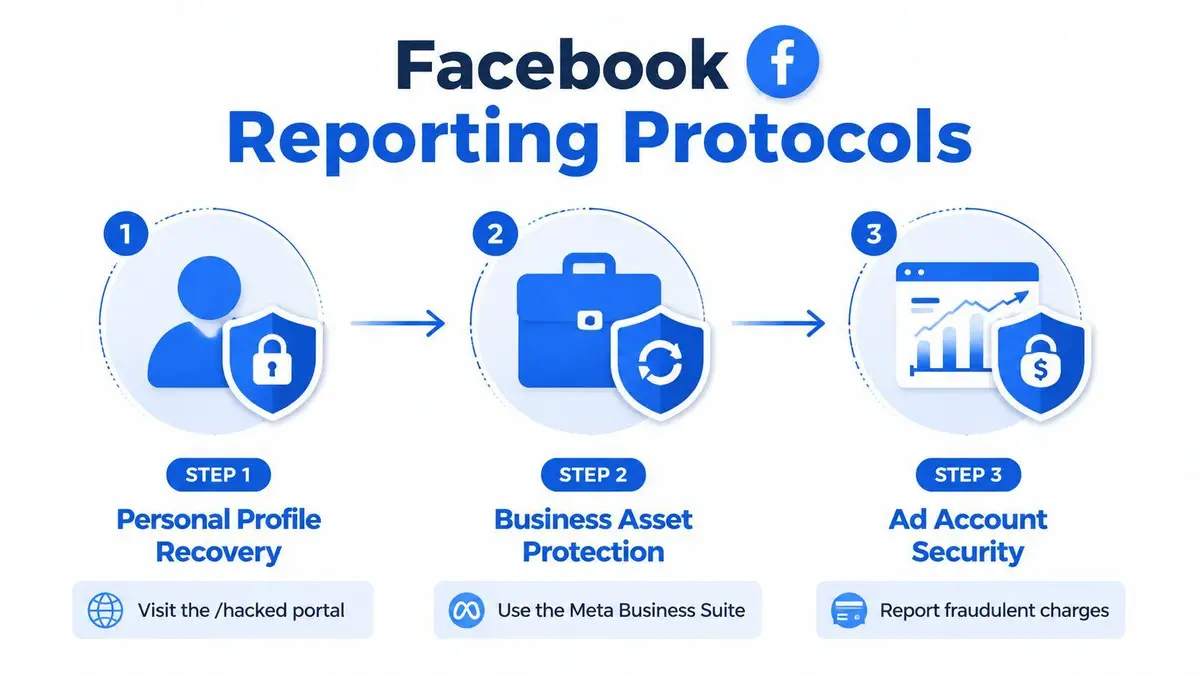
Meta’s primary recovery channel is the Hacked Account Recovery Flow at facebook.com/hacked. According to the verified technical summary tied to Meta’s recovery process, this flow initiates a multi-factor authentication challenge. Recovery succeeds for about 70 to 80 percent of accounts when the recovery email remains unchanged, but drops to 40 percent when the attacker has altered the recovery email, which occurs in 35 percent of account takeovers. That is the single most useful benchmark for setting expectations.
The process is straightforward if you stay disciplined:
- Go to the hacked account portal.
- Select the symptoms that match the compromise, such as unknown logins or changed email.
- Enter original credentials or recovery information if available.
- Complete identity verification if prompted.
- Review and revoke suspicious sessions once access returns.
Meta may require government ID if standard methods fail. In some cases, users also encounter identity verification through uploaded ID or other ownership checks. Don’t improvise. Use the same legal name and account details tied to the original account records.
What to submit and what to avoid
You want Meta’s systems to see a coherent ownership story. That means matching names, prior credentials, old email details, and consistent device context where possible. If the account is personal but tied to business assets, document both the profile ownership and the downstream business impact.
Common errors sink recovery attempts:
- Changing too many variables at once: If you alter unrelated settings before recovery, your ownership pattern looks less stable.
- Ignoring the previous-email reversal link: Meta sends a special link to the previously associated email when credentials are altered. Check that inbox carefully.
- Using third-party recovery services: Many are scams or just resell obvious steps with no added benefit.
- Submitting poor identity material: Blurry ID uploads and inconsistent names create delay.
If the account name, ID, and recovery details don’t line up cleanly, expect friction.
Business Pages and ad account fallout
A hacked personal profile often controls a Page, Business Manager, and ad account. Those are different assets, and recovery isn’t always synchronized. Regaining your profile doesn’t guarantee that your business roles, billing controls, or admin permissions are intact.
That’s why internal procedure matters. If your company doesn’t already maintain one, use an incident response plan template to assign owners for identity recovery, legal documentation, payment review, and public communications. Without that, executives end up doing technical support work while the attacker keeps operating.
If the attacker posted from your account or Page, remove the unauthorized content only after preserving evidence. If the post remains live and you can’t remove it, this guide on removing a Facebook post that is not yours helps frame the removal side once account control is partially restored.
The executive version of the process
The public version of Facebook recovery assumes a normal consumer account. That isn’t your situation if your account sits on top of corporate assets, investor visibility, or paid campaigns. In that case, build your submission around three facts:
- you are the legitimate account owner,
- the compromise created operational or financial risk,
- and restoration delay increases harm.
State that clearly in every support interaction. Meta’s systems are automated first. Your job is to make the case easy for both automation and the human reviewer who may see it later.
Preserving Evidence for Legal and Law Enforcement Action
Recovery is only half the job. If the attacker ran fraudulent ads, impersonated you, solicited money, or accessed business communications, you need an evidentiary record that survives platform cleanup.
Capture evidence before it disappears
Attackers delete traces when they realize you’re responding. Platform systems also overwrite logs and session views over time. That means your first documentation pass needs to happen early.
Preserve these categories:
- Unauthorized posts and messages: Capture full-screen screenshots with visible dates, usernames, and URLs where possible.
- Account changes: Record altered email addresses, password reset notices, admin changes, and profile edits.
- Login activity: Export or screenshot suspicious sessions and locations shown inside Facebook security settings if accessible.
- Financial impact: Save ad receipts, billing anomalies, card statements, and internal approvals showing the spending was unauthorized.
- Communications with Meta: Archive every confirmation email, case number, and recovery prompt.
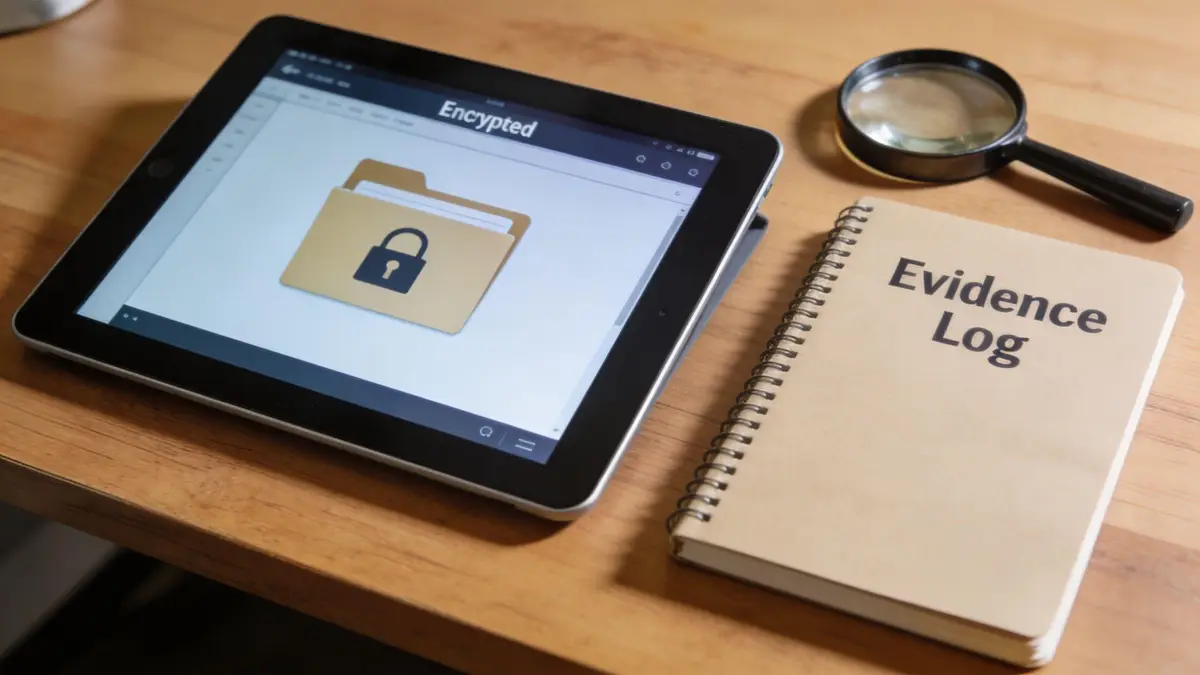
Build an evidence log like litigation may follow
Don’t dump screenshots into a random folder. Create a structured log. Label each file by date, time, platform, and event. Keep a short chronology that answers four questions: what changed, when it changed, how you discovered it, and what action you took next.
A simple format works well:
| Evidence item | What to capture | Why it matters |
|---|---|---|
| Credential change notice | Email alert and timestamp | Proves account alteration |
| Unauthorized content | Post, message, ad, or profile edit | Shows misuse and potential harm |
| Session history | Suspicious devices or locations | Supports intrusion narrative |
| Billing records | Charges and campaign details | Quantifies loss |
| Support records | Meta responses and ticket references | Shows your mitigation efforts |
Preserve the ugly details. Courts, banks, and investigators care about timestamps, not your summary of what happened.
Report to law enforcement when the conduct crosses the line
The Internet Crime Complaint Center is the primary federal reporting channel for internet-facilitated crime, including account hacking, under Department of Justice guidance at the DOJ reporting page for computer and internet-related crime. The DOJ also advises reporting internet-related crime to the appropriate law enforcement authorities based on jurisdiction, and notes that the IC3 analyzes and disseminates complaint information for investigative purposes.
File the IC3 report when any of the following apply:
- the account theft involved money,
- the attacker targeted business systems or executive communications,
- fake ads or impersonation created measurable harm,
- or the compromise may affect employees, customers, or investors.
Keep your IC3 submission factual. Include dates, affected accounts, known attacker actions, preserved screenshots, and any financial loss records. Don’t speculate about the attacker’s identity unless you have direct evidence.
Why this matters even if the attacker is never found
You may never identify the person behind the hack. That doesn’t make the record useless. A formal incident file helps with internal governance, insurer notifications, charge disputes, regulatory communications, and later civil action if the attacker or an intermediary becomes identifiable.
It also strengthens your position with platforms. Meta support teams often move faster when your submission reads like a documented incident rather than a panicked complaint. Executives who preserve evidence properly give their legal team room to act later. Executives who don’t usually end up relying on memory, which is worthless under pressure.
Advanced Escalation When Standard Reports Are Ignored
If the official recovery flow stalls, don’t sit in the queue hoping it will sort itself out. Meta’s automated pathways are useful, but they are not reliable enough for high-stakes incidents where ad spend, impersonation, or executive reputation is exposed.
Use the human-review path
When standard recovery fails, advanced users report better outcomes through hidden Report a Problem contact forms that trigger human review. The verified benchmark is clear: these methods show a 65 percent resolution rate versus 25 percent through generic support channels, and they work best when you include precise screenshots, timestamps, and technical details such as IP information and browser user agent strings in the submission, according to the verified workflow summary at this specialized escalation reference.
The practical route is to search Facebook Help for terms that surface the hidden form, then submit a tightly framed complaint. Don’t write a dramatic narrative. Write a forensic one.
What a strong escalation looks like
A weak complaint says, “My account was hacked. Please help.”
A strong complaint contains:
- A precise subject line: “Hacked Account. Unauthorized Email Change.”
- A short incident summary: Date discovered, what changed, what assets were affected.
- Attachments that prove the sequence: Screenshots of email-change alerts, login failures, unauthorized posts, and ad account anomalies.
- Technical indicators if available: Timestamps, suspicious session details, device context.
- A clear ask: Restore account ownership, remove unauthorized admins, secure linked business assets.
Human reviewers respond to clean chronology and hard evidence. They ignore chaos.
Escalation beyond Meta’s normal lanes
For executives, creators, and public figures, the problem often isn’t just access loss. It’s impersonation, cloned accounts, or delayed action while fake content stays live. That’s where standard support becomes structurally inadequate.
The documented pattern is ugly. In a sample of 450 impersonation cases from 2025 to 2026, 68 percent required third-party legal intervention after an initial Facebook report to achieve full takedown, and only 12 percent of appealed denials were overturned, according to the verified data point tied to this Pew Research reference. For a high-profile person, that means “appeal again” is often not a serious strategy.
If you’re in that category, escalate on parallel tracks:
- Platform escalation through hidden forms or business support pathways.
- Regulatory escalation if your jurisdiction gives you a strong privacy or data-rights mechanism.
- Legal escalation if impersonation, fraud, extortion, or reputational harm is active.
- Communications control so your stakeholders know the account is compromised and not to trust messages or promotions.
When escalation becomes mandatory
Use this threshold test.
| Scenario | Standard report enough | Escalation required |
|---|---|---|
| Basic login compromise, no business assets | Sometimes | If no prompt progress |
| Email changed by attacker | Rarely | Yes |
| Ad account misuse | No | Yes |
| Fake executive or brand account remains live | No | Yes |
| Meta denial despite valid ownership proof | No | Yes |
If your account controls a company Page, ad spend, or public messaging, escalation isn’t aggressive. It’s responsible. Waiting passively while the platform cycles through automation is how small incidents become board-level problems.
Engaging Professional Takedown and Reputation Services
There’s a point where self-service recovery stops being efficient and starts becoming reckless. Too often, that point is reached too late.
The cases that outgrow DIY
If you’re facing a basic login issue and Meta restores access quickly, handle it internally. If you’re dealing with impersonation, financial theft through ad tools, repeated denial despite valid proof, or active public harm, the matter has already moved beyond ordinary customer support.
In these situations, executives miscalculate. They assume persistence will eventually solve the issue. Sometimes it does. Often it doesn’t, especially when the attack intersects with public reputation, legal exposure, or cloned accounts operating outside the original profile.
A useful parallel is the broader discipline of building a positive digital presence. Recovery is not just about getting access back. It’s also about suppressing the residue of the incident, removing fake content, and restoring trust signals after the breach is contained.
Why professionals get involved
The hard truth is that high-profile users face a different problem set. Verified data shows that in 450 impersonation cases from 2025 to 2026, 68 percent required third-party legal intervention after an initial Facebook report to achieve full takedown, and only 12 percent of appealed denials were overturned. That’s not a customer service inconvenience. It’s a structural failure in self-help for high-risk victims.
Professional intervention makes sense when you need a coordinated response across platform reporting, evidentiary preparation, legal notices, search visibility, and repeat-upload monitoring. That combination matters because Facebook is often only one part of the attack footprint.
The decision is operational, not emotional. If the incident threatens revenue, deal flow, investor confidence, employee trust, or family privacy, the cost of delay usually exceeds the cost of expert handling.
For executives evaluating their options, this guide to companies that clean up your online presence is a useful framework for deciding when digital risk has become a reputation management problem, not just a support ticket.
The right time to bring in outside help is before the attacker controls the story, not after.
Executive FAQ on Facebook Hacking Aftermath
Can I recover money lost through a compromised ad account
Sometimes, yes. Move on two tracks at once. Document unauthorized charges in detail and submit the platform dispute, but also notify your bank or card provider immediately if the spending was clearly unauthorized. Finance should preserve every billing record and campaign artifact tied to the incident.
What security changes actually reduce repeat incidents
Don’t stop at a new password. Secure the recovery email, enable strong authentication, review Business Manager roles, remove stale admins, audit connected apps, and restrict who can change billing or ownership settings. Most repeat compromises happen because the attacker kept a secondary foothold.
Can legal action work if I don’t know who hacked me
Yes, but the outcome depends on what you can prove. If the attacker remains anonymous, legal work still helps with subpoenas, preservation demands, takedown requests, and pressure on platforms or intermediaries. If the attacker is identified, your options broaden. Civil claims, criminal referral, and direct injunction work all become more realistic.
A Facebook hack involving an executive, public figure, or business asset is not a routine support issue. It’s a live reputation, legal, and financial threat. If you need discreet, high-speed help with account recovery, impersonation takedowns, post-hack cleanup, or long-term digital risk containment, contact ContentRemoval.com for a confidential assessment and a direct action plan.
Frequently asked questions
What should I secure first when my Facebook account is hacked?
The email address linked to the account, because it controls every recovery attempt. Change that password from a clean device, remove unknown forwarding rules and recovery addresses, revoke suspicious sessions, then review the phone number and authenticator attached to Facebook. Only then start the Facebook recovery flow.
What if Facebook’s hacked account recovery is not working?
Automated recovery often stalls when the attacker has already changed the recovery email. Search Facebook Help for the Report a Problem forms that reach human review and submit a forensic complaint: a precise subject line, a short dated summary, screenshots of email-change alerts and unauthorized activity, technical indicators where available, and a clear ask. Business support channels can also open a human path.
Should I report a hacked Facebook account to the police?
Report to the FBI’s Internet Crime Complaint Center when the theft involved money, targeted business systems or executive communications, ran fake ads or impersonation that caused measurable harm, or may affect employees, customers or investors. Keep the submission factual with dates, affected accounts, preserved screenshots and loss records.
