
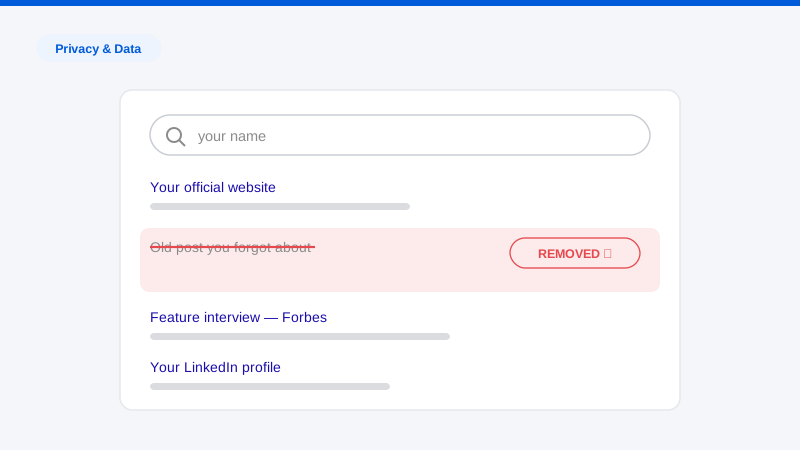
Somewhere between submitting your application and getting the offer, someone will type your name into Google. It might be a recruiter doing a thirty-second gut check, a hiring manager killing time before your interview, or an automated screening platform that scrapes and scores your public presence before a human ever sees your resume. If you want to remove yourself from the internet before a job search, the time to start is now, not the week you begin applying, because much of what matters takes weeks or months to process.
We do this work professionally, and the pattern we see is consistent: candidates worry about the wrong things. They agonize over a decade-old party photo while ignoring the people-search listing that publishes their home address, age, and relatives on page one of Google. They delete their Twitter account but leave the cached copy indexed. This guide covers what recruiters and background-check tools actually surface, in what order to clean it up, and how far ahead you need to start.
One honest note up front: “remove yourself from the internet” is a direction, not a destination. Nobody, including us, can erase every trace of a person from the web, and anyone promising total erasure is overselling. What you can do is dramatically shrink what a searcher finds, control the first page of results for your name, and eliminate the specific items most likely to cost you an interview. That is an achievable, worthwhile goal, and here is how to pursue it.
What recruiters and background checks actually surface
Before you spend a weekend deleting things, understand what the other side sees. There are three distinct layers of scrutiny, and they look at different things.
The casual Google search
This is the most common and least formal check: someone searches your name, maybe your name plus your city or current employer, and skims the first page or two. What typically appears:
- Your LinkedIn profile (usually first, and that’s fine. It’s the one result you want ranking)
- Social media profiles on major platforms
- People-search and data broker listings (Whitepages, Spokeo, BeenVerified and dozens of similar sites) showing your address, age, phone number, and relatives
- News mentions, court records, old blog posts, forum activity, race results, petition signatures, and anything else crawlable tied to your name
- Google Images results, which can pull photos from places you forgot existed
The casual search is where most damage happens, because it requires no authorization, leaves no record, and happens at every stage of the process.
The formal background check
Professional background screening firms operating under the Fair Credit Reporting Act pull from structured sources: criminal record databases, court filings, employment and education verification, credit history where permitted. FCRA-regulated checks require your consent and give you dispute rights. This layer is largely outside the scope of internet cleanup, you cannot delete a court record by deleting a tweet, but note that public court records also surface in ordinary Google searches, which is a separate problem you can sometimes address through de-indexing or suppression.
AI-assisted social screening
This is the layer that has changed most in the last few years. A growing number of employers use automated tools that crawl a candidate’s public social media and web presence and flag content in categories like harassment, drug references, violent speech, or profanity, sometimes generating a “risk report” a recruiter skims in minutes. Two things matter about these tools:
- They are thorough in ways humans are not. A human recruiter gets bored after two pages of results. A crawler doesn’t. Old accounts, comments on public pages, tagged photos, and posts you forgot about are all in scope if they are publicly visible and linked to your identity.
- They are literal in ways humans are not. Automated classifiers miss sarcasm and context. A joke that a human would shrug at can get flagged into a category label that shapes the first impression of your file.
The practical implication: cleanup that only addresses “what would a person find in five minutes” is no longer enough. You want to reduce the total volume of public, name-linked content, which is the core of a proper digital footprint cleanup.
The prioritized cleanup checklist
Work in this order. It is sequenced by impact-per-hour, not by how easy each item is.
1. Audit yourself like a stranger would
Open a private/incognito browser window (so your own history doesn’t skew results) and search:
- Your full name in quotes
- Your name + city, name + current and former employers, name + school
- Your common usernames and email addresses
- Your name in Google Images, and in Bing and DuckDuckGo, which index differently
Log everything notable in a spreadsheet: URL, what it exposes, whether you control it. This inventory drives everything else, and it’s the same first step our team takes on every engagement. If you’d rather not do it manually, a free exposure scan will map the major findings for you.
2. Remove your data broker and people-search listings
For most people, these are the worst results on page one: full name, age, home address, phone number, relatives, past addresses. Recruiters see them, but so does anyone else, which makes them a safety issue as well as a professional one.
Each site has its own opt-out procedure, there are a lot of sites, and suppressed listings tend to regenerate when the brokers refresh their data. Start with the highest-ranking sites for your name and work down. This is the most tedious part of the checklist and the part most people outsource; a managed data broker removal service files and re-files these continuously so listings stay down.
3. Delete or lock down dormant accounts
Old accounts are pure liability during a job search: they contain your younger self’s judgment and they expand the surface area an AI screening crawl can traverse. For each old account you find:
- If you’ll never use it, delete it: actually delete, not deactivate, where the platform distinguishes.
- If you want to keep it, set it private and scrub the bio, profile photo, and display name of anything identifying.
- Search your old usernames to find accounts you forgot. Password managers and old email inboxes (“welcome to…” emails) are good recovery maps.
4. Curate the accounts you keep
For active profiles: LinkedIn, Instagram, X, TikTok, Facebook:
- Review your own post history year by year. Delete anything involving alcohol excess, drugs, harassment-adjacent jokes, profanity-heavy rants, or heated political fights you wouldn’t defend in an interview.
- Review tagged photos and untag or request removal where needed.
- Check old comments on other people’s public posts, these are indexed and screenable too.
- Set non-professional accounts to private, and understand that private is a mitigation, not a guarantee: screenshots exist, and some screening tools note the existence of accounts even when content is hidden.
5. Address images specifically
Google Images deserves its own pass. Photos surface from event pages, club rosters, other people’s albums, and old news items. For images on sites you don’t control, you’ll need to request removal from the site owner, then clear the search result, the two-step process we detail in our guide to erasing online images.
6. Deal with negative or outdated pages you don’t control
News mentions, forum threads, an old employer’s press release, a college newspaper piece, content on third-party sites can’t be deleted by you directly. Your options, roughly in order of preference: request removal or update from the site owner, request de-indexing from Google where a policy applies (Google has removal pathways for certain personal information, and its “Results about you” tool covers contact-info exposure), or suppress the item by strengthening content that outranks it. Our guide on removing yourself from Google walks through which pathway fits which situation. Be realistic: some content will not come down, and suppression is the honest fallback.
7. Build the profile you want found
Removal shrinks the negative; you also want to fill the vacuum. A complete LinkedIn profile, a simple personal site or portfolio at yourname.com, and one or two professional platform profiles (GitHub, Behance, a speaker page, whatever fits your field) will typically dominate page one for your name. This matters doubly because recruiters who find nothing sometimes treat that as its own yellow flag; the goal is a controlled presence, not a void.
8. Re-check and maintain
Search results shift for weeks after changes as caches expire and pages recrawl. Re-run your audit every two weeks through the job search, and set a Google Alert on your name in quotes so new items surface automatically.
Your 60 to 90 day timeline
Cleanup has lead times you cannot compress. Data broker opt-outs commonly take days to weeks per site to process. Deleted pages can linger in search caches for weeks. Site owners take time to respond, when they respond at all. Working backward from your first application:
90 days out: Run the full audit. File data broker opt-outs. They are slow and need time to propagate. Send removal requests to third-party site owners, since these have the longest and least predictable timelines.
60 days out: Delete dormant accounts and scrub active ones. Submit de-indexing requests for any removed pages still showing in Google. Start building or refreshing your LinkedIn and personal site so they have time to rank.
30 days out: Second full audit pass. Re-file any broker opt-outs that didn’t stick. Chase unanswered removal requests. Verify Google Images.
Application window: Maintenance mode: alerts on, biweekly re-checks, and discipline about what you post. Nothing new and questionable while you’re being screened.
If you’re starting later than 90 days out, don’t skip steps: compress them, and prioritize items 1, 2, and 4 from the checklist, which deliver the fastest visible improvement.
What to do about content you can’t remove
Some findings survive every removal attempt: a news article the outlet stands behind, a court record, an archived page. When that happens, three principles from practice:
- Don’t keep pulling levers that don’t work. Repeated form submissions to the same rejected pathway waste your timeline. Escalate to a different mechanism or shift to suppression. If the content is stale rather than defamatory (an old role, a resolved matter, a page describing a situation that no longer exists) the approaches in removing outdated content often apply.
- Prepare your framing. If an interviewer might find it, decide in advance how you’ll address it in one calm sentence. Candidates get hurt far more by seeming blindsided than by the item itself.
- Bury it professionally. Consistent, high-quality content on profiles you control will, over time, push weak negative results off page one. It is slower than removal but it works on things removal can’t touch.
Frequently asked questions
Can I really remove myself from the internet completely?
No, and be wary of anyone who says otherwise. Public records, archives, and content on servers beyond any removal mechanism’s reach mean total erasure isn’t achievable. The realistic goal, and the one that actually affects your job search, is controlling page one of your search results, eliminating data broker exposure, and removing the specific items a screener would flag. That is very achievable.
Won’t deleting my social media look suspicious to employers?
An empty internet presence can read as a mild flag, which is why the checklist pairs removal with building: keep a strong LinkedIn and a professional site so searchers find a curated presence rather than a void. Deleting a dormant 2013 account raises no eyebrows; nobody knows it existed. What you’re avoiding is a search result page that’s either damaging or completely blank.
How long before a job search should I start cleaning up?
Ninety days is comfortable; sixty is workable; thirty is a scramble but still worth doing. The long poles are data broker opt-outs, third-party removal requests, and search index updates, all measured in weeks, none fully under your control. Posting hygiene and account privacy settings, by contrast, take effect immediately, so even a late start meaningfully reduces risk.
Do employers actually use AI tools to screen candidates’ social media?
Yes: automated social media screening is an established product category, and adoption has grown alongside the rest of AI-assisted hiring. Practices vary widely by employer, industry, and jurisdiction, and some regions restrict what can be considered. But the safe planning assumption in 2026 is that anything public and linked to your name can be found, read, and categorized by software, not just skimmed by a bored recruiter.
The difference between a stressful job search and a confident one is often just knowing what’s out there before the recruiter does. If you want a clear picture of your current exposure (data broker listings, old accounts, indexed pages, images) start with our free exposure scan. It takes a few minutes, and it will tell you exactly where your cleanup effort should go first.