
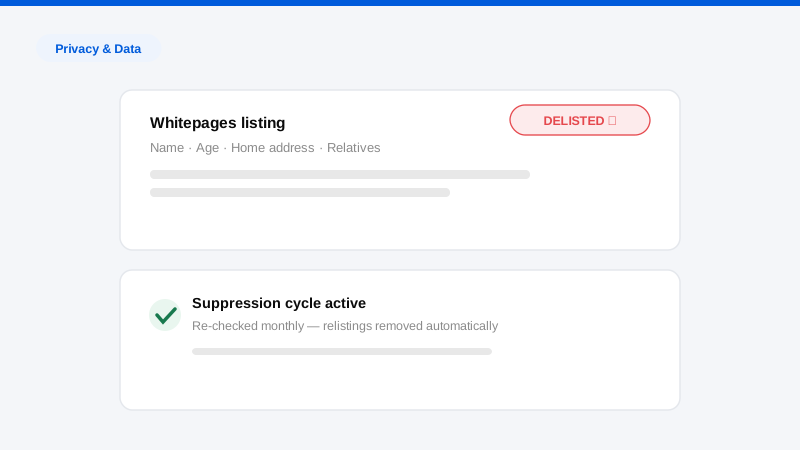
Whitepages is usually the first place people discover their home address is public. It is one of the oldest and highest-ranking people-search sites, which means a Google search for your name very often puts your street address, age, phone number, and relatives two clicks from anyone who wants them. The good news: you can remove your address from Whitepages yourself, for free, using the site’s own suppression process, and this guide walks through it step by step.
The less good news, which most guides skip: Whitepages is one node in a network of hundreds of people-search sites drawing on the same public records, and suppressed listings have a habit of returning when the underlying data refreshes. We file these opt-outs professionally every day, so alongside the exact removal steps we will cover why listings re-populate, what to do about the ecosystem around Whitepages, and how to keep a removed address from quietly reappearing six months from now.
Treat this as a working procedure, not a one-time errand. The mechanics take about fifteen minutes; the durable result comes from what you do after.
Before you start: find every Whitepages listing
Whitepages frequently maintains more than one record per person, one keyed to your current address, others keyed to prior addresses or name variants (maiden names, middle initials, “Bob” vs. “Robert”). Removing one listing while three others survive is the most common DIY failure we see.
Search whitepages.com for:
- Your full name plus current city and state
- Your name plus every city you have lived in over the past two decades
- Name variants and prior legal names
- Your phone number using the reverse phone lookup
Copy the URL of every listing that belongs to you into a document. You will process each one, and you will want the list later for verification.
How to remove your address from Whitepages, step by step
Here is the current suppression procedure. Details change from time to time, so if a screen differs, follow the site’s on-page instructions, but the shape of the flow has been stable for years.
- Locate your listing on whitepages.com and copy its full URL from your browser’s address bar.
- Go to the Whitepages suppression request page: whitepages.com/suppression-requests. This is the official removal entry point; you do not need an account and there is no fee.
- Paste your listing URL into the form and submit it.
- Confirm the record is you. The site displays the profile it found at that URL; verify the details and confirm it is your listing.
- Select a reason for removal from the drop-down when prompted. Any truthful option works; the choice does not affect processing.
- Complete phone verification. Whitepages verifies suppression requests with an automated phone call. Enter a phone number you can answer immediately, take the robocall, and key in the verification code shown on your screen when the system asks for it. This step trips people up, if you miss the call or the code lapses, the request dies silently and you must restart.
- Repeat for every listing URL you collected. Each record requires its own suppression request.
- Verify in about a week. Suppressions typically process within a few days. Re-run your searches to confirm each listing is gone. If one lingers past a couple of weeks, file it again, and consider contacting Whitepages support directly for records tied to Whitepages Premium, the paid background-report side of the business, which has occasionally required separate handling.
One caution from the trenches: use the phone verification promptly and do not submit requests for anyone but yourself or someone you are legally authorized to act for. Fraudulent or sloppy requests get discarded, and repeated malformed submissions can slow legitimate ones.
Verifying the removal properly
Confirmation screens are not verification. When you check back after a few days, test three layers, because each can fail independently:
- The listing URL itself. Load each URL from your inventory. It should return a not-found page or redirect to a generic search. If the profile still loads, the suppression did not process. File it again.
- Whitepages’ own search. Re-run every search from your inventory step, including prior cities and name variants. Suppressing one record does not suppress its siblings, and it is common to discover a record you missed the first time once the obvious one is gone.
- Google. Search your name plus city and check whether the Whitepages result still appears. A removed page can linger in Google’s index for weeks; once you have confirmed the page itself is dead, submit its URL through Google’s outdated-content tool to clear the stale result rather than waiting for a recrawl.
Keep your inventory document updated with dates filed and dates verified. It sounds bureaucratic for a personal task, but when a listing resurfaces months later, and one usually does, the record of what you filed and when turns a confusing repeat into a five-minute re-file.
Why your address comes back after removal
Whitepages does not really “know” your address the way a friend does. It continuously ingests public and commercial records (property deeds, voter files, utility hookups, change-of-address data, marketing databases) and assembles listings from them algorithmically. A suppression request removes the current listing; it does not remove you from the input pipeline.
So when the pipeline refreshes, several things can regenerate your exposure:
- A new record event. You move, refinance, register a vehicle, or update a subscription, and a fresh record flows in that the system assembles into a new listing, often at a new URL your old suppression does not cover.
- A merge event. Data about a relative or a former household member gets linked to you, resurrecting an address association you thought was gone.
- Simple re-ingestion. Even without new events, periodic re-processing of bulk record feeds can recreate profiles.
This is not unique to Whitepages; it is how the entire people-search industry works. It is also why we describe honest data broker removal as recurring suppression rather than deletion. The practical implication is unglamorous: calendar a re-check of your Whitepages searches every quarter, and re-file the moment anything reappears. Suppression filed promptly against a fresh listing is fast; a listing left up for a year gets copied by scrapers and mirrored elsewhere.
Whitepages is one door into a large building
Here is the strategic problem with stopping once you remove your address from Whitepages. The same records powering your Whitepages listing also power Spokeo, Radaris, BeenVerified, Intelius, MyLife, TruePeopleSearch, FastPeopleSearch, and several hundred smaller sites. Many of which run in networks of near-identical clones under different domains. Remove your address from Whitepages and a searcher simply gets it from the next result down.
Worse, the smaller sites are often more exposing than Whitepages itself: full address history, household members, and phone numbers displayed free with no paywall. (FastPeopleSearch is a prime example, and its opt-out works differently. We cover it in a separate guide.)
A meaningful address-removal effort therefore looks like this:
- Sweep the major brokers, each via its own opt-out process. There is no universal form.
- Search your address itself in quotes on Google to surface the long-tail sites that name-based lists miss.
- Clean up search results, filing Google’s personal-information and outdated-content removal requests so dead listings stop surfacing, the core work of removing yourself from Google.
- Cover your household. Broker listings cross-reference relatives, so a spouse’s un-suppressed profile republishes your shared address. Whole-household work is standard in our personal data removal engagements for exactly this reason.
- Repeat on a schedule. Every one of these sites re-populates on its own cycle.
Done manually and completely, this is dozens of hours up front and a permanent quarterly maintenance task. Automated opt-out tools can carry the fixed list of mainstream brokers; the long tail, the resistant sites, and the verification work remain manual. Where you draw the DIY line depends on your risk tolerance and your calendar, executives and other visible people usually conclude their time is the scarcer resource, which is what our executive privacy service is built around.
Slowing the refill: reduce what flows back in
Removal handles the data already published; a little input hygiene shrinks what comes next. None of these steps is mandatory, but each one starves the pipeline that rebuilds broker listings:
- Stop handing out your home address by default. A PO box or commercial mail-receiving address for subscriptions, deliveries where practical, business filings, and warranty cards keeps your street address out of the marketing databases brokers buy.
- Mind the high-leak registrations. Voter files, new utility accounts, and change-of-address filings are classic broker inputs. You often cannot avoid them, but knowing they trigger re-population tells you when to schedule an extra re-check, about a month after any of them.
- Keep your household consistent. Relatives and roommates who list the address publicly (on social profiles, resumes, or event pages) re-associate it with the household faster than any public record does.
- Audit annually, not just after incidents. A once-a-year pass through the full checklist catches the slow accumulation that quarterly spot-checks miss.
Input hygiene never replaces suppression (records you cannot control, like property deeds, keep flowing regardless) but combined with scheduled re-filing it turns the maintenance burden from a recurring project into a recurring chore.
When address exposure is a safety issue, not a nuisance
For most people a public address is an unwelcome default. For some (those dealing with stalking, harassment, domestic abuse, or threats tied to their work) it is a safety problem, and the playbook tightens:
- Prioritize speed across all major brokers simultaneously rather than working one site at a time.
- Many states offer address confidentiality programs for eligible individuals (commonly abuse survivors, and in some states judges, police, and health workers), which provide a substitute legal address going forward. Eligibility and effect vary by state. This is a question for local counsel or the program administrator, and we say that as a removal firm, not a law firm.
- Involve law enforcement where there are threats; documentation matters and some platforms expedite removals with a police report.
- Consider structural fixes for the future: a PO box or CMRA address for all correspondence and, where appropriate and lawyer-advised, entity ownership of a future home purchase. Removal cleans up the past; input hygiene protects the future. Both belong to a complete digital footprint cleanup.
Frequently asked questions
Does it cost anything to remove your address from Whitepages?
No. The suppression process is free and does not require an account. Be wary of third-party sites charging fees specifically to “unlock” a Whitepages removal. You are either paying for fifteen minutes of form-filling or dealing with an outfit that also profits from the listings’ existence. Paying a reputable service to handle the entire broker ecosystem is a different, legitimate proposition; paying for one free opt-out is not.
How long does Whitepages removal take?
Suppression requests usually process within a few business days of completed phone verification. Google may keep showing the dead page in results for days to weeks afterward until it recrawls; you can accelerate that with Google’s outdated-content tool.
Why can I still find my address on Google after Whitepages removed it?
Two possibilities. Either Google is showing a cached result for the now-removed page, fixable via the outdated-content tool, or, more commonly, the address is live on other people-search sites. Search your address in quotes to see every site currently publishing it; Whitepages is rarely alone.
Will opting out of Whitepages remove me from its affiliated or premium products?
The consumer suppression tool covers the public whitepages.com listings. Records surfaced through Whitepages Premium background reports have historically needed separate follow-up with support, and data licensed onward before your suppression can persist on other services. This is another reason to treat the ecosystem, not the single site, as the unit of work, and to re-verify rather than assume.
Find out where else your address is published
Whitepages is the site you found; the ones you haven’t found are the real exposure. Run our free exposure scan to get a documented list of every broker site currently publishing your home address, phone number, and family connections, then remove them yourself with guides like this one, or have our team suppress the whole ecosystem and keep it suppressed.