
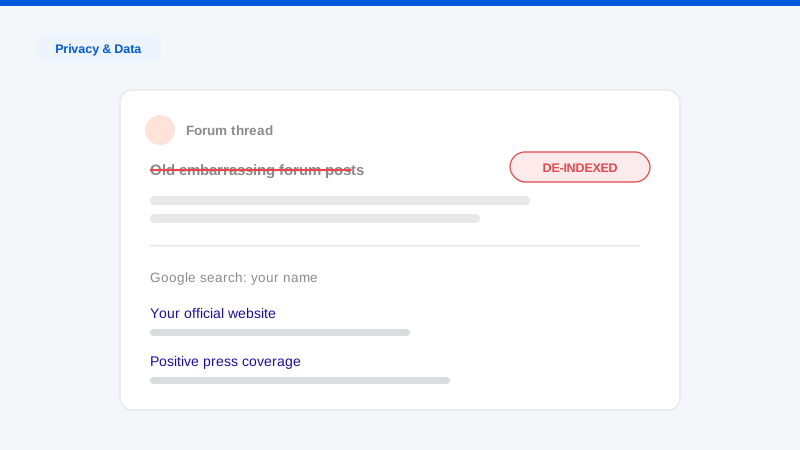
There’s a particular sinking feeling that comes from Googling your name (or worse, an old username) and finding a version of yourself from fifteen years ago holding forth on a forum you’d forgotten existed. Maybe it’s a heated argument on a gaming board, an overshare on a health forum, teenage political opinions, or just an archive of posts written with the judgment of someone who assumed nobody would ever look. Embarrassing old forum posts are one of the most common problems we’re hired to solve, and one of the most misunderstood, because forums behave differently from every other kind of platform when it comes to removal.
Here’s why: social networks are built around user account control, delete your account, and your content largely goes with it. Forums mostly aren’t. Many run on decades-old software, are moderated by volunteers, treat posts as part of a communal conversation they’re reluctant to break, and have explicit no-deletion policies. Add in the sites that have changed owners three times, the ones that are abandoned but still online, and the archived copies that survive even successful deletions, and you have a removal problem with more layers than most.
The good news is that each layer has a workable approach, and the order you attack them in matters enormously. This guide walks through the full sequence: assessment, account recovery, deletion requests, archive cleanup, de-indexing, and the username-linkage problem that keeps old posts discoverable even after they’re technically gone. It’s the same sequence we use professionally, with honest notes on where each step tends to succeed and fail.
First, assess before you act
Not every old post is worth pursuing, and some removal attempts can make things worse. Before sending anything:
Map the exposure. Search your old usernames, all of them, in Google, Bing, and DuckDuckGo, plus your real name in quotes and your old email addresses. Search within the forums themselves too, since forum-internal search often surfaces threads that search engines rank poorly. Build a list: URL, forum name, what’s exposed, whether the post links to your real identity directly (real name in profile) or indirectly (username used elsewhere under your real name).
Triage by actual harm. A post is worth pursuing if it’s findable by searching your real name, findable through a username traceable to your real name, or contains sensitive personal details regardless of attribution. A mortifying post under an untraceable pseudonym on a dead forum may be best left alone, sometimes the strategic move is cutting the link to you rather than fighting the content, which we’ll cover below.
Mind the Streisand risk. Forums are communities, and on active ones, a clumsy public demand for deletion can itself become a thread. All removal requests should be private (direct messages to moderators, contact forms, or emails) never public posts asking for deletion.
Step 1: Recover your old account
Whoever controls the account has the most removal power, so account recovery is always the first move. Many forums let account holders edit or delete their own posts, and even where they don’t, a request from the verified account holder carries far more weight than one from a stranger claiming to be the author.
Work through, in order:
- Password reset via old email addresses. Dig up every email address you’ve ever used and try the forum’s password reset with each. Old inboxes are worth recovering for this reason alone, search them for the forum’s name to confirm which address you registered with.
- Recovery of the old email account itself. If the forum’s reset email goes to a dead inbox, try recovering that inbox first through the email provider’s account recovery flow.
- Admin-assisted recovery. If self-service fails, contact the forum’s administrators, explain that it’s your account, and offer verification, access to the registration email domain, knowledge of account details, or other reasonable proof. Small forums handle this informally; be patient and polite, because you’re usually writing to a volunteer.
Once you’re in: some forums allow self-deletion or editing of your posts (note that some limit edits to recent posts), and some allow account deletion that anonymizes or removes your content. Before deleting the account itself, check what account deletion actually does on that platform, on some forum software it deletes posts, on others it orphans them under “Guest” or leaves the username intact. Anonymization to a generic handle is often the better outcome than deletion, and it’s frequently what admins will offer.
Step 2: Request deletion from the forum
When you can’t recover the account, or your account lacks deletion rights, you’re asking the forum to act. Understand the landscape you’re negotiating in:
Forum deletion policies vary enormously. Many forums explicitly refuse to delete posts, on the reasoning that deletions gut old threads and break the conversational record. Others will delete or anonymize on request, especially for old accounts. You won’t know until you ask, but how you ask changes outcomes:
- Request the minimum. Asking to delete three specific posts, or to anonymize your username, succeeds far more often than asking to purge an account’s whole history. Anonymization, replacing your username with something generic, solves the discoverability problem for most people, because the content stops being findable through your name or handle.
- Give a sympathetic, honest reason. “These posts are from when I was a teenager and now surface when employers search my name” gets traction. Legalistic demand letters aimed at volunteer moderators mostly get ignored or resented.
- Cite privacy law where it genuinely applies. If you’re in the UK or EU (or dealing with a forum subject to those laws), GDPR gives you a right to request erasure of your personal data, and mentioning it, accurately and courteously, changes the conversation. Some US state privacy laws provide deletion rights as well, though with more exemptions. Where posts contain your sensitive personal information, forums are much more likely to act regardless of jurisdiction. We’re not a law firm and this isn’t legal advice, for genuinely high-stakes situations, involve a privacy attorney.
- For abandoned forums, find the owner through WHOIS records, hosting-provider abuse contacts, or associated social accounts. Response rates are low; this is a place where professional persistence, ours or yours, is often the difference. If the forum is truly dead but still online, the de-indexing and archive steps below matter more than the deletion request.
For content that’s outdated rather than merely embarrassing, posts describing situations that are no longer true, you have an additional angle; that’s the core territory of our outdated content removal practice.
Step 3: Deal with archived copies
Here’s the step almost everyone misses: deleting a post from the live forum does not delete it from the archives. The Internet Archive’s Wayback Machine may hold snapshots of the thread, and other archiving services and scraper sites may hold copies too. If someone knows the URL, or finds it in a search, the “deleted” post is still one click away.
For the Wayback Machine: the Internet Archive accepts exclusion and removal requests, generally handled by emailing info@archive.org with the specific URLs and your reason. Requests from the site owner are strongest, but the Archive also considers requests from individuals regarding pages about them, particularly where personal information is involved. Decisions are case-by-case, and the Archive weighs its preservation mission against privacy harms, so make the privacy case specifically and concretely, and list exact snapshot URLs. If you’re the forum’s owner or can get the owner’s cooperation, an owner-side request covering the whole domain path is far more efficient.
For scraper and mirror sites, the sites that mass-copy forum content and republish it wrapped in ads, send removal requests to their listed contacts, and where they’ve copied your personal information, cite the site’s own privacy policy and applicable privacy law. Scraper sites ignore a lot of requests, but they also fold quickly when requests come through channels they can’t ignore, such as their hosting provider’s abuse desk. This tier of cleanup overlaps heavily with personal data removal work generally.
Sequence matters here: get the live copy handled first, then the archives. Archive services are more receptive when the source page is already gone.
Step 4: Clear the search results
Content that’s been deleted at the source often keeps appearing in search results for weeks, because search engines serve their cached index until they recrawl. Two tools fix this:
- Google’s outdated content removal tool (part of “Refresh Outdated Content” / search console tooling) lets anyone request removal of results whose underlying page is gone or changed. Submit each dead URL; once Google verifies the page no longer contains the content, the result clears, typically in days rather than the weeks a natural recrawl takes.
- Bing has an equivalent content-removal process; don’t skip it, since background-check-style searching often uses multiple engines.
For content that’s still live and won’t come down, de-indexing options narrow but don’t vanish: Google removes results containing certain categories of personal information (contact details, explicit images shared without consent, doxxing content) under its own policies, and its “Results about you” tool streamlines requests about pages exposing your contact information. A de-indexed result still exists on the forum, but it stops being findable by search, which for old forum posts is usually 90% of the battle. The broader playbook is in our guide to removing yourself from Google.
Step 5: Break the username linkage
This is the strategic layer most DIY efforts miss entirely. Old forum posts usually embarrass people not because the posts contain their real name, but because the username connects to their real identity somewhere else, the same handle on a LinkedIn-adjacent profile, a Reddit account with identifying comments, a gamer tag mentioned in a news article, an email address that doubles as a username. Anyone who searches the handle walks the chain.
To cut the chain:
- Inventory the handle. Search each old username and note every place it appears alongside identifying information.
- De-link, don’t just delete. Change the username on accounts you still use (many platforms allow renaming), remove the handle from bios and profiles that carry your real name, and retire it entirely going forward.
- Separate identities permanently. Distinct usernames for professional and personal contexts, and never reusing a personal handle on anything attached to your legal name.
Once the linkage is broken, posts under the old pseudonym revert to being what they always should have been: anonymous. In many engagements this step alone resolves the problem without a single post being deleted, and it’s fully within your control, unlike a moderator’s mercy. Username linkage is one strand of the larger identity-exposure web that a full digital footprint cleanup addresses.
The complete checklist
- Search all old usernames, real name, and old emails across Google, Bing, DuckDuckGo, and forum-internal search; build an inventory.
- Triage: pursue what’s traceable to your real identity or contains sensitive details; deprioritize the untraceable.
- Attempt account recovery via password resets, old-email recovery, then admin verification.
- Self-delete or self-anonymize where the platform allows.
- Send private, minimal, sympathetic deletion or anonymization requests to moderators; cite privacy law where it applies.
- For abandoned forums, trace owners via WHOIS and hosting contacts.
- Request removal of archived snapshots (Wayback Machine via info@archive.org, plus mirror and scraper sites).
- Submit cleared URLs to Google’s and Bing’s outdated-content tools; pursue policy-based de-indexing for stubborn live content.
- Break username linkages: rename, de-link bios, separate identities.
- Re-check in 30 days; re-file anything that didn’t stick.
Frequently asked questions
Can I force a forum to delete my old posts?
Usually not by demand alone. Most forums are under no general obligation to delete lawful user posts, and many have explicit no-deletion policies. Your leverage comes from persuasion (minimal, sympathetic, private requests), from privacy law where it applies (GDPR erasure rights in the EU/UK, sensitive-data provisions more broadly), and from the fallback layers: archives, de-indexing, and username de-linking, which can make posts effectively undiscoverable even when the forum won’t act.
The forum deleted my posts, but they still show up in Google. Why?
Search engines serve their stored index until they recrawl the page, so deleted content routinely lingers in results for weeks. Submit the dead URLs through Google’s outdated content removal tool and Bing’s equivalent, once the engines verify the content is gone, the results typically clear within days. Also check the Wayback Machine for surviving snapshots, which are a separate copy requiring a separate request.
What if the forum doesn’t exist anymore but the posts are still online?
That combination (dead community, live server) is common, and it changes your target list. Deletion requests go to whoever technically controls the site: the owner findable through WHOIS or the hosting provider’s abuse contact. Response rates are poor, so lean harder on the layers you control: de-indexing requests to search engines, archive removal requests, and username de-linking. A post nobody can find through your name is, for practical purposes, handled.
Is it worth removing posts that are only under a pseudonym?
Trace the pseudonym first. If the handle connects to your real identity anywhere (a reused username, a linked email, a bio mention) then yes, either the posts or the linkage needs to go, and breaking the linkage is often the faster and more reliable of the two. If the handle is genuinely untraceable, removal is usually optional, and a noisy removal campaign can create the attention the posts never had.
Old forum posts sit at the awkward intersection of volunteer moderators, dead websites, stubborn archives, and search engines, which is why half-measures so often fail. If you want to know exactly what’s still findable under your names and old handles, start with our free exposure scan. We’ll show you what’s out there and which of these layers it’s stuck in, and if you’d rather not spend weeks negotiating with moderators and archives, that’s precisely the work we do.