
When your Facebook gets hacked, move to a separate trusted device, log out of all sessions from the security settings, run a full malware scan, and only then change passwords and recover the account at facebook.com/hacked. Audit posts, messages, profile details, connected apps and Business Page roles, then post a short statement to your network.
Key facts
- Change credentials only after a clean malware scan, since a keylogger captures the new password too.
- Average account recovery can take about 17 days, longer if the attacker changed contact details first.
- Replace SMS two-factor with an authenticator app to defeat SIM swap attacks.
- Escalate when impersonator profiles, leaked content or hacked-account posts appear in Google search results.
Where ContentRemoval.com comes in. ContentRemoval.com steps in when the hack has left a trail a password reset cannot fix: impersonator profiles on Facebook and other platforms, leaked private photos or documents, scam messages sent under your name, and the search results that now point to them. Executives, their assistants and family offices usually make the call once Facebook’s own reporting stalls. A free 15-minute Exposure Scan maps what is out there and what can be removed, and the report is yours to keep. Get a Free, Confidential Exposure Scan or read how our Facebook content removal work is done.
The realization that your Facebook account has been compromised is a distinct and visceral shock. For high-net-worth individuals and executives, this is not a minor inconvenience; it is a security crisis with immediate and severe professional repercussions. The actions you take in the first 60 minutes are critical and will determine the extent of the damage and the speed of your recovery. This is not a moment for guesswork; it is a time for a precise, methodical response.
Your First 60 Minutes After a Facebook Hack
Your singular objective is containment. An unauthorized actor possesses a key to your digital life, and you must operate under the assumption that your primary devices are compromised.
Isolate the Breach and Sever Access
Before taking any action, stop. Do not use your personal phone or the computer you were just using. The most significant error is attempting to resolve a breach from a compromised device.
Secure a completely separate and trusted device: a work laptop under corporate security, a family member’s computer, or a new, out-of-the-box tablet. This step is non-negotiable. If the attacker deployed malware like a keylogger to capture your credentials, entering a new password on the same device merely hands them the new keys.
From this clean machine, navigate directly to Facebook’s security settings. Locate the section titled “Where you’re logged in.” You will see a list of every device and location with active access to your account. Do not waste valuable time attempting to identify the attacker’s session.
Execute the “Log out of all sessions” command. This is your emergency lever. It forcibly terminates the attacker’s access, creating the necessary window to properly secure your account.
This triage guide outlines the core steps for retaking control.
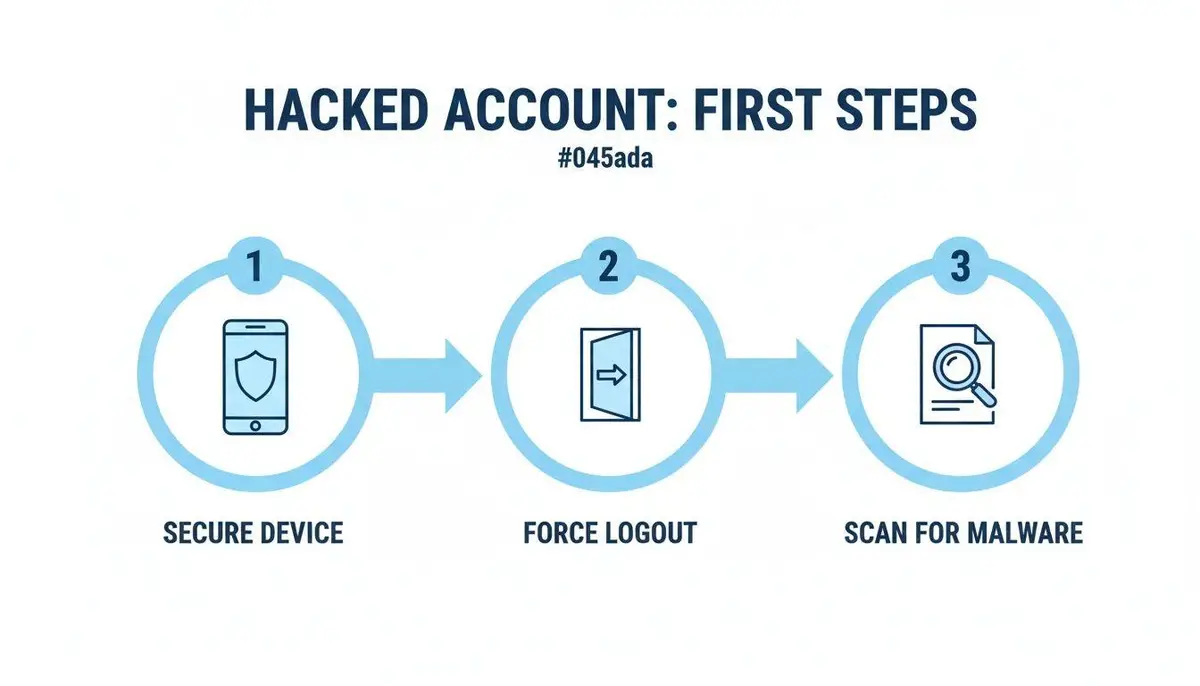
Executing these steps in this exact order is the only method to ensure the attacker cannot immediately regain entry.
Conduct a Forensic Device Scan
With the immediate threat neutralized, you must sterilize your own equipment. Do not proceed with password changes or account recovery until you have absolute certainty that your intended device is clean.
Run a deep, forensic-level malware scan on your primary devices. This requires a reputable, powerful security suite capable of detecting sophisticated threats that basic antivirus programs miss. You are hunting for specific malware classes:
- Keyloggers: Malicious code that records every keystroke, including new passwords.
- Session Hijackers: Malware that steals the browser’s authentication tokens, allowing an attacker to bypass password prompts entirely.
- Remote Access Trojans (RATs): The most severe threat, granting an attacker complete control over your machine.
Only after receiving a clean security report on your devices should you proceed to change credentials. Rushing this step is a critical error that can transform a one-hour problem into a week-long crisis.
In a sophisticated hack, precision is superior to speed. The sequence of your actions is paramount. Securing your environment before changing credentials distinguishes a contained incident from a catastrophic digital identity compromise.
By executing this initial triage, you transition from a state of crisis to a position of control, establishing the secure foundation required for a full recovery and ensuring the damage is contained.
Reclaiming Control and Assessing the Damage
Once the attacker’s immediate access is severed, the mission shifts to officially reclaiming your account and conducting a damage assessment. Follow Facebook’s recovery protocols with precision, then perform a deep forensic analysis of the attacker’s activities. The diligence you apply here dictates the outcome.
Your sole official starting point is Facebook’s dedicated recovery page: facebook.com/hacked. Navigate there directly. The platform will guide you through a verification process, typically by sending a security code to your registered email or phone number.
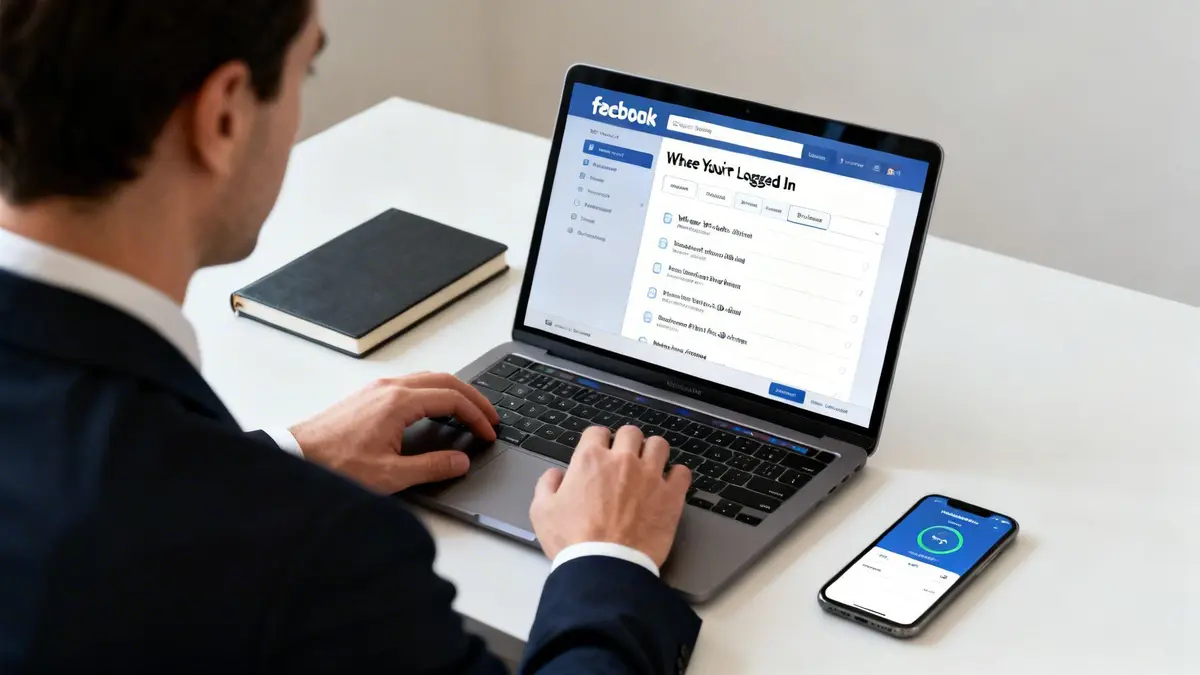
Anticipate potential delays. While the average recovery can take approximately 17 days, preparedness can expedite the process. The recovery frequently stalls if the attacker successfully altered your contact information first.
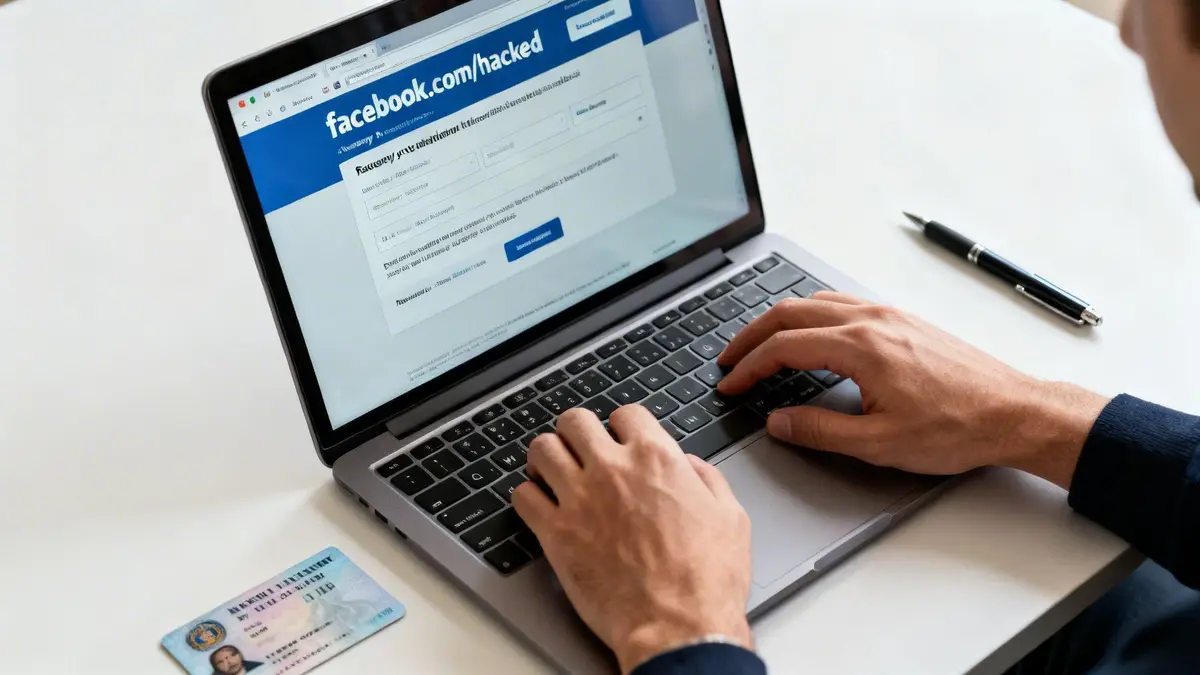
If you cannot access your registered email or phone, you must declare to Facebook that you no longer have access. This initiates a more stringent identity verification protocol, which will likely require you to submit a photograph of a government-issued ID. To prevent rejection and delays, ensure the image is clear and that your name, date of birth, and photograph precisely match your profile information.
A Systematic Audit of the Damage
While awaiting account restoration, or immediately upon regaining access, you must conduct a thorough damage assessment. An attacker’s objective is rarely limited to frivolous posts; they are often exploiting your network, exfiltrating personal information, or implanting a backdoor for future access.
This is a forensic review. In managing the fallout, the principles of a corporate data breach response plan provide an invaluable framework for recovery and damage control.
Begin by examining these critical areas:
- Timeline and Activity Log: Scrutinize every post, comment, and “like” made since the breach. Attackers frequently post malicious links or cryptocurrency scams to exploit the trust of your network.
- Sent Messages: Inspect your Messenger outbox for any messages you did not author. It is a common tactic for attackers to solicit funds from your contacts, disseminate malware, or execute phishing attacks.
- Personal and Profile Information: Confirm that your name, date of birth, email, phone number, and biography remain unaltered. Attackers modify these details to impede your recovery efforts.
- Business Page and Group Administration: This is a high-stakes area. If your personal account administers any business pages or groups, inspect them immediately. Verify your continued admin rights and search for any unauthorized users granted administrative, editorial, or moderator roles. Loss of control over a business page can inflict immediate financial and reputational damage.
A compromised account is a liability until it has been fully audited and secured. Assume every setting, post, and connection has been manipulated. Overlooking a single unauthorized app or a subtle change in page permissions can lead to a second, more destructive breach.
Uncovering Hidden Threats and Backdoors
Beyond overt damage, sophisticated attackers often leave covert traps. A crucial part of your audit is to examine the apps and websites connected to your Facebook account. Each one represents a potential vulnerability.
Navigate to your “Apps and Websites” settings and meticulously review the list. If you do not recognize an application or have not used it recently, revoke its access without hesitation. Attackers frequently grant malicious apps permission to access your account, enabling them to continue data exfiltration or post on your behalf even after a password change.
This is precisely why changing your password alone is insufficient. With an estimated 80% of breaches stemming from credentials exposed in previous data leaks, a new password is a necessary but incomplete measure.
A full audit provides a complete intelligence picture of the breach’s severity. This information is necessary to contain the problem and to strategize communications with your professional and personal networks. For high-profile individuals, understanding the full scope is about rebuilding trust and re-establishing command. In such situations, our dedicated services for securing your Facebook presence provide an additional layer of expert intervention.
Systematic Cleanup and Reputation Containment
Regaining access to a hacked Facebook account is merely the first step. The substantive work follows: remediating the damage left by the attacker and ensuring your personal and professional reputation remains intact.
Your first action is a deep forensic review of your timeline and activity log. You must systematically delete any post, comment, or share that is not yours. Attackers deploy spam links, fraudulent investment schemes, or reputationally damaging content to destroy your credibility.
Correcting Your Digital Footprint
After addressing the public-facing damage, you must investigate less obvious areas. Attackers frequently alter profile details (such as your name, biography, or contact information) to prolong the lockout or create chaos. Review your profile line-by-line and revert any unauthorized changes.
If your personal profile is linked to Business Pages or ad accounts, these are prime targets. You must audit all user roles and permissions. We have seen numerous cases where attackers add their own profile as a new administrator, granting themselves a persistent key to your business assets.
Another critical but often overlooked area is the “Apps and Websites” section in your settings. This is a potential backdoor for data exfiltration. Review that list and revoke access for any app you do not recognize or have not used in years. A malicious app can continue posting on your behalf long after you have changed your password.
Strategic Communication with Your Network
How you communicate the hack is as critical as the technical remediation. For any public-facing professional, transparency is essential, but it must be carefully managed to project confidence and control.
Draft a concise, definitive post for your timeline. It must accomplish three objectives:
- State that your account was compromised.
- Confirm you have regained control and secured it.
- Advise your network to disregard any anomalous messages or posts from the period of the breach.
This post reasserts your control over the narrative, demonstrates responsibility, and warns your contacts about potential fraudulent messages. For a more proactive approach to your online presence, our guide on how to curate your Facebook image offers long-term strategies.
A controlled, public-facing message is not an apology; it is a declaration of restored order. It reassures your clients, colleagues, and personal connections that you have handled the situation with competence and that the digital space you command is once again secure.
As part of containment, consider data privacy implications. If the attacker accessed your contacts’ information, certain obligations may arise. Understanding data privacy laws is a key part of a proper cleanup, and resources like this lead scraping compliance checklist provide an overview of regulations such as GDPR or CCPA.
Finally, conduct personal outreach. For your most important clients, board members, or family who may have been targeted directly with scam messages, a public post is insufficient. A direct phone call or personal email is highly effective for rebuilding trust. These actions transform a potential disaster into a demonstration of your ability to manage a crisis with authority and care.
Immediate Triage Actions vs. Long-Term Fortification
After a hack, it is easy to conflate immediate crisis response with the long-term work of rebuilding defenses. This table distinguishes between the actions required in the first hour and the strategic focus for post-recovery fortification.
| Action | Immediate Triage (First Hour) | Long-Term Fortification (Post-Recovery) |
|---|---|---|
| Password Management | Immediately change the password for Facebook and any linked accounts using the same credentials. | Implement a password manager; create unique, complex passwords for all accounts. |
| Account Access | Use facebook.com/hacked to report the compromise and initiate recovery. | Enable Two-Factor Authentication (2FA) using an authenticator app, not SMS. |
| Damage Assessment | Quickly scan the timeline and DMs for overtly malicious posts or messages. | Conduct a full forensic audit of your activity log, posts, photos, and tagged content. |
| App Permissions | Swiftly review and remove any recently added or suspicious apps in settings. | Perform a quarterly review of all connected apps and websites; revoke unused permissions. |
| Communication | Post a brief, public statement confirming the hack and subsequent recovery. | Personally follow up with key contacts who may have received malicious messages. |
| Business Assets | Check for unauthorized admin/editor roles on any connected Business Pages. | Review ad account spending, audiences, and payment methods for fraudulent activity. |
Think of immediate triage as hemorrhage control. Long-term fortification is the strategic strengthening required to prevent recurrence. Both are indispensable for a full recovery.
Fortifying Your Digital Presence Post-Breach
Regaining access to your Facebook account is not the finish line; it is the starting signal for a complete security overhaul. For a public figure or business leader, a repeat incident is unacceptable. A breach is a harsh lesson. Use the event to construct a digital fortress, not merely to apply a temporary fix.
Ditch SMS and Upgrade Your Two-Factor Authentication
If you are using text messages (SMS) for two-factor authentication (2FA), you are operating with a known vulnerability. This method is susceptible to a SIM swap attack.
In a SIM swap, an attacker deceives your mobile carrier into transferring your phone number to a SIM card under their control. They then begin receiving all your text messages, including 2FA codes from Facebook. It is a common vector for bypassing this security layer.
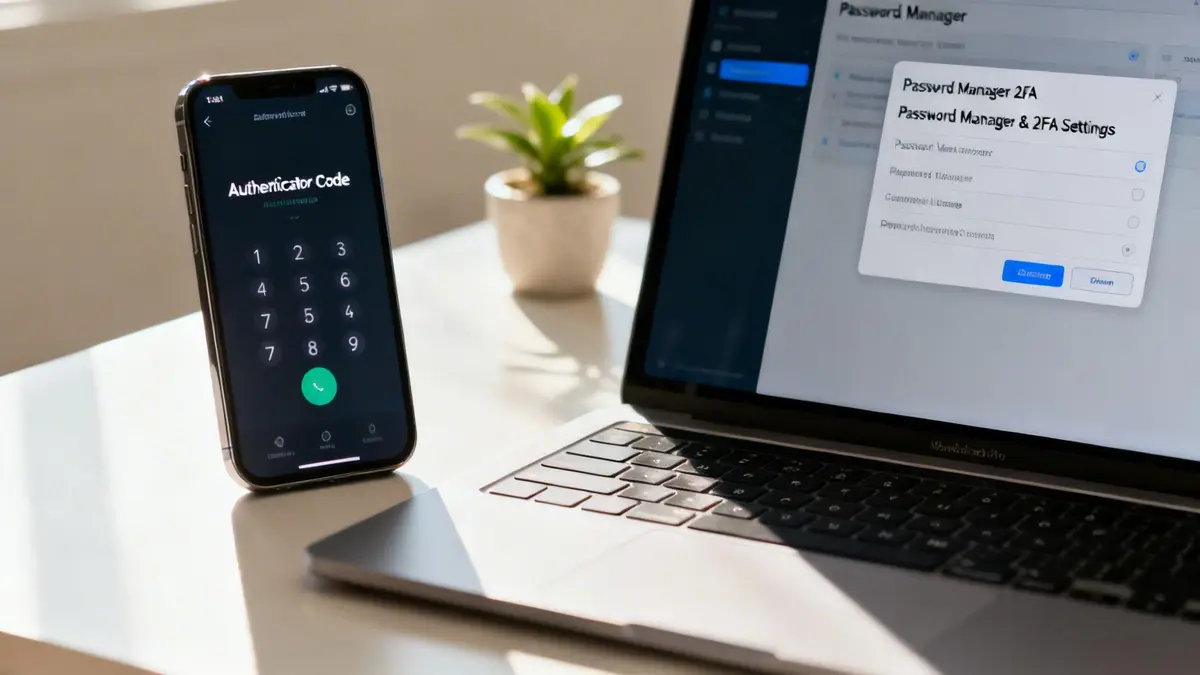
The only acceptable solution is to migrate to an authenticator app. Applications like Google Authenticator, Microsoft Authenticator, or Authy generate time-sensitive codes directly on your device, independent of your phone number. To acquire one of these codes, an attacker would need physical possession of your unlocked phone, rendering remote attacks like SIM swaps ineffective.
Post-breach, your entire security posture must evolve. Migrating from SMS to an authenticator app is not a recommendation. It is a mandatory upgrade. It is the single most effective action you can take to prevent a recurrence.
Purge Your Connected Apps
A Facebook account takeover often originates not from a direct attack on Facebook, but from a compromised third-party application granted access to your profile years ago. These connections represent a massive and frequently neglected security blind spot.
You must navigate to your Facebook settings and find the “Apps and Websites” section. Go through the list and be ruthless in your assessment.
- Do I recognize this application?
- Have I used it in the last twelve months?
- Does it require access to my profile to function?
If the answer is no, revoke its access immediately. A forgotten quiz or game from 2015 could be the backdoor an attacker uses. This is not about tidiness; it is about shrinking your attack surface and eliminating the low-hanging fruit that criminals exploit.
A New Reality for Passwords
The era of using clever, memorable passwords is over. After a breach, you must assume your old password and all its variations are compromised and available on the dark web. The new standard is non-negotiable: a completely unique, complex, and randomly generated password for every single account.
A strong password is not just long; it is random. It must be at least 16 characters with a mix of uppercase and lowercase letters, numbers, and symbols. Never reuse a password. If one site is breached, attackers will programmatically test that same password against every other major platform.
A password manager is an operational necessity. We recommend enterprise-grade tools like 1Password, Dashlane, or Bitwarden. They generate and store unique, complex passwords, requiring you to remember only a single master password. This is not a matter of convenience; it is a fundamental security discipline.
This level of rigor is critical. Over 60% of social media hacks are linked to phishing attempts, which themselves have surged by 47% in the last year. Combining strong, unique passwords with app-based 2FA is your primary defense against these threats. You can review the latest social media hacking statistics to understand the data behind this imperative for professional-grade security.
When to Engage Reputation Management Professionals
Reclaiming your Facebook account may feel like a resolution, but at times, it is only the prelude to a much larger crisis. If the attacker’s actions extended beyond a simple lockout, if they began leveraging your name to inflict damage, you are facing a problem that a password reset cannot solve.
Facebook’s reporting infrastructure is designed for mass-market, low-level issues. It is not equipped to handle the nuances of a targeted, reputation-driven attack. When confronting coordinated impersonation, leaked private data, or rapidly spreading defamatory content, automated tools and individual reporting are insufficient.
Recognizing When You Are Out of Your Depth
The moment the attack metastasizes beyond your own timeline is the point at which you must escalate. Once an attacker begins creating fake profiles in your name or disseminating malicious content, the problem has spiraled beyond your control. Attempting a self-managed solution is no longer a viable strategy.
These red flags indicate it is time to engage a professional firm:
- Persistent Impersonation: The attacker repeatedly creates new accounts masquerading as you on Facebook or other platforms.
- Harmful Content Proliferation: Your private photos, sensitive documents, or fabricated, defamatory posts are being shared from the hacked account or by impersonators.
- Targeted Network Contact: The attacker is messaging your clients, family, or professional network with threats, extortion demands, or disinformation.
- Search Engine Indexing: The damaging content from the hack now appears in Google search results for your name or your business.
If you are experiencing any of these, you are no longer dealing with a hacked account. You are fighting a reputation war on multiple fronts, and this is precisely where the expertise of a specialist firm becomes indispensable.
The Limits of DIY and the Advantage of Specialization
An individual cannot match the speed, resources, or authority of a dedicated reputation management firm. While you are navigating help centers and submitting forms, the attacker is exploiting that delay to inflict maximum damage.
This threat is particularly acute for high-net-worth individuals and public figures. We frequently see cases where hackers breach an account and then create impersonator profiles to continue scams or attempt to ransom the original account back to its owner. Ransom demands for high-profile accounts have been known to reach as high as $21,400. You can review these sobering hacking statistics to better understand the motivations behind these attacks.
While you should report impersonators through Facebook’s standard channels, specialized services provide a far more potent solution. Firms like ours utilize legal takedown notices and advanced monitoring to scrub fake profiles from all platforms, often achieving removal within 24-48 hours. Crucially, we also prevent the re-uploads that affect an estimated 65% of these cases.
When your name, brand, or corporate stability is at stake, relying on platform-provided tools is an unacceptable risk. Professional firms operate at a different level, employing established legal channels and superior technology to achieve what individuals cannot: rapid, decisive, and permanent removal of damaging content.
Firms specializing in online content removal and comprehensive reputation management address the problem from all angles. This includes removing not only fake accounts and leaked content but also de-indexing harmful URLs from search engine results. The process concludes with continuous monitoring to identify and neutralize new threats as they emerge.
Engaging professionals is not an admission of defeat; it is a strategic decision to protect your most valuable asset, your reputation. It is the recognition that a serious crisis requires a specialist capable of terminating the threat definitively.
Frequently Asked Questions About Facebook Hacks
When your Facebook account is compromised, urgent questions demand immediate, authoritative answers. The following addresses the most pressing concerns for individuals under pressure.
Can Hackers Access My Other Accounts?
Yes. You must operate under the assumption that they will try. This is the primary cascading risk following a Facebook breach.
Attackers immediately engage in credential stuffing. They programmatically test the compromised Facebook password against all your other accounts: your email, financial institutions, and corporate systems. Any reuse of that password constitutes a catastrophic failure of security.
Furthermore, any application or website where you have used the “Login with Facebook” feature is now a potential point of entry. The attacker can often gain access without needing a separate password. Your only recourse is to change all associated passwords immediately, starting with your primary email, then moving to financial and other critical platforms. Until secured, all linked accounts must be considered compromised.
What if I Cannot Access My Recovery Email or Phone?
This indicates a sophisticated takeover where the attacker has successfully altered your recovery credentials. It is a serious situation, but not an insurmountable one.
Proceed directly to Facebook’s official recovery page: facebook.com/hacked. When prompted for a code sent to a contact method you do not recognize, select the option stating, “I no longer have access to these.” This is the designated path for this scenario.
This action initiates a manual identity verification process. Facebook will require you to upload a clear photograph of a government-issued ID to prove ownership. This method is slower than an automated reset but is the only legitimate recourse when your recovery information has been hijacked. Disregard any third party claiming to offer an expedited or “secret” recovery process; these are invariably fraudulent.
The threat is significant. Social media hijacking incidents increased by 1,000% between 2021 and 2022. For public figures, the stakes are even higher. We advise prominent clients to regularly export a copy of their Facebook data. This backup can serve as critical evidence in proving what transpired during a breach. You can see more social media hacking statistics to appreciate the scale of this threat.
Should I Inform My Network I Was Hacked?
Yes, but the communication must be strategic. After you have regained control and assessed the situation, a concise, authoritative post on your timeline is the correct action.
Your message should achieve three objectives:
- Announce that the account was briefly compromised.
- Confirm it is now secure and under your control.
- Warn your network to disregard any unusual messages or posts sent during the breach.
This demonstrates accountability and helps protect your contacts from any scams the attacker may have launched using your identity. The message should be factual and brief; there is no need to disclose technical details of the compromise.
A controlled, public-facing message is not an admission of weakness; it is a declaration of restored order. It reassures clients, colleagues, and personal connections that you have handled the crisis with competence and that the digital space you command is once again secure.
By managing the communication, you not only mitigate reputational damage but also transform a crisis into an opportunity to reinforce trust with your network.
Sometimes, a hack leaves behind damage that a password change cannot fix, such as defamatory posts, impersonation accounts, or leaked private content. In these situations, the damaging material must be removed with urgency. ContentRemoval.com specializes in rapid, decisive action, employing legal and proprietary tools to get content removed where standard reporting fails. If your situation extends beyond a security breach, contact us for a confidential assessment.
