
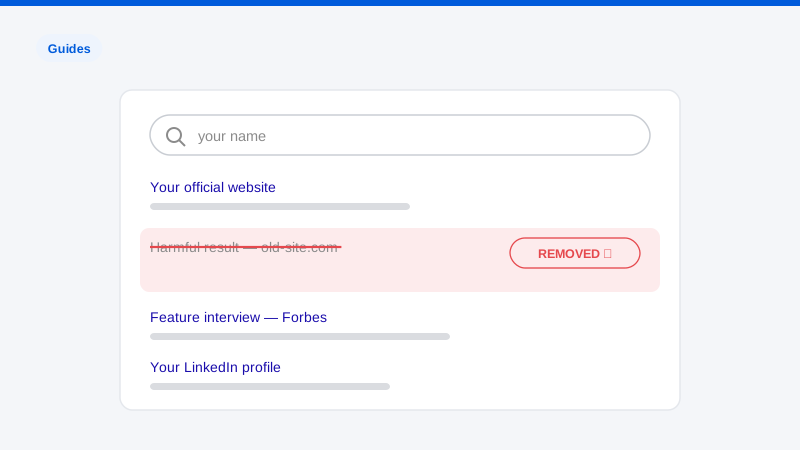
Removing a page you control from Google is trivial. You add a noindex tag or delete the page, and Google follows. Trying to remove a webpage from Google that is not yours is an entirely different problem: you don’t control the server, you can’t edit the page, and Google’s default position is that the web’s contents are the publisher’s business, not yours. Yet pages come down or drop out of search results every day at the request of people who don’t own them. The difference between the people who succeed and the people who give up is knowing which of the several available mechanisms actually fits their situation, and executing it with the evidence each mechanism demands.
We do this work daily, so let’s be precise about what “remove” means here, because the industry blurs it constantly. There are two distinct outcomes. De-indexing means Google stops showing the URL in search results; the page still exists, still loads for anyone with the link, and still appears in other search engines. Source removal means the page itself comes down, after which every search engine drops it automatically. Google’s own tools can only ever deliver the first outcome. The second requires going to the website, and it’s the outcome you should ultimately want, because a de-indexed page is hidden, not gone.
This guide walks through every legitimate route, in the order we’d actually evaluate them for a client: Google’s free tools where they fit, legal mechanisms where they apply, and the source-site route that resolves the problem for good.
First, diagnose the page: which mechanism fits?
Every removal route is keyed to what the content is, so start with a cold assessment of the page in question:
- Does it show information that’s outdated or already changed? The page was edited or deleted, but Google’s result still shows the old version. → Outdated content tool.
- Does it expose your personal information? Home address, phone number, email, government ID numbers, financial or medical details, login credentials. → Google’s personal information (PII) removal policies.
- Does it contain content you own? Your photographs, your writing, your product images, your videos, posted without permission. → Copyright takedown, the most procedurally powerful tool on this list.
- Is it intimate or explicit imagery of you posted without consent? → Google’s dedicated NCEI process plus platform-level takedowns.
- Is it unlawful: defamatory per a court, or otherwise illegal? → Legal removal request, supported by documentation.
- Is it none of the above: negative press, criticism, an unflattering forum thread? → Google’s tools won’t help, and the source-site route is your realistic path.
Most damaging pages fit more than one category. A harassing blog post might contain your copyrighted photo and your home address; those are two independent removal claims, and filing both is not overkill. It’s redundancy. Now let’s take the mechanisms one at a time.
Route 1: Google’s outdated content tool
The narrowest tool, but when it fits, it’s the fastest. Google’s outdated content removal tool (in Search Console’s public-facing version, no site ownership required) addresses one specific situation: the live page no longer matches what Google’s index shows. The page was deleted and now returns a 404, or the offending text was edited out, but the search snippet or cached result still displays the old content.
To use it, you submit the URL and, where the page still exists, the specific word or phrase that no longer appears on it. Google’s system verifies the mismatch automatically, which is the key discipline: verify it yourself first. Load the page in an incognito window. If the content you want gone is still visibly on the live page, the tool will correctly reject the request, because the index isn’t outdated, the page just still says the thing.
Where this tool earns its keep in practice: after you’ve successfully persuaded a site to edit or delete a page (see Route 4), the stale result can linger in Google for weeks. The outdated content tool collapses that lag to days. We use it as the last step of a source removal, not as a standalone strategy.
Route 2: Personal information (PII) removals
Google has meaningfully expanded what personal information it will remove from search results on request. The current policies cover contact information (home address, phone number, personal email), with a lower bar when it appears alongside threats or in a doxxing context, as well as government ID numbers, bank and credit card numbers, images of signatures and ID documents, medical records, and confidential login credentials.
Two honest caveats from daily experience with these forms. First, they’re evidence-hungry: the reviewer must be able to verify that the information is on the page, that it’s yours, and that it fits a covered category. Submissions that assert instead of demonstrate get denied. Second, approval removes the URL from Google search only. The page keeps publishing your address to anyone who arrives by link, by Bing, or by an AI chatbot that browses the web. For exposed PII we treat the Google filing as the tourniquet and pursue source removal in parallel, because the underlying exposure is the actual risk.
Filing well: capture full-page screenshots showing the PII with the URL and date visible, submit the exact canonical URL (not a redirect or a search-results link), identify precisely where on the page the information sits, and explain the identity match in plain language. If the same information appears on multiple pages (and it usually does, thanks to scraper sites) file for every URL, because removals are per-URL, not per-fact. Our overview of Google’s removal processes covers each track’s requirements in more detail.
Route 3: Legal removals, copyright and court orders
Copyright: the strongest lever most people don’t realize they hold
If anything on the page is yours (a photo you took, a selfie you captured, text you wrote, product images, video) copyright law gives you a takedown mechanism that doesn’t depend on anyone’s discretion. A valid DMCA notice to Google removes the infringing URL from search; the same notice to the site’s host puts the host’s own liability protection at stake, which is why hosts routinely act on valid notices even when the site’s operator ignores you.
This matters more than most people expect because of one detail: the photographer owns the photo. If the damaging page uses a picture you took, including a selfie, you likely hold the copyright to it, regardless of what the surrounding text says. A copyright infringement removal can strip the image from the page and from Google Images, and site operators faced with a valid notice sometimes pull the entire post rather than surgically edit it. A caution in the other direction: DMCA notices are legal instruments made under penalty of perjury. Claiming copyright over content you don’t own is abuse of the process and can create real liability. Use this route only for content that is genuinely yours.
Court orders and unlawful content
Google honors removal requests supported by a court determination that content is unlawful, a defamation judgment being the classic case. If the content defames you, the legal route exists, and it’s the only route that compels rather than requests. It’s also slow and expensive, requires an actual attorney (we are not a law firm and nothing here is legal advice), and starts a public court record. For high-stakes situations it’s worth a legal consultation; for the median nasty webpage, the routes above and below resolve the problem faster.
Route 4: The source-site route, remove the page itself
Everything above works through or around Google. The most complete outcome, the page ceasing to exist, comes from the website itself, and it’s available even for content that violates no Google policy at all, which is exactly the content the other routes can’t touch.
Step-by-step: pursuing removal at the source
- Identify who actually controls the content. On a platform (Reddit, a forum, a review site), that’s the platform plus possibly the individual poster. On an independent site, it’s the site owner. Check the contact page, the privacy policy, and the domain’s registration records for an abuse or legal contact.
- Find the governing rules. Read the site’s terms of service and content policies. Harassment, doxxing, impersonation, and false statements violate the written rules of most platforms, including plenty of content Google would never touch. A removal request that cites the site’s own policy, section and language, gets handled differently than a generic complaint.
- Make the request professionally. Identify the exact URL, quote the specific content, state the specific policy or legal basis, and ask for a specific action. No threats, no essays, no emotion, content moderators triage enormous queues, and clear, verifiable, policy-grounded requests are the ones that get actioned.
- Escalate deliberately if ignored. Silence from the site is common, not terminal. The next rungs: the platform’s formal reporting channels rather than email; the site’s hosting provider’s abuse desk (hosts enforce acceptable-use policies against sites that ignore them); and for genuinely rogue sites, the registrar and CDN layer. Each rung has its own evidence standards and its own pace.
- Close the loop with Google. Once the page is edited or gone, use the outdated content tool (Route 1) to purge the stale result, then verify over the following weeks that it hasn’t resurfaced at a new URL.
This route is negotiation and escalation rather than form-filing, and it’s where professional experience changes outcomes most. Knowing which complaint desk at which host actually responds, and what a valid escalation package looks like, is the difference between “they ignored me” and a dead page, our process page describes how we run these engagements end to end.
What doesn’t work (and can make things worse)
- Angry demands to publishers. Aggressive letters, especially fake-legalese ones, get screenshotted and become a second, worse page about you.
- Fake DMCA or impersonated court orders. Fraudulent takedowns are increasingly detected, publicized, and in some cases prosecuted. Never.
- Paying “removal fees” to predatory sites. Some shame-sites charge for removal and repost anyway, or share your payment as proof the model works. Treat any site that solicits payment for removal as hostile.
- Assuming one removal ends it. Scrapers republish; posters repost. If the content has already spread once, plan for monitoring, our protection plans exist because reappearance is the rule, not the exception, for certain content types.
Frequently asked questions
Can I remove a webpage from Google if it doesn’t violate any policy?
Not through Google, no, Google’s discretionary tools only act on content covered by a written policy, and truthful negative content generally isn’t. But “Google won’t act” doesn’t mean “nothing can be done.” The source website can remove anything on it for any reason, and platform terms of service are frequently broader than Google’s policies. The realistic path for policy-clean content is a well-built request to the site, escalated intelligently, Route 4 above.
How long does it take to get a page removed from Google?
By mechanism: the outdated content tool typically resolves in days once the underlying page has actually changed. PII and policy removals usually take days to a few weeks depending on queue and evidence quality. DMCA removals from search are often processed within days for clean notices. Source-site removal is the wide variable, a responsive platform might act in 48 hours, a hostile independent site might take months of escalation. Denials and refiling add time, which is the strongest argument for getting the evidence right on the first pass.
If Google removes the page from search, is it gone?
No. De-indexing removes the URL from Google’s results. The page remains live, reachable by direct link, indexed by other search engines, and visible to AI tools that browse the web. It can also reappear in Google under a different URL. That’s why every route in this guide bends toward source removal: when the page is gone, everything downstream of it goes too. Our search result removal page covers the distinction in depth.
The page is about me but the site ignores every request. Now what?
Move up the stack. Platforms sit above pages; hosts, registrars, and CDNs sit below sites. A site operator who ignores you still depends on infrastructure companies that have abuse policies and respond to documented violations. In parallel, file every Google-side removal the content qualifies for so the page loses its search visibility while the infrastructure escalation runs. This combined approach is standard practice for us against non-responsive sites, and it’s a large part of a full removal from Google campaign.
The right removal route depends entirely on what’s on the page, and most pages qualify for more routes than their targets realize. If you want a practitioner’s read on your specific situation, run our free exposure scan: we’ll identify every page at issue, map each one to its viable removal mechanisms, and tell you plainly which parts you can do yourself.